





74views
Staying true to its reputation for rapid updates, Arch Linux has made GNOME 50 available in its repositories just over two weeks after the desktop environment’s official release.
This update introduces a wide range of new features and improvements. While a full breakdown is available in our detailed article, here’s a quick overview of the most notable additions in GNOME 50:
- Parental controls have been expanded to include screen-time limits, bedtime scheduling, and automatic screen locking for child accounts.
- Accessibility enhancements bring a redesigned Orca preferences interface, global configuration options, automatic language switching, improved Braille support, Mouse Review on Wayland, and a new Reduced Motion setting.
- The Document Viewer now features a more powerful annotation system with support for text, shapes, highlights, customizable colors, adjustable line thickness, and an eraser tool.
- Files (file manager) receives performance and UI upgrades, including faster thumbnail generation, reduced memory usage, an improved batch rename tool, detachable properties windows, and enhanced search filters.
- Calendar introduces an attendee list, ICS export functionality, a redesigned Quick Add workflow, a refined month view, and better keyboard and hardware navigation.
- Settings now includes options for selecting the first day of the week, clearer sound controls, updated modem information dialogs, and fixes for color management.
- Remote desktop capabilities have been enhanced with hardware acceleration, improved NVIDIA compatibility, HiDPI scaling, camera redirection, Kerberos authentication, and more stable headless sessions.
- Display handling sees improvements such as better support for variable refresh rates (VRR) and fractional scaling, reduced cursor latency under VRR, smoother performance on NVIDIA hardware, Wayland color management protocol v2, and HDR screen sharing support.
- GNOME 50 also introduces new wallpapers and expands GNOME Circle with additional apps like Gradia, Sudoku, Constrict, and Sessions.
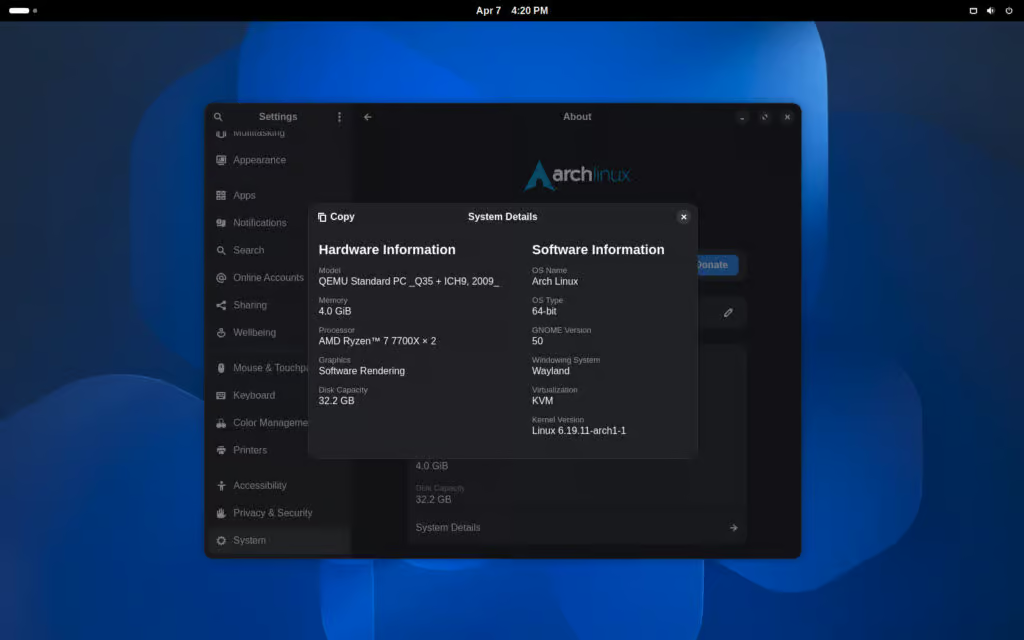
As with any major GNOME release, it’s important to ensure that your installed extensions are compatible before upgrading, as incompatibilities may lead to issues. If your extensions are not yet updated, it’s best to delay the upgrade.
However, if you prefer the default GNOME experience without relying on extensions, you can safely update your system using the familiar command:
sudo pacman -Syuand start exploring everything GNOME 50 has to offer.
add a comment


Debian’s APT 3.2 Arrives With New Solver Work and History Rollback Features
APT 3.2 is now the latest stable release of Debian’s package manager, bringing a range of new features and improvements....
Linux Filesystem Comparison: ext4 vs XFS vs Btrfs Which Should You Use in 2026?
The filesystem you choose when deploying a Linux server is not a cosmetic decision. It determines how your data is...

KDE Plasma 6.6.4 Released with Wayland, KWin, and Spectacle Fixes
The KDE team has released Plasma 6.6.4, the fourth bugfix update in the Plasma 6.6 series. A significant portion of the...
OpenSSL 3.6.2 Security Patch Fixes Multiple Vulnerabilities
OpenSSL has released version 3.6.2 as a security patch update that fixes eight vulnerabilities, with the project rating the most...




