






98views
Deepin 25.1 marks the first major update in the Deepin 25 series and is available as a fresh ISO for AMD64, ARM64, and Loong64 architectures, along with a RISC-V technology preview.
One of the most significant changes is the kernel upgrade from Linux 6.12 to 6.18 LTS. This brings improvements in memory management, file system performance for Ext4 and XFS, and introduces the BORE scheduler—borrowed from CachyOS—for smoother desktop responsiveness. It also expands hardware support, including newer capabilities such as Intel APX.
A major portion of this release focuses on UOS AI. Deepin has enhanced its AI ecosystem with features like a system-level “Claw Mode” for interacting with popular messaging apps, an improved writing assistant with outline-first generation and source traceability, and a built-in editor that supports exporting to PDF, Word, and Markdown. A new Skills Center also allows users to import or create custom AI capabilities. Additionally, screen capture and recording tools now include AI-powered text processing for tasks like explanation and translation.
On the desktop side, Deepin 25.1 introduces several usability improvements. The File Manager now supports pinned tabs, cross-window drag-and-drop, drag-to-zoom image previews, and clearer grouped file views. The taskbar has been enhanced to separate icons for applications with multiple windows.
The Control Center now includes mouse pointer size adjustments, while the Mail app gains printing support. Deepin has also updated the Linyaps NVIDIA proprietary graphics driver to version 580.119.02, resolving transparency issues in certain applications.
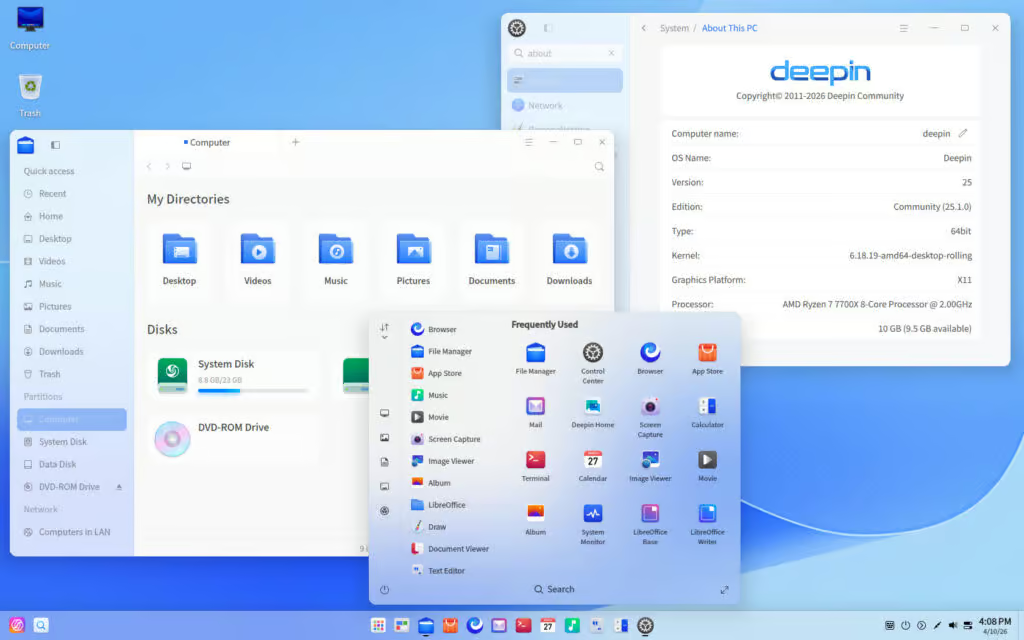
This release also brings a range of bug fixes and stability improvements. These include security updates, kernel vulnerability patches, improved update reliability, and better handling of power interruptions during updates within the “Solid Immutable System.” The desktop environment addresses issues related to multi-display setups, lock screen behavior, taskbar auto-hide, Alt+Tab switching, and window manager crashes.
Application-level fixes cover components such as File Manager, Terminal, App Store, Bluetooth multimedia, and several UOS AI-related issues.
The “Solid” aspect remains a key feature of Deepin 25.1. Building on the immutable-style foundation introduced in Deepin 25, it provides read-only protection for core system directories, automatic snapshots before updates, and rollback capabilities in case of failures. At the same time, it maintains flexibility—users can disable read-only protection when needed, and the system continues to support traditional package management tools like apt and dpkg.
For those planning a fresh installation, note that the installer requires at least 64GB of disk space. Given the distribution’s resource demands, relatively modern hardware is recommended to fully benefit from its features and visual experience.
add a comment


KDE Frameworks 6.25 Brings New Fixes and Developer Improvements
KDE has announced the release of Frameworks 6.25, the latest monthly update to its collection of add-on libraries for Qt...

Miracle-WM 0.9 Makes This Mir-Based Wayland Compositor Truly Hackable
Miracle-WM, the Mir-based Wayland compositor built around a tiling window manager, has released version 0.9. With this update, the project...

Debian vs Ubuntu Server: Which One Should You Use?
When setting up a new Linux server, Debian and Ubuntu are often the top contenders. Both are mature, widely supported...

Linux Training Guide
If you’re looking to build a strong foundation in Linux, the Linux Training Guide by Naresh Bhaisare is an excellent...




