
Audacious 4.6.2 Released With Wayland and Winamp Interface Improvements
Audacious 4.6.2 is now available, bringing improvements to its classic Winamp-style interface, better keyboard accessibility, SID audio-file seeking, and fixes for several playback and desktop compatibility issues.
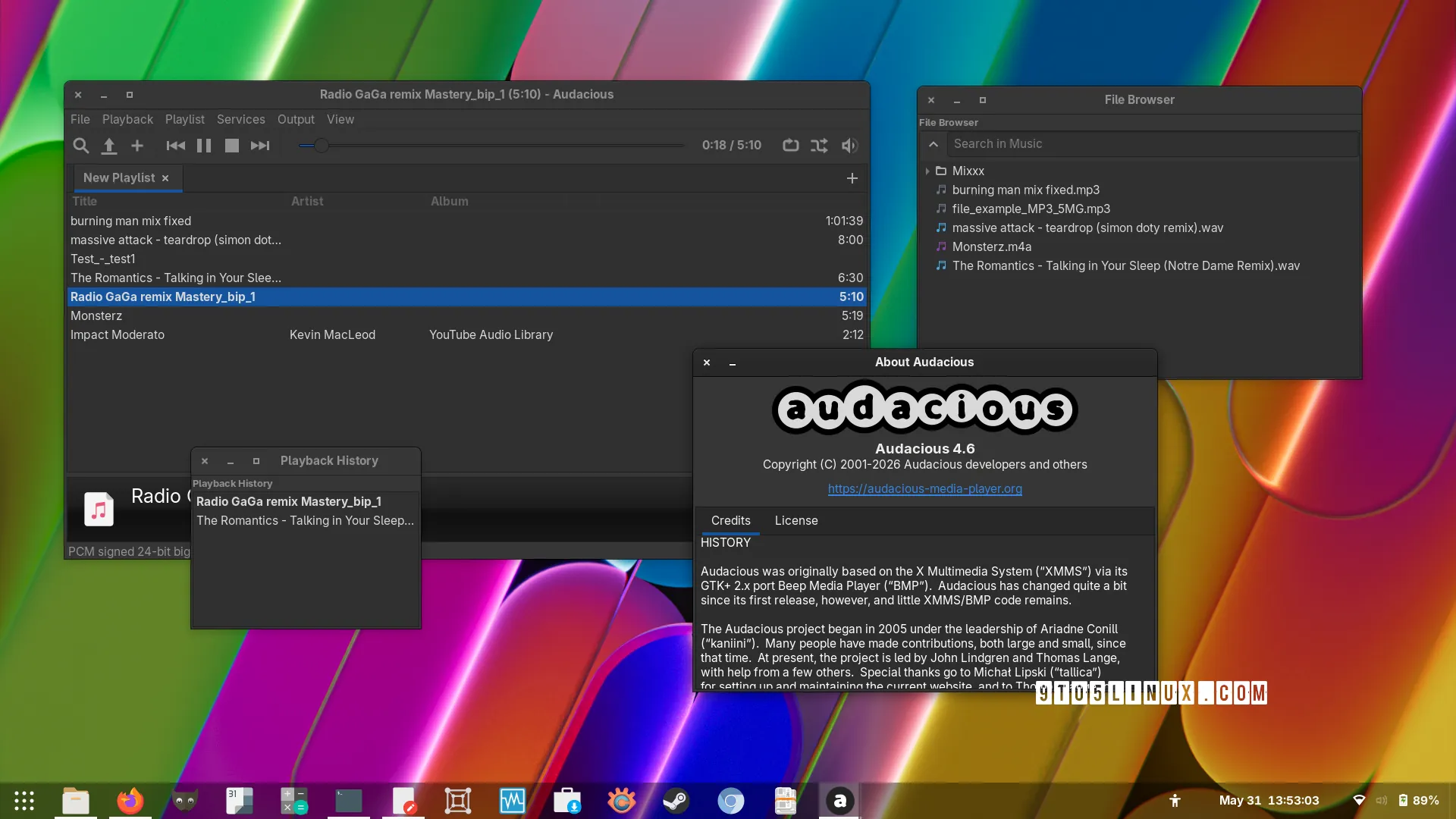
The Audacious project has released Audacious 4.6.2, a maintenance update for its free and open-source audio player. Published on October 19, 2026, the release focuses on interface consistency, keyboard navigation, media integration, and bug fixes for Linux desktop environments.
One of the main changes is improved feature parity between the Qt and GTK versions of Audacious’s Winamp-style interface. The update also addresses a crash involving Qt 6.12 on Wayland, fixes playback problems involving PipeWire, and improves handling of several audio formats and plugins.
- More complete Qt Winamp-style interface features.
- Seeking support and additional metadata for SID files.
- Support for the MPRIS OpenUri method.
- Keyboard navigation through toolbar controls.
- Fixes for Wayland, PipeWire, MIDI playback, and plugins.
What Is Audacious?
Audacious is a lightweight, open-source music player designed for people who want a configurable desktop audio application without an unnecessarily complicated interface. It supports playlists, plugins, multiple interface options, and a range of audio formats.
Users can choose a modern interface or use the classic Winamp-style layout, including compatible skins. Audacious supports Qt and GTK interfaces, with availability and packaging depending on the operating system and distribution.
Audacious 4.6.2: Key New Features
The Qt version gains important features previously available in the GTK version, making the classic interface more consistent across toolkits.
The advanced skin selector is now available in settings, and users can install skin files by dropping them onto the main window.
SID audio files gain seeking support, along with additional metadata parsing for supported files.
Toolbar buttons can be navigated using the Tab key and arrow keys, improving keyboard accessibility.
Qt Winamp Interface Reaches Feature Parity
A major goal of Audacious 4.6.2 is to bring the Qt-based Winamp interface closer to the GTK implementation. This matters for users who prefer the classic compact music-player design but use a Qt-based desktop environment or application stack.
The release introduces three notable improvements:
- Advanced skin selector: Users can access the advanced skin selector from the settings window.
- Drag-and-drop skin installation: Skin files can be dropped onto the main window to install them.
- All-workspaces option: The “View → On All Workspaces” option is supported on X11 and Xwayland.
The all-workspaces option is specifically documented for X11/Xwayland; it should not be interpreted as a guarantee that identical window-management behavior is available in every native Wayland session.
Wayland Compatibility and Stability Fixes
Audacious 4.6.2 addresses a crash associated with Qt 6.12 on Wayland by using unique window-role names. This is a targeted compatibility fix for affected desktop configurations rather than a promise that every Wayland-related limitation has been removed.
The update also fixes a cropped information popup affecting KDE users running the GTK interface with Wayland. Users experiencing these specific issues may benefit from upgrading to the new release.
For further details about Wayland behavior and the Winamp interface, consult the project’s official troubleshooting page.
PipeWire, MIDI, and Audio Plugin Improvements
Several changes in version 4.6.2 focus on playback reliability and plugin behavior:
- Fixes playback of very short audio files when using PipeWire.
- Prevents a crash when seeking MIDI files beyond the end of a track.
- Resolves thread-safety issues in the PipeWire plugin.
- Initializes AAC quality information correctly.
- Considers all input plugins during MIME-type probing.
- Restores responses to selected StreamTuner radio entries.
- Honors proxy settings in the Scrobbler and StreamTuner plugins.
- Improves handling of playlist-order files containing newlines.
- Checks for companion M3U playlists when opening supported game-console music files.
The changes are particularly relevant to users who depend on external audio plugins, radio streams, or Linux audio backends. They are maintenance improvements intended to make common tasks more dependable.
MPRIS OpenUri Support
Audacious 4.6.2 implements support for the MPRIS OpenUri method. MPRIS is a standard interface that allows compatible desktop applications and media controls to communicate with media players.
Adding this method improves Audacious’s integration with software that uses MPRIS to request that a media player open a URI. The exact behavior still depends on the calling application, supported URI type, and installed plugins.
Additional Fixes and Improvements
The release includes several smaller but useful changes beyond its headline features:
- Fixes a build issue on Linux systems without
statxsupport. - Correctly saves the size and position of GTK plugin windows.
- Adds and installs the application icon in more resolutions.
- Updates translations.
Together, these changes improve compatibility across different Linux environments and make the application more consistent for users with varied desktop configurations.
How to Download Audacious 4.6.2
The official Audacious download page lists version 4.6.2 source archives. Linux users can also install Audacious through their distribution’s package manager, although repository versions may differ from the latest upstream release.
Download Audacious From Official Sources
Get the source archives, check platform-specific availability, and review installation guidance on the project’s official website.
Official Download Page ↗ GitHub Releases ↗Availability note: the official download page lists the 4.6.2 source packages, while its Windows binary section still identifies version 4.6.2 as coming soon. Check the official page for current installer availability before downloading.
Installing on Linux
Many Linux distributions provide Audacious in their software repositories. For example, Debian and Ubuntu-based systems can use APT, Fedora uses DNF, and Arch Linux and Manjaro use Pacman.
Debian, Ubuntu, and Linux Mint:
sudo apt update
sudo apt install audacious
Fedora:
sudo dnf install audaciousArch Linux and Manjaro:
sudo pacman -S audaciousThese commands install the version packaged by your distribution, which may not be 4.6.2. Check the installed version in your package manager or distribution documentation. For the latest upstream source, follow the official build instructions.
Should You Upgrade to Audacious 4.6.2?
Audacious 4.6.2 is worth considering if you use the Qt Winamp-style interface, need the new SID seeking functionality, rely on MPRIS integrations, or have encountered one of the playback and desktop compatibility issues addressed by this update.
If your current installation is stable and your Linux distribution has not packaged the update yet, you can wait for the updated package or follow the upstream installation instructions. Before compiling software from source, review the official requirements and instructions for your operating system.
Audacious 4.6.2 is a focused maintenance release rather than a major redesign. Its more complete Qt Winamp interface, improved keyboard navigation, SID seeking, MPRIS support, and targeted stability fixes make it a useful update for existing Audacious users.
Official Sources and Further Reading
- Audacious official news and release announcements
- Audacious official downloads and Linux installation guidance
- Audacious source code and GitHub releases
- Original report: 9to5Linux
- Additional release coverage: OMG! Ubuntu
More From VMoreCloud
Explore more open-source software and Linux coverage:
Linux News and Guides · Software News and Downloads · Security News and Guides
VMoreCloud aims to provide clear, useful technology coverage. Release details and availability can change; consult the official project links for the latest packages and platform-specific instructions.

