
VMoreCloud · Linux News
Agama 25 brings a built-in web terminal, a new option to exit before installation begins, and more convenient network-device selection to the openSUSE installer. The release also includes ongoing work to make Agama more independent of legacy YaST components.
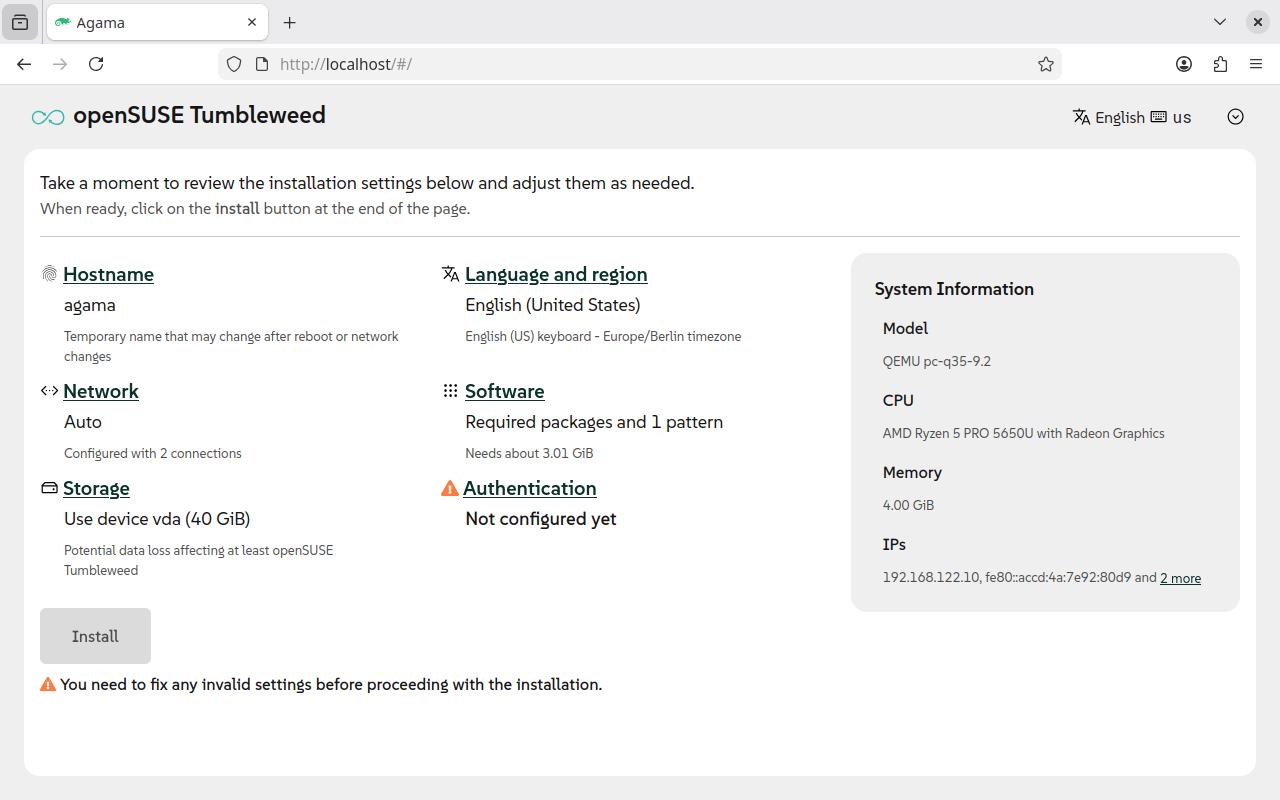
Agama 25: Key Highlights
- Integrated terminal accessible directly from Agama’s web interface.
- Option to reboot or shut down before installation starts.
- Searchable multi-select control for bond and bridge network ports.
- Manual entry remains possible for network devices not yet detected.
- Continued work to move AutoYaST-related functionality into Agama’s own codebase.
- Further refinements to device reporting and the MicroOS installation workflow.
What Is Agama?
Agama is a modern, web-based Linux installer developed for the SUSE and openSUSE ecosystem. It is intended to provide a more flexible installation experience than a traditional sequential installer wizard.
Its interface can be used locally during installation or accessed from another device with a web browser, depending on the installation environment and network configuration. Administrators can configure important installation settings such as storage, networking, software, and system localization.
Agama is part of the broader evolution of the SUSE installation toolchain. It builds on work previously handled by YaST, while gradually developing its own implementation for the functions it needs.
Agama 25 Adds a Web-Based Terminal
The headline feature in Agama 25 is an integrated terminal inside the installer’s web interface. Previously, users who needed a shell during installation generally had to switch to another virtual console or establish an SSH connection where supported.
With the new terminal, administrators can access command-line tools without leaving the browser-based interface. This can be particularly helpful when diagnosing a network issue, inspecting the installer environment, or carrying out supported troubleshooting steps during a deployment.
Faster Troubleshooting
Open a shell from the browser interface instead of switching between separate installer views and consoles.
More Convenient Diagnostics
Use available command-line tools to investigate installation-environment problems when necessary.
Useful in Lab Environments
The terminal can make installer testing and troubleshooting more convenient in virtual machines and test systems.
Browser-Based Workflow
Keep the installation interface and terminal access within the same general management workflow.
Terminal access does not eliminate the need to understand the commands being run. Commands executed during installation can affect storage, networking, and system state, so administrators should use them carefully and follow the official installation guidance.
New Exit Option Before Installation Starts
Agama 25 also introduces an explicit exit option for users who decide not to continue. Before the installation process begins, users can choose to reboot or shut down the machine directly from the installer.
This is a practical usability improvement. In an installation environment, backing out is not always as straightforward as closing an ordinary application, especially when the installer is running on a server or virtual machine.
For administrators working with virtual machines, this provides a clearer way to leave the installer before committing to the installation. It should not be interpreted as a general-purpose cancellation mechanism once disk or system changes are underway.
Network Bond and Bridge Configuration Gets Easier
Configuring network bonds and bridges often requires selecting the physical network interfaces that will participate in the configuration. Earlier workflows relied on manually typing device names into a text field, with the available device names shown as a hint.
Agama 25 replaces that approach with a searchable multi-select field. Detected network devices appear in a list that users can filter while typing, making the selection process easier to manage on systems with several network interfaces.
| Area | Agama 25 change | Practical benefit |
|---|---|---|
| Bond ports | Searchable multi-selection of detected interfaces | Less manual typing and fewer naming mistakes |
| Bridge ports | Searchable multi-selection of detected interfaces | More manageable network configuration |
| Undetected devices | Manual device-name entry remains available | Supports devices that are not present or detected yet |
| Device reporting | Additional refinements to network-device information | Improves visibility during setup |
The ability to enter a name manually remains important for certain deployment scenarios. A device might not be available at the moment of configuration, or an installation workflow might rely on a known interface name supplied in advance.
Even with a better selection interface, administrators should verify interface names, switch configuration, VLAN assignments, and the intended network topology before deploying a system on a production network.
Agama Continues Moving Beyond YaST Components
Another part of the Agama 25 development effort involves reducing the installer’s dependency on existing YaST packages. Agama initially reused mature components to avoid rewriting functionality unnecessarily. The development team is now working to bring selected functionality into Agama’s own codebase.
The release coverage highlights progress involving AutoYaST-related components. AutoYaST is associated with automated and repeatable SUSE-family Linux installations, where configuration profiles can help standardize deployments.
Agama supports unattended installation through mechanisms such as scripts, configuration profiles, and external management tools. Existing AutoYaST workflows still require attention to compatibility: not every historical feature or profile section should be assumed to behave identically in every Agama release.
For automation projects, administrators should validate their profiles against the documentation and test the resulting installation before using them at scale.
Additional Installation Refinements
Alongside the main interface changes, Agama 25 includes smaller improvements in the installation workflow.
- MicroOS bootloader: systemd-boot becomes the default bootloader for MicroOS installations covered by the release changes.
- Network reporting: additional refinements improve the information presented about available network devices.
- Installation compatibility: work continues on distribution-specific requirements and supported installation media.
- Installer architecture: the project continues reducing its reliance on legacy YaST components where functionality is being implemented directly in Agama.
These changes form part of ongoing development rather than indicating that every planned installer feature is complete. Users should consult the release notes for the exact product and installation path they intend to use.
Is Agama Becoming the Default openSUSE Tumbleweed Installer?
The Agama team continues working with openSUSE Tumbleweed maintainers toward broader adoption. However, the current release reporting does not provide a confirmed date for Agama to become the default installer for Tumbleweed.
Agama’s role also differs across the wider SUSE and openSUSE ecosystem. The project FAQ describes it as an evolution of YaST and discusses its role in SUSE Linux Enterprise Server 16, while noting that there is no concrete roadmap for adopting it as the endorsed installer across openSUSE distributions.
For this reason, Agama 25 should be viewed as an important step in the installer’s development, not as confirmation that YaST has already been replaced everywhere.
Who Benefits Most From Agama 25?
Linux Administrators
Browser-based terminal access can help with troubleshooting during system installation.
Virtualization Engineers
The improved exit workflow and interface are useful when testing installer behavior in lab VMs.
Network Administrators
Searchable interface selection makes bond and bridge configuration easier to review.
Deployment and Automation Teams
Continued work on installation profiles and internal components matters to repeatable deployment workflows.
How to Try Agama 25
Users interested in testing the installer should begin with the official Agama project documentation and the appropriate installation image for their target system.
- Review the official Agama project website and its installation guidance.
- Choose the appropriate supported openSUSE or SUSE installation environment.
- For initial evaluation, use a test machine or virtual machine rather than a production system.
- Confirm the VM has suitable CPU, memory, virtual storage, and network configuration for the operating system being installed.
- Explore the web interface and terminal while the installer is running.
- Test bond or bridge selection only where the virtual or physical network topology supports the intended configuration.
- Review the official release notes and verify that the installation image contains the version you intend to evaluate.
Final Thoughts
Agama 25 improves the web-based Linux installation experience with several practical changes. The integrated terminal provides more convenient access to command-line diagnostics, the pre-installation exit option offers a safer way to back out before changes begin, and searchable network-port selection makes configuring bonds and bridges more manageable.
The continuing effort to reduce dependence on YaST components is also significant for the project’s longer-term development. However, Agama’s adoption status varies across the SUSE and openSUSE ecosystem, and administrators should check the documentation for their specific distribution before planning a migration or standardized deployment.
Sources and Further Reading
- 9to5Linux — openSUSE Releases Agama 25 Installer with Web-Based Terminal, Exit Option — Original news report.
- Planet openSUSE — Community-published details about the web terminal, exit behavior, and port selection.
- Agama Official FAQ — Project scope, web interface, unattended installation, AutoYaST support, and adoption status.
- Agama Network-Based Installation Guide — Official networking and installation guidance.
- Linuxiac — openSUSE’s Agama 25 Installer Adds Web Terminal, Improves Networking — Additional release coverage.
Editorial note: This article is based on public project documentation and release reporting. It does not claim independent hands-on testing of Agama 25. Features and availability may differ by distribution, installation image, and deployment environment. Product names and trademarks belong to their respective owners.