




280views
With latest versions of Veeam Backup & Replication it is possible to backup Microsoft Entra ID to enhance the protection of cloud services used by your Organization.
Microsoft Entra ID (formerly Azure Active Directory) is Microsoft’s cloud-based identity and access management service. It helps organizations manage user identities, secure access to cloud applications, and protect resources.
Retrieve the Tenant ID in Entra ID
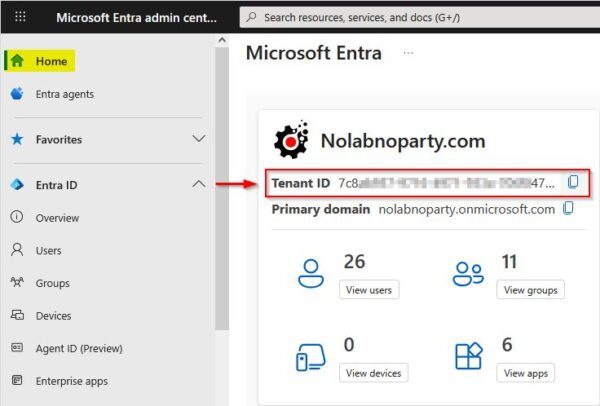
Using your preferred browser, log in to the Microsoft Entra ID portal admin portal to retrieve your Tenant ID.
Once logged in, navigate to Home and copy the Tenant ID.
Add Microsoft Entra ID in Veeam
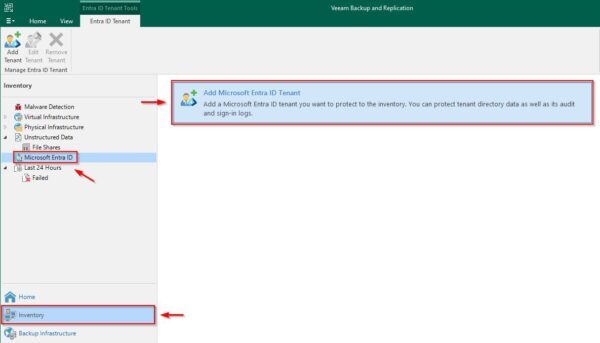
To backup Microsoft Entra ID, access the Veeam console and go to the Inventory area. Enter the Microsoft Entra ID section and click Add Microsoft Entra ID Tenant.
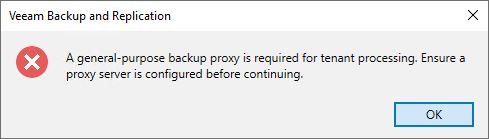
If you do not have a General Proxy configured within your Veeam infrastructure, you will receive an error message.
If a General Proxy is available, the configuration wizard will open. Paste the previously copied Tenant ID and optionally add a Description. Click Next.
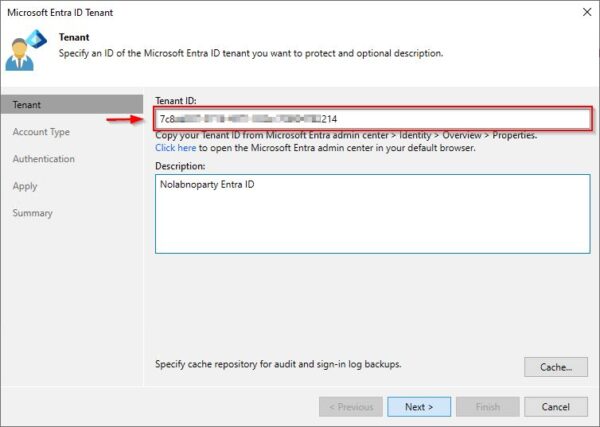
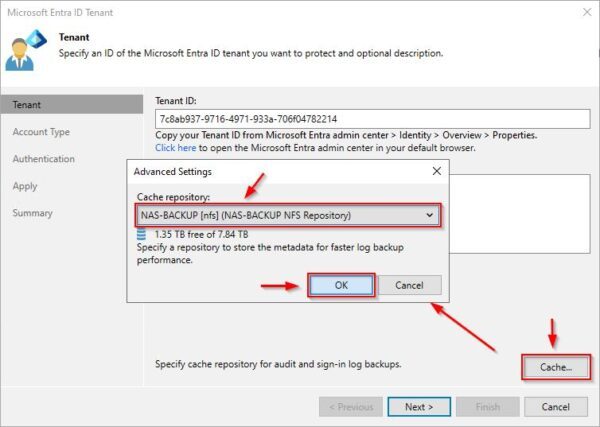
Click Cache to specify the Cache repository to use. Click OK then Next.
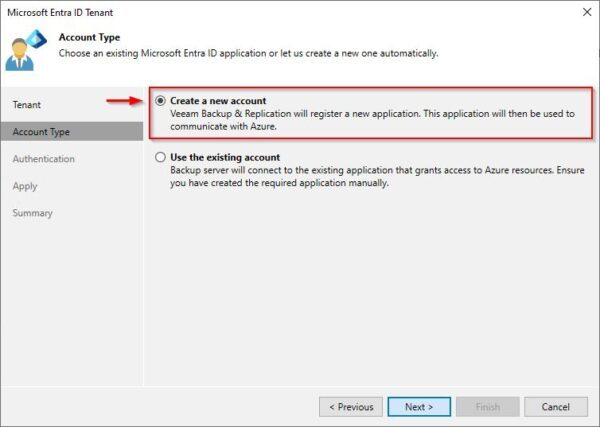
Select the Create a new account option to allow Veeam to create the application used to communicate with Azure.
This article has been written for StarWind blog and can be found in this page. It covers the full procedure to backup Microsoft Entra ID with Veeam.
Restore Microsoft Entra ID
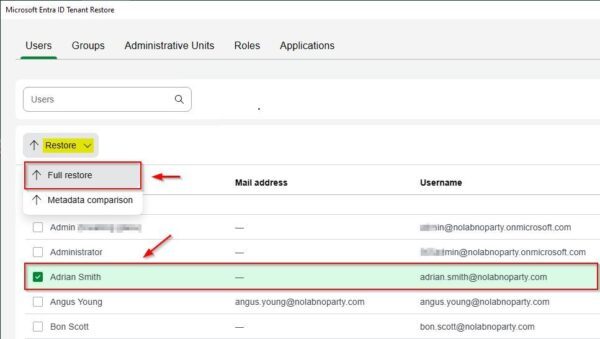
To perform a restore, right-click the previously backed-up Tenant and select Restore.
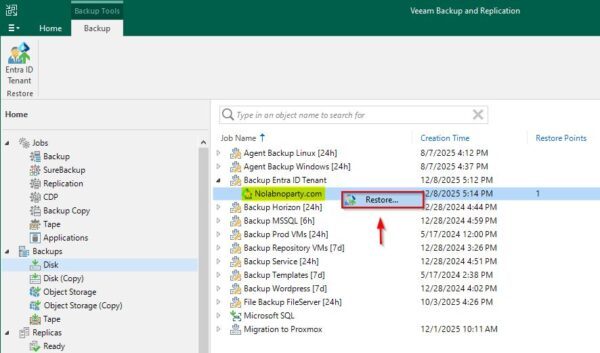
A list of backed-up items is displayed.

To restore an object, select it and click Restore > Full restore.
Wrap up
Today, every organization faces the concern of having its infrastructure compromised by hackers or ransomware attacks.
The only reliable strategy to stay protected is to adopt an efficient backup solution capable of safeguarding infrastructure such as Microsoft Entra ID, enabling quick restoration of services in case of failure or disruption.
Using Veeam Backup & Replication, it is possible to easily backup Microsoft Entra ID.
Read the full article on StarWind blog.
add a comment


How to Set Up Automated Incremental Backups with rsync and Cron on Linux
Data loss is one of the most disruptive events a system administrator or Linux user can experience. Hard drives fail....
Block Program Installations from USB Drives Using Group Policy in Windows Server 2025
In Windows Server environments, blocking program installations from USB drives is an important security measure. This helps prevent the installation of unauthorized software and the spread of malware through removable storage devices. With Group Policy, administrators can enforce specific rules and restrictions on USB drives and other removable media. Below is an overview of how you can block program installations from USB drives using Group Policy in Windows Server 2025. In this lab tutorial we will configure a layered Group Policy Object (GPO) in our domain Active Directory environment to...
Running Windows Server 2025 on Microsoft Azure eBook
If you want to master deploying and managing Windows Server in the cloud, the “Running Windows Server 2025 on Microsoft...




