


4kviews
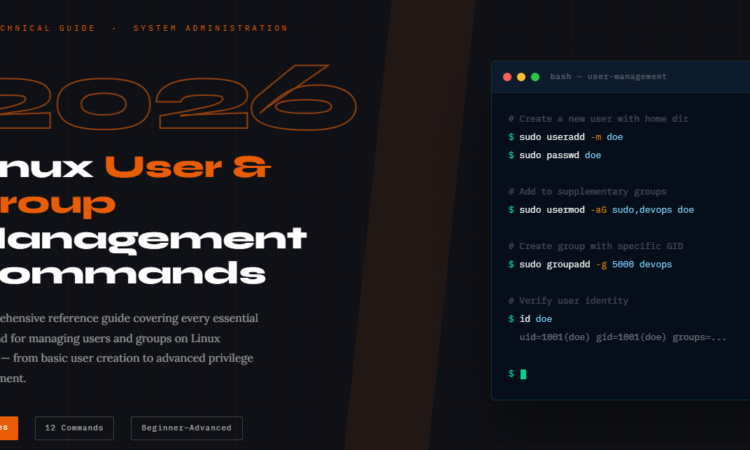
In Linux, mastering user and group management is not just sysadmin busywork — it’s the foundation of a secure, well-governed system. Every daemon, developer, and deployment depends on it.
Whether you’re setting up a fresh Ubuntu server, hardening a production RHEL environment, or automating user provisioning in a DevOps pipeline — you need to know your useradd from your adduser, and your groupadd from your addgroup. This guide compiles every command, flag, and real-world example you need in one place.
Understanding the Commands
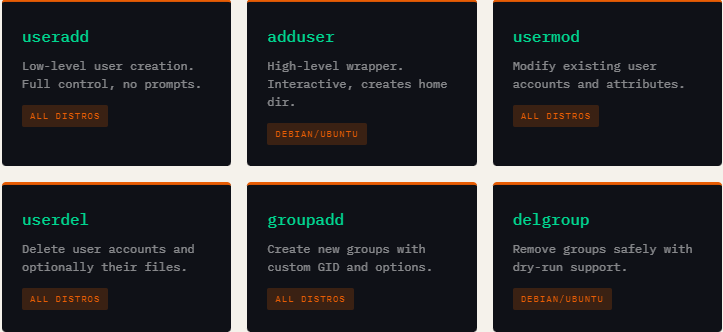
Linux user management splits across two generations of tools. The older, lower-level tools (useradd, userdel, groupadd) work on all distributions and require explicit flags. The higher-level wrappers (adduser, addgroup, deluser) are friendlier and more interactive — but primarily Debian/Ubuntu-specific.
Key System Files
Linux user and group data is stored in four critical files. Understanding their structure lets you audit, troubleshoot, and automate account management at a low level.
The Four Core Files
/etc/passwd — User account info (username, UID, GID, home dir, shell). World-readable.
/etc/shadow — Encrypted passwords and aging policy. Root-only access.
/etc/group — Group names, GIDs, and member lists. World-readable.
/etc/gshadow — Encrypted group passwords and admin lists. Root-only access.
The /etc/gshadow file is particularly important and often overlooked. It’s the secure companion to /etc/group, storing encrypted group passwords and designating group administrators. Only root and the shadow group can read it.
# /etc/gshadow format: groupname:password:admins:members
root:::
sudo:!:doe,bob:charlie
developers:!::doe,charlie
projectx:$6$Gsh....$Fd8bsl3...:doe:bob,charlie
Essential Command Examples
The guide covers every meaningful variation of each command. Here’s a curated snapshot of the most practically important patterns from the guide:
# Create user with home directory and bash shell
$ sudo useradd -m -s /bin/bash doe

# Assign to multiple groups at creation
$ sudo useradd -m -G sudo,developers doe

# Modify: lock an account
$ sudo usermod -L doe

# Force password change at next login
$ sudo passwd -e doe

# Set account expiry date
$ sudo usermod -e 2025-12-31 doe

# Delete user AND home directory
$ sudo userdel -r doe

# Create system group for a service
$ sudo groupadd -r nginx
Who Is This Guide For?
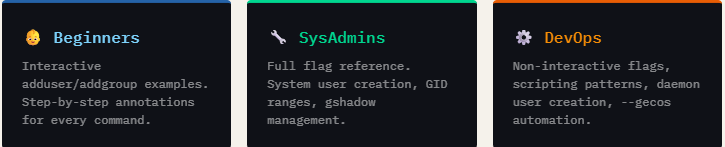
This guide is structured to serve multiple audience levels. Junior sysadmins and developers will find clear, beginner-friendly explanations with “what it does” annotations. Experienced engineers will appreciate the complete flag coverage, edge cases like SELinux user mapping removal (userdel -Z), and the deluser --dry-run simulation flag.
What Makes This Guide Different
Most Linux references list syntax and move on. This guide explains why — why you’d use -r for system accounts, why -aG matters vs just -G, and why you should never leave group passwords blank in /etc/gshadow. It also covers the relationship between all four system files, consistency checks with grpck and grpconv, and how /etc/passwd and /etc/group interrelate for primary and supplementary group membership.
💡 Pro Tip from the Guide
When adding a user to supplementary groups, always use
usermod -aG(with the-aappend flag) — not just-Galone. Omitting-awill silently remove the user from all existing groups and replace them entirely.
Click here to download the Linux commands guide
File 2.6MB
add a comment

How to Automatically Block Suspicious IPs using iptables and Fail2Ban
Your Linux server is under attack right now you just might not know it yet. Every internet-facing machine faces a...
How to Setup Two-Factor Authentication For SSH In Linux
Password-only SSH authentication is one of the most common — and most dangerous — security gaps in Linux server management. Attackers armed with credential lists and automated scripts can hammer your SSH port indefinitely. If your password is the only thing standing between them and root access, your environment is one breach away from a serious incident. Two-factor authentication (2FA) via Google Authenticator eliminates that single point of failure. Even if an attacker gets your password, they still need the time-based one-time code from your phone — a six-digit number...

JetStream 3 Debuts as a Major Browser Benchmark Update
JetStream 3 has been introduced as a major upgrade to one of the most widely recognized browser benchmarking tools, representing...

How to Set Up Automated Incremental Backups with rsync and Cron on Linux
Data loss is one of the most disruptive events a system administrator or Linux user can experience. Hard drives fail....




