





164views
ProtonUp-Qt, an open-source GUI that streamlines the installation and updating of Proton-GE and Wine-based compatibility layers, enabling Linux gamers to run Windows-exclusive titles on their preferred distributions, has rolled out the brand-new 2.14 version.
The key change in this release is the addition of Proton-EM, a new compatibility tool that places emphasis on Wayland, expanding gaming support for users who rely on custom Proton builds.
At the same time, the NorthStar Proton tool, another custom build of Proton specifically designed to support the Northstar client / Titanfall 2 on Linux and Steam Deck, has been removed, as it is no longer maintained.
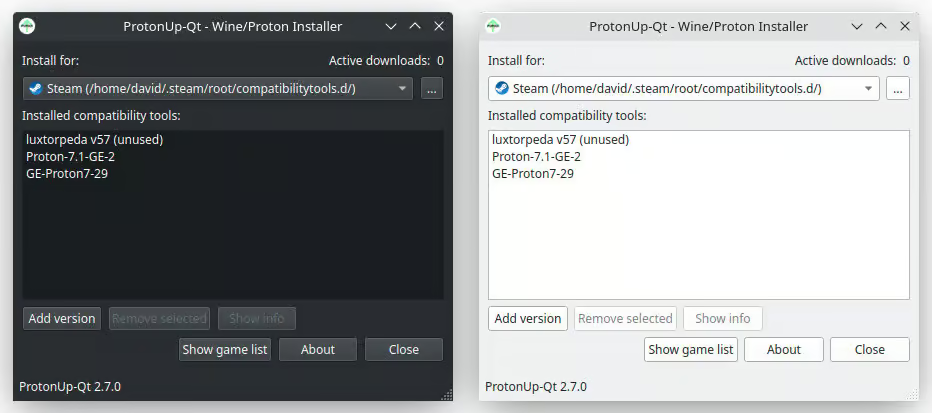
It’s worth noting also that ProtonUp-Qt 2.14 has been tested on major Linux distributions, including Ubuntu 18.04 and newer, Fedora 34, and Manjaro 20.2.
For those looking to install ProtonUp-Qt, the recommended approach is to use Flathub or your favorite app store, with a Flathub release expected shortly after the current AppImage version. Alternatively, users can download the ProtonUp-Qt AppImage directly, make it executable, and launch it by double-clicking.
For a detailed list of all changes, visit the project’s GitHub changelog.
Click here to read more about How to Install VS Code on Debian 13 “Trixie”
add a comment


How to Automatically Block Suspicious IPs using iptables and Fail2Ban
Your Linux server is under attack right now you just might not know it yet. Every internet-facing machine faces a...
How to Setup Two-Factor Authentication For SSH In Linux
Password-only SSH authentication is one of the most common — and most dangerous — security gaps in Linux server management. Attackers armed with credential lists and automated scripts can hammer your SSH port indefinitely. If your password is the only thing standing between them and root access, your environment is one breach away from a serious incident. Two-factor authentication (2FA) via Google Authenticator eliminates that single point of failure. Even if an attacker gets your password, they still need the time-based one-time code from your phone — a six-digit number...

JetStream 3 Debuts as a Major Browser Benchmark Update
JetStream 3 has been introduced as a major upgrade to one of the most widely recognized browser benchmarking tools, representing...

How to Set Up Automated Incremental Backups with rsync and Cron on Linux
Data loss is one of the most disruptive events a system administrator or Linux user can experience. Hard drives fail....




