Physical Address
304 North Cardinal St.
Dorchester Center, MA 02124
Physical Address
304 North Cardinal St.
Dorchester Center, MA 02124


Proxmox has recently announced the release of Proxmox VE 9 Beta, signaling a significant update to one of the most popular KVM-based virtualization platforms. Widely adopted by both home lab enthusiasts and enterprise IT teams, Proxmox VE continues to gain traction for its robust features, open-source flexibility, and ease of use.
The 9.0 Beta release introduces a variety of new features and enhancements that improve performance, scalability, and security across the board. With a solid foundation in virtualization, storage, and backup, Proxmox VE 9 Beta is shaping up to be a release worth watching closely.
Let’s explore the major new features in Proxmox VE 9 Beta and understand why this version could be a game-changer for many virtualization environments.
In terms of a list of new features, here you go:
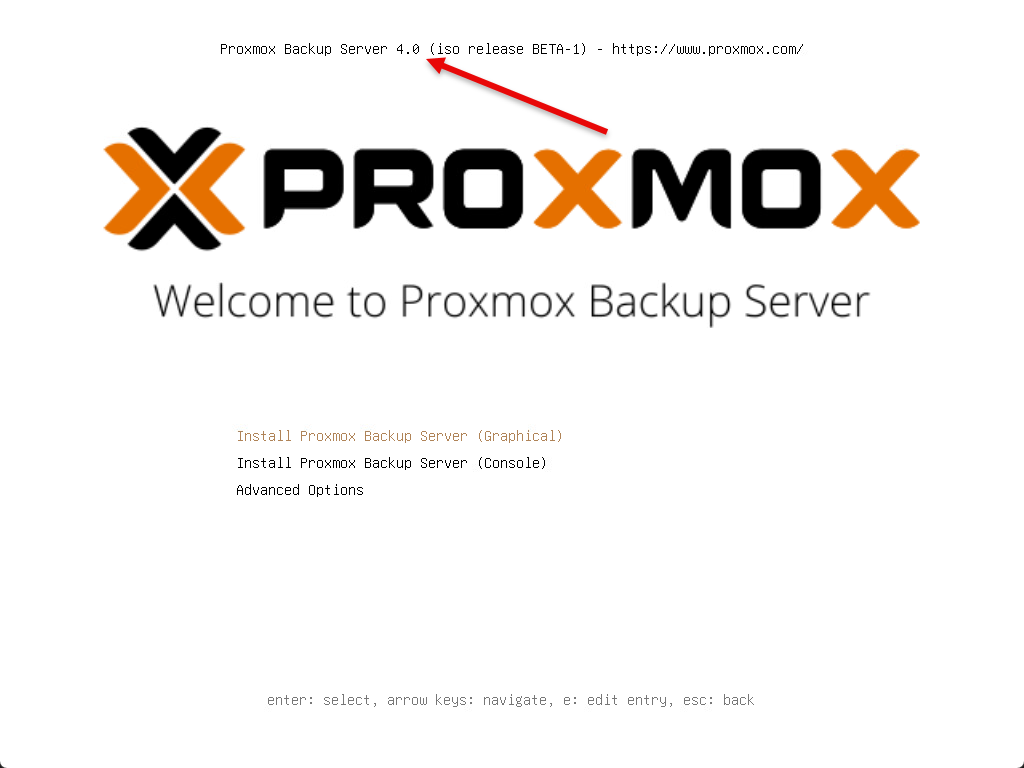
Installation screen showing proxmox 9 beta.
New in this release of Proxmox 9 Beta is that it is built on the latest Debian 13 “Trixie” release and Linux Kernel 6.14. The new Linux kernel brings about many major enhancements. These include:
Overall, this is a solid jump from Proxmox VE 8’s Debian 12 and kernel 6.2 and provides many new features, etc. You can find the release notes for Debian 13 here:
With the Proxmox 9.x release, QEMU 10 brings high-efficiency VM execution. This also has improved live migration, and better NUMA awareness. The following are key benefits of the new enhanced versions:
For containers, there are some great benefits to the new LXC 6.0.4 version included in Proxmox 9 Beta. It introduces enhanced resource isolation. Also, you have cgroup v2 integration, and networking improvements that are great for container-first environments or hybrid clusters.
As expected versions of other underlying technologies have been upgraded in Proxmox 9 Beta. Storage is one of the areas where Proxmox really shines. Proxmox 9 Beta doesn’t disappoint either:
The Proxmox 9 Beta release makes it easier to deploy hyperconverged clusters with high-availability VMs. This of course with distributed storage by way of Ceph.
This is one that I am getting excited about the GA release of Proxmox 9 and that is shared LVM snapshot support on things like iSCSI and Fibre Channel-backed LUNs. You know that previously if you were running these traditional storage technologies, snapshots were not possible unless you switch to a different storage type which was a major bummer, especially for those that are coming from a VMware vSphere background where iSCSI and Fibre-Channel are the norm and you can do snapshots all day long.
With this tech preview as part of the Proxmox 9 Beta release, you can:
Also in tech preview is capabilities for snapshot support for file-based storage. This includes Directory, NFS, and CIFS storage. This tech preview adds a volume chain snapshot mechanism using QCOW2 files. This will allow snapshots without traditional LVM or ZFS underneath.
When enabled:
This will be great for users leveraging NAS shares or non-clustered setups using CIFS/NFS mounts.
Networking also gets a lot of great enhancements in this release of Proxmox 9 Beta, including SDN enhancements and a new feature also called network interface pinning which is a cool new feature.
The SDN feature set now supports fabric topologies. What is a “fabric” in the terms of Proxmox? According to their release notes, “Fabrics are routed networks of interconnected peers.”
This is useful for managing complex multi-node, multi-VLAN environments in home labs or datacenters. You can define custom topologies, segments, and bridge configurations for tenant segmentation. Also, a use case would be for test environments that may need isolated networks. And this allows for flexible routing between zones.
New to 9.0 is the ability to pin a network name to a specific host NIC. This would probably come in handy for systems with multiple NICs and provide consistency across your interface names.
Below you can see me launching the tool with the command:
proxmox-network-interface-pinning
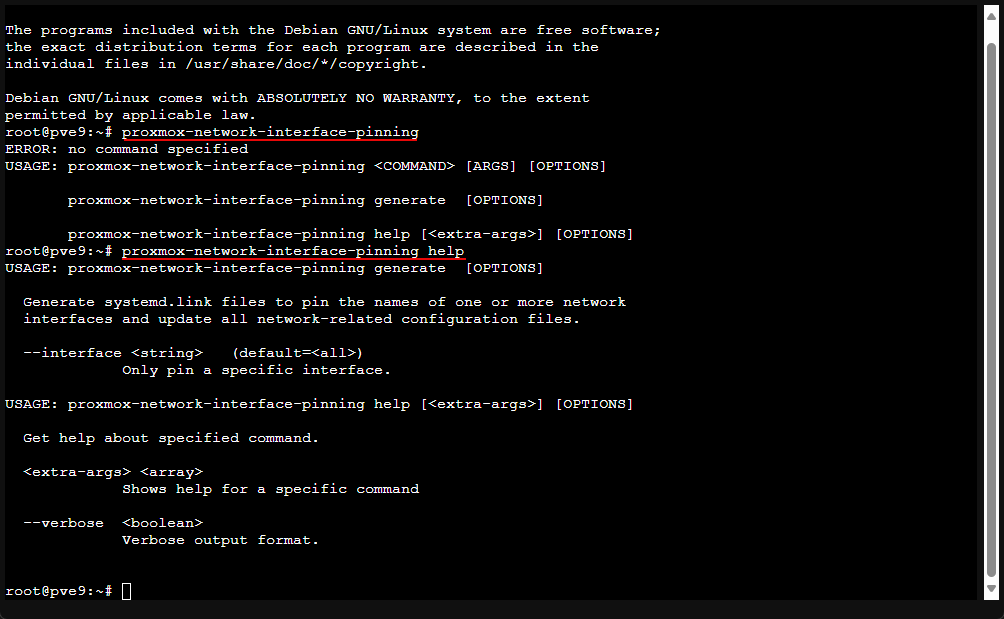
Proxmox now handles network interface renames more gracefully, even when the underlying Linux interface names change.
Use the new proxmox-network-interface-pinning CLI tool to:
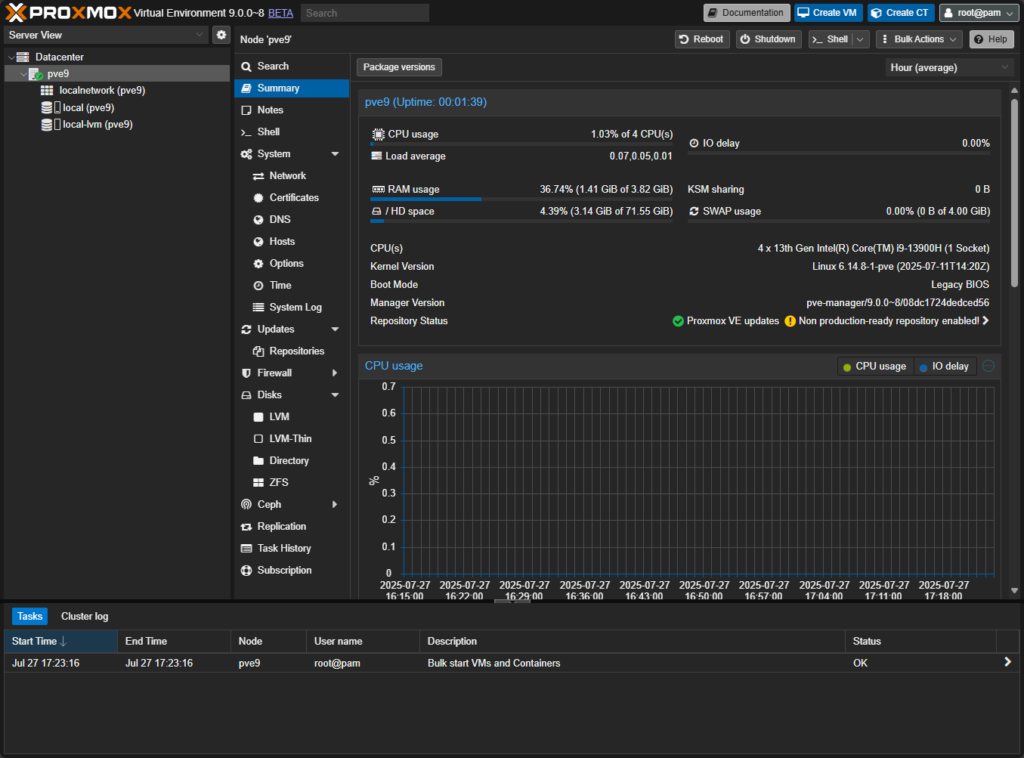
We all used to remember in Proxmox 7.x where the “bleeding eye” white was the only choice. You then had community git resources that were great and allowed us to have the dark mode. Thankfully, in version 8, dark mode was added. Now in Proxmox 9, dark mode is the default option and you have to make a deliberate effort to enable light mode now.
Below is a look after installation with no option changes, dark mode is now the default right out of the box:
This is not a surprise since the GlusterFS open source project has now gone stale. Development has slowed to a crawl and I think most are looking for GlusterFS alternatives. So, probably not a surprise with the removal of support here, but just a heads up for legacy storage users that may be using GlusterFS in their current Proxmox environment. Proxmox recommends that those who may be using GlusterFS now should plan on migrating to something like Ceph storage. Or if not Ceph, you can manually mount Gluster volumes using CLI tools and migrate to another storage technology.
A few unseen improvements that matter in the realm of security with this release include the following:
If you’re using passthrough, PCI devices, or GPU acceleration, this update will go a long way to help future-proof your Proxmox setup.
Proxmox VE 9 has huge performance enhancements when restoring from Proxmox Backup Server (PBS). Multiple data chunks can now be pulled in parallel per worker thread. Also, you can tune this with environment variables based on your network and disk speed
If you use PBS over a fast LAN or 10GbE setup, you’ll notice much faster restore times, especially when restoring large virtual machines.
If you are migrating away from older vSphere setups, Proxmox VE 9 has a fix for the ESXi import tool to better list and detect VMs from legacy ESXi builds. This will greatly improve compatibility and help migrations from legacy VMware environments and older enterprise environments that are running VMware ESXi.
The Proxmox VE 9 installer has been updated with:
Also, Proxmox officially supports upgrading from Proxmox 8.x to 9.x. You can read through the official ugprade guide here: Upgrade from 8 to 9 – Proxmox VE.
Wow, Proxmox 9 is going to be a really great new release of the new favorite in home lab virtualization and for enterprise customers looking for a fully-featured hypervisor that can run production workloads. I personally am looking forward to the snapshot support for LVM shared volumes attached with iSCSI and Fibre-Channel. This will help remove a blocker that I have known some to have who want to keep their same storage technologies in play when migrating from VMware to Proxmox.
Let me know in the comments what you are looking forward to with this release and if you have plans to go up to 9.x as soon as it drops as GA or are you going for it with Beta? (probably not but wanting to see who is living dangerously).
You can grab the official ISO from here: Download Proxmox 9 Beta ISO