Physical Address
304 North Cardinal St.
Dorchester Center, MA 02124
Physical Address
304 North Cardinal St.
Dorchester Center, MA 02124

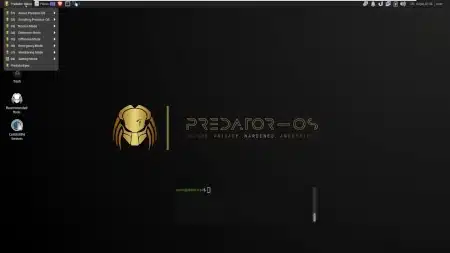
Predator OS is a Linux-based operating system designed for users who value performance, customization, and a clean modern desktop experience. It targets power users, developers, and Linux enthusiasts who want greater control over their system while maintaining stability and efficiency.
Built on proven Linux technologies, Predator OS focuses on delivering a responsive environment suitable for daily productivity, development tasks, and advanced system experimentation.
Predator OS is ideal for users who:
Whether you are setting up a personal workstation, a test lab, or a development environment, Predator OS provides a flexible and capable platform.
Minimum requirements may vary by release.
You can download the latest version of Predator OS using the link below:
File 5.35GB
Security Edition
Plasma + LXQT
Download VirtualBox File ovadefault username:user
default password:user
Security Edition
Mate + LXDE
Download VirtualBox File ovadefault username:root
default password:user
Security Edition
Plasma + LXQT
Download VMware Filedefault username:user
default password:userSecurity Edition
Mate + LXDE
Download VMware Filedefault username:root
default password:userAfter downloading, you can install Predator OS on physical hardware or run it inside a virtual machine such as VMware Workstation, VirtualBox, or KVM.