




15views

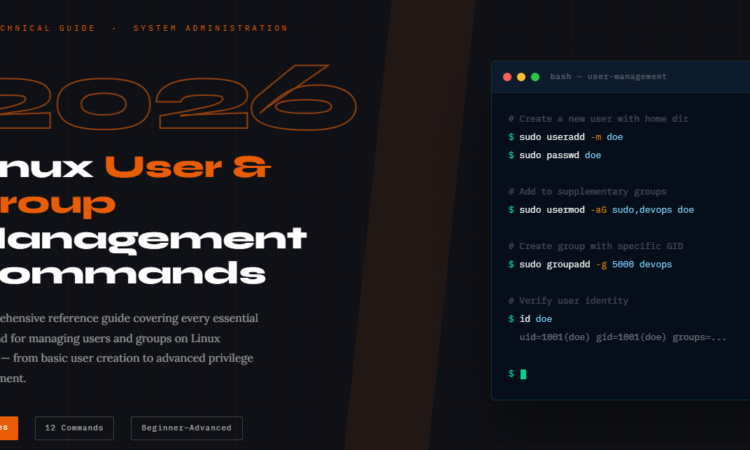
In Linux, mastering user and group management is not just sysadmin busywork — it’s the foundation of a secure, well-governed system. Every daemon, developer, and deployment depends on it.
Whether you’re setting up a fresh Ubuntu server, hardening a production RHEL environment, or automating user provisioning in a DevOps pipeline — you need to know your useradd from your adduser, and your groupadd from your addgroup. This guide compiles every command, flag, and real-world example you need in one place.
Understanding the Commands
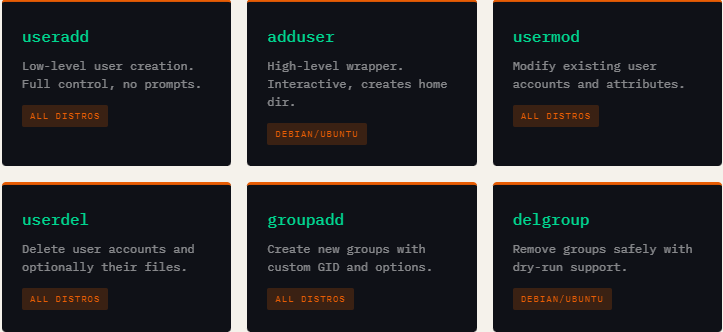
Linux user management splits across two generations of tools. The older, lower-level tools (useradd, userdel, groupadd) work on all distributions and require explicit flags. The higher-level wrappers (adduser, addgroup, deluser) are friendlier and more interactive — but primarily Debian/Ubuntu-specific.
Key System Files
Linux user and group data is stored in four critical files. Understanding their structure lets you audit, troubleshoot, and automate account management at a low level.
The Four Core Files
/etc/passwd — User account info (username, UID, GID, home dir, shell). World-readable.
/etc/shadow — Encrypted passwords and aging policy. Root-only access.
/etc/group — Group names, GIDs, and member lists. World-readable.
/etc/gshadow — Encrypted group passwords and admin lists. Root-only access.
The /etc/gshadow file is particularly important and often overlooked. It’s the secure companion to /etc/group, storing encrypted group passwords and designating group administrators. Only root and the shadow group can read it.
# /etc/gshadow format: groupname:password:admins:members
root:::
sudo:!:doe,bob:charlie
developers:!::doe,charlie
projectx:$6$Gsh....$Fd8bsl3...:doe:bob,charlie
Essential Command Examples
The guide covers every meaningful variation of each command. Here’s a curated snapshot of the most practically important patterns from the guide:
# Create user with home directory and bash shell
$ sudo useradd -m -s /bin/bash doe

# Assign to multiple groups at creation
$ sudo useradd -m -G sudo,developers doe

# Modify: lock an account
$ sudo usermod -L doe

# Force password change at next login
$ sudo passwd -e doe

# Set account expiry date
$ sudo usermod -e 2025-12-31 doe

# Delete user AND home directory
$ sudo userdel -r doe

# Create system group for a service
$ sudo groupadd -r nginx
Who Is This Guide For?
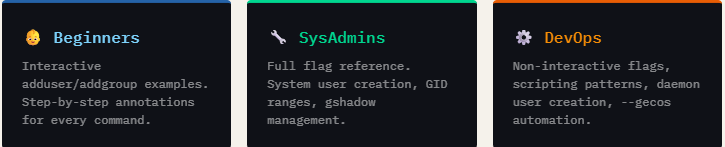
This guide is structured to serve multiple audience levels. Junior sysadmins and developers will find clear, beginner-friendly explanations with “what it does” annotations. Experienced engineers will appreciate the complete flag coverage, edge cases like SELinux user mapping removal (userdel -Z), and the deluser --dry-run simulation flag.
What Makes This Guide Different
Most Linux references list syntax and move on. This guide explains why — why you’d use -r for system accounts, why -aG matters vs just -G, and why you should never leave group passwords blank in /etc/gshadow. It also covers the relationship between all four system files, consistency checks with grpck and grpconv, and how /etc/passwd and /etc/group interrelate for primary and supplementary group membership.
💡 Pro Tip from the Guide
When adding a user to supplementary groups, always use
usermod -aG(with the-aappend flag) — not just-Galone. Omitting-awill silently remove the user from all existing groups and replace them entirely.
Click here to download the Linux commands guide
File 2.6MB
add a comment


COSMIC Desktop 1.0.8 Improves Files, Terminal, and Wi-Fi Dialog Behavior
System76 has rolled out COSMIC 1.0.8, a small maintenance update delivered as part of its regular release cadence aimed at...


Manjaro-Based Mabox Linux 26.02 Released with New Audio Menu
Mabox Linux, a lightweight rolling-release distribution built on Manjaro and centered around the Openbox window manager, has introduced its new...


KaOS Explains Why It’s Ending Its 12-Year KDE Plasma Era
Over the past week, discussion has grown around the new Plasma Login Manager introduced with KDE Plasma 6.6, which now...


Microsoft Hyper-V Lands Some Useful Improvements in Linux 7.0
For those running Linux guests on Microsoft Hyper-V, the Linux kernel 7.0 cycle delivers several meaningful virtualization improvements. These updates...
