

22views
The popular disk partitioning toolkit GParted Live has received a new stable update with the release of version 1.8.1. This latest build brings an upgraded system base, a newer Linux kernel, and multiple fixes that enhance reliability for both everyday users and system administrators.
What’s New in GParted Live 1.8.1
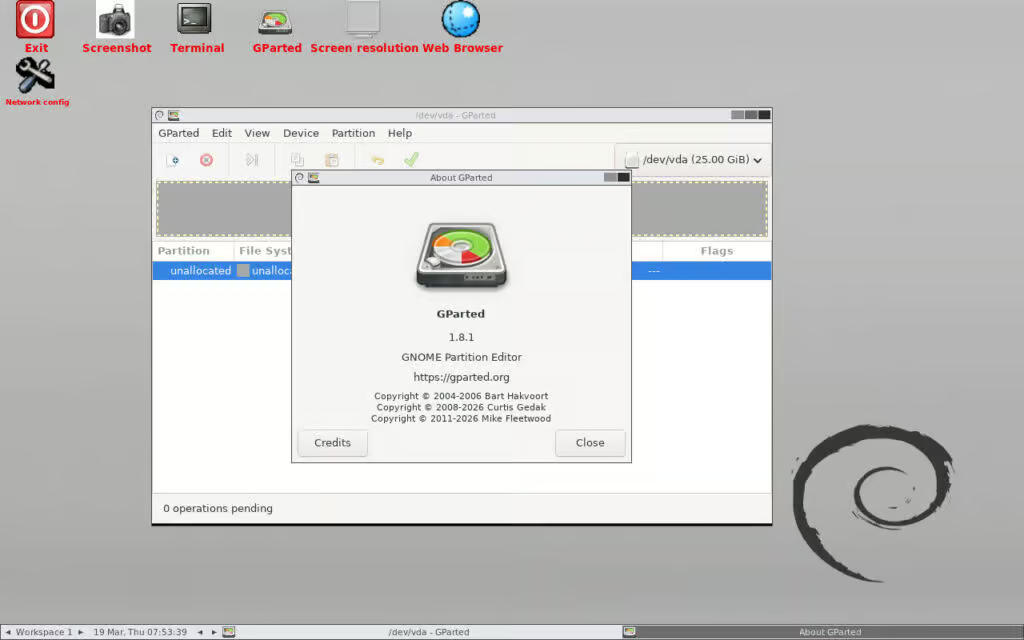
This release is built on the latest Debian Sid packages (as of March 2026), ensuring access to up-to-date system components. One of the key highlights is the inclusion of the finalized GParted 1.8.1 utility, replacing the earlier beta version shipped in previous images.
Key Improvements
- Fix for incorrect detection of full-disk ZFS setups caused by blkid
- Safer internal memory handling by switching to vector-based buffers
- General bug fixes and performance refinements
- Updated language translations for better global usability
These updates improve both the accuracy and stability of disk operations, especially in complex storage configurations.
Updated Linux Kernel for Better Hardware Support
GParted Live 1.8.1 now ships with Linux kernel 6.19.8, bringing:
- Improved compatibility with modern hardware
- Latest upstream security patches
- Enhanced driver support
This ensures smoother operation across a wider range of systems, including newer laptops and servers.
What is GParted Live?
GParted Live is a bootable Linux environment designed specifically for disk partition management. Unlike traditional tools, it runs independently from your installed operating system.
This means you can:
- Modify partitions without OS interference
- Recover or repair disk layouts
- Manage storage on systems that won’t boot
Supported Filesystems
GParted Live supports a wide variety of filesystems, making it a versatile tool for different platforms:
- Linux: ext2, ext3, ext4, Btrfs, XFS
- Windows: FAT16, FAT32, exFAT, NTFS
- macOS: HFS, HFS+, limited APFS support
- Others: UFS, ReiserFS
This broad compatibility makes it suitable for multi-boot systems, data recovery tasks, and cross-platform disk management.
How GParted Live Works
The tool can be run directly from external media such as:
- USB flash drives
- DVDs or CDs
Once booted, users get a graphical interface that allows them to:
- Create new partitions
- Resize or move existing partitions
- Copy and clone disk sections
- Check and repair filesystem errors
- Delete partitions safely
All of this can be done without installing any software on your system.
Why This Release Matters
GParted Live 1.8.1 focuses on stability and compatibility, making it a reliable choice for critical disk operations. The updated kernel and refined partitioning engine ensure that users can safely manage storage even on newer hardware and complex setups like ZFS-based systems.
Final Thoughts
If you regularly work with disk partitions—whether for system administration, troubleshooting, or OS installations—GParted Live 1.8.1 is a must-have tool in your toolkit.
With its lightweight design, broad filesystem support, and improved reliability, it continues to be one of the best free partition managers available today.
For more details, see the release notes.
add a comment

New Launcher Aims to Simplify Cockpit Installations
The openSUSE community is actively working toward modernizing system management by gradually shifting away from the traditional YaST tool. As...
Fedora Asahi Remix 43 is now available
The Fedora community has officially released Fedora Asahi Remix 43, bringing the power of Fedora Linux 43 to Apple Silicon...
GNOME 50 Released With Many Improvements
The latest version of the GNOME desktop environment, GNOME 50, has been officially launched right on schedule. This release is...
Systemd 260 Drops SysV Init Support in Major Cleanup Update
Systemd 260 has officially arrived, delivering one of the most significant changes in recent releases. This version focuses on modernizing...




