

Self-Host Your Own AI Chat Platform with LibreChat: Deploy on Proxmox in Minutes with the Community Script
13views
Introduction
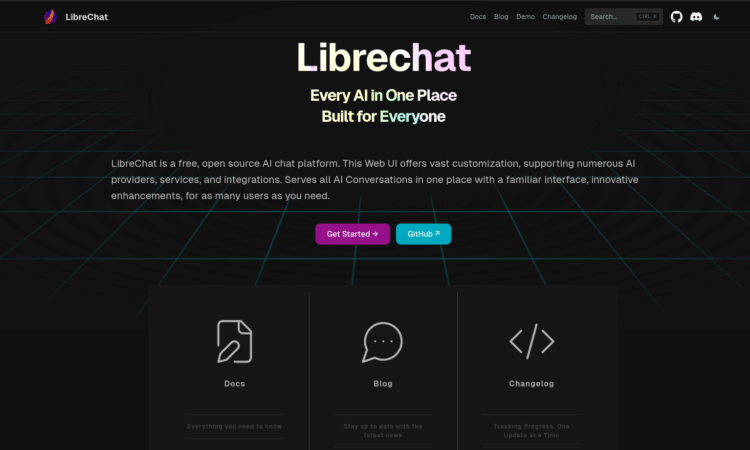
If you’ve ever stared at your monthly ChatGPT Plus bill and thought, “I’m an IT professional with a running Proxmox cluster — why am I paying a subscription for something I could run myself?” — this post is for you. LibreChat is a powerful, open-source AI chat platform that puts every major AI model under one roof, on your own hardware, with your own data. And thanks to the Proxmox Community Scripts project, getting it running is a single command away.
LibreChat isn’t just a ChatGPT clone with a fresh coat of paint. It’s a fully-featured, privacy-respecting AI platform that supports OpenAI, Anthropic Claude, Google Gemini, AWS Bedrock, local LLMs via Ollama, and dozens of other providers — all in one polished interface. Add agents, MCP tool integrations, a code interpreter, RAG file search, and enterprise-grade multi-user auth, and you have something that genuinely rivals what you’d pay for in a SaaS subscription.
In this post, we’ll walk through what LibreChat actually offers, how the Proxmox Community Script makes deployment effortless, and why this combination is one of the most practical setups any IT pro or home lab enthusiast can build in 2025.
| ⚡ GitHub Stats: LibreChat has crossed 20,000+ GitHub stars and over 2.8 million Docker pulls since its launch in January 2023 — making it one of the most adopted open-source AI chat platforms in the world. |
What Is LibreChat?
LibreChat is an open-source, self-hosted AI chat platform built by Danny Avila and an active global community. It was originally conceived as an enhanced ChatGPT-style interface, but it has grown into something considerably more capable — a unified AI access layer that connects to virtually every major model provider while keeping your data and conversation history entirely under your control.
The interface will look immediately familiar to anyone who has used ChatGPT. Clean message threads, model switching mid-conversation, file uploads, image analysis — it’s all there. But unlike the official ChatGPT interface, LibreChat doesn’t lock you into one provider or one model. You connect OpenAI, then add Anthropic, then point it at your local Ollama instance running Llama 3 or Mistral, and all three are available from the same interface without logging in and out or managing separate accounts.
Under the hood, LibreChat runs on Node.js with MongoDB for conversation storage, MeiliSearch for full-text conversation search, and a separate Python FastAPI RAG (Retrieval-Augmented Generation) API service for document intelligence. The Docker Compose setup bundles all of these together automatically, making the stack surprisingly clean to manage.
Deploying LibreChat via the Proxmox Community Script
The community-scripts.org project — the community-maintained collection of one-command LXC deployment scripts for Proxmox VE — includes LibreChat as one of its featured AI platform scripts. The script provisions a Debian/Ubuntu LXC container with the correct resources, installs all dependencies (Node.js, MongoDB, MeiliSearch), pulls the LibreChat application, and starts it as a system service.
To deploy, open a Proxmox VE Shell session and run:
bash -c “$(curl -fsSL https://raw.githubusercontent.com/community-scripts/ProxmoxVE/main/ct/librechat.sh)”
| ⚠️ Security Check: Always verify you’re running the official community-scripts URL before executing any shell script. Beware of copycat sites. Confirm the URL points to the official GitHub repository at community-scripts/ProxmoxVE. |
The interactive installer will prompt you with a Simple/Advanced configuration dialog — standard across all community scripts — letting you choose your container storage pool, allocate RAM and CPU, and configure networking. For LibreChat, a reasonable starting allocation is 2–4 GB RAM and 2 vCPUs; scale up if you’re running RAG workloads or code interpretation alongside regular chat.
Once the container is running, you access LibreChat’s web interface at port 3080 on the container’s IP address. From there, you configure your API keys, set up users, and connect your preferred model endpoints — no manual package management, no fighting with Node.js version mismatches, no debugging systemd unit files.
Key Highlights
🤖 Every Major AI Model — One Interface
- OpenAI (GPT-4o, GPT-5, o1, o3), Anthropic Claude, Google Gemini, AWS Bedrock, Azure OpenAI, Groq, Mistral, and DeepSeek all connect natively
- Custom Endpoints support any OpenAI API-compatible service — including local Ollama models, LM Studio, vLLM, and private deployments — without a proxy layer
- Switch models mid-conversation without losing context — a genuinely useful feature when you want a fast Groq inference for one question and a deeper Claude reasoning pass for the next
- OpenAI Responses API support means you can access GPT-5-Codex and other OpenAI models that are otherwise only available through the official interface
🧠 AI Agents with MCP Tool Integration
- LibreChat ships with a built-in AI Agents system — persistent, configurable assistants that can use tools, search files, execute code, and call external APIs
- Native Model Context Protocol (MCP) client support means any MCP server — from Home Assistant to GitHub to custom data sources — connects directly to LibreChat agents without middleware
- Deferred tool loading prevents context-window bloat when agents are connected to many MCP servers: a ToolSearch mechanism discovers and loads tools on demand rather than pre-loading everything
- ACL-based agent permission system (introduced in v0.8.0) provides granular sharing controls — public agents, team agents, and private agents with appropriate access levels
📄 RAG File Intelligence — Chat With Your Documents
- The integrated RAG API (powered by LangChain and PostgreSQL with PGVector) lets you upload PDFs, documents, and other files and query them in natural language
- Files can be attached per-conversation for temporary context or embedded into an agent’s persistent system instructions for always-available knowledge
- OCR support improves extraction quality on scanned documents and image-heavy PDFs when configured
- Semantic search over uploaded files gives you a private, self-hosted alternative to ChatGPT’s file search capability
💻 Code Interpreter — Execute Code Securely
- LibreChat’s Code Interpreter API enables sandboxed execution of Python, JavaScript/TypeScript, Go, Java, PHP, Rust, C/C++, R, and Fortran — no setup required beyond enabling the feature
- Code execution runs in isolated containers, so there’s no risk of runaway scripts affecting your Proxmox host or other LXC containers
- The 2025 roadmap extends artifact code-editing to connect directly with the Code Interpreter API, enabling iterative coding workflows that run and refine in the same chat thread
- Output from code execution (charts, computed results, generated files) is returned inline in the conversation
🔐 Enterprise-Grade Multi-User Authentication
- LibreChat supports OAuth2 via GitHub, Google, Discord, OpenID Connect, Azure AD/Entra ID, AWS Cognito, and LDAP — covering virtually every enterprise identity provider
- Role-based access control lets administrators restrict which models, features, and agents specific users or groups can access
- Built-in moderation system tracks usage patterns and can enforce rate limiting or temporary access restrictions on individual users
- GDPR-compliant data management: user data and conversations are stored in your own MongoDB instance — you control retention, backup, and deletion
💰 Pay Only for What You Actually Use
- LibreChat itself is completely free — there are no platform subscription fees, seat limits, or enterprise licensing tiers
- Model costs are pay-as-you-go through provider APIs — for moderate personal usage, Google Gemini Pro’s free tier (100 requests/day) can cover most needs at zero cost
- Connecting local Ollama models eliminates API costs entirely for those workloads — mix cloud APIs and local inference in the same interface
- For teams, the economics are compelling: API costs at typical usage are substantially lower than per-seat ChatGPT Team subscriptions ($30/user/month)
Why It Matters
The AI subscription landscape in 2025 has quietly become expensive and fragmented. A developer who wants OpenAI for coding, Claude for writing, and Gemini for document analysis is looking at $60–90/month in subscriptions — and that’s before thinking about what happens to the conversations, documents, and prompts they’re feeding into those platforms.
LibreChat addresses this problem at its root by separating the interface layer from the model layer. You own the interface. The models are plugged in as API services, billed only for actual usage. Your conversation history lives on your Proxmox node, not in OpenAI’s conversation training pipeline or Anthropic’s user database. That distinction matters enormously in regulated industries, for sensitive business work, and simply for anyone who prefers not to hand their intellectual work to a platform they don’t control.
For the IT community specifically, there are a few dimensions that stand out:
- Data Sovereignty — In healthcare, finance, legal, and government environments, the question of where AI-processed data resides is a compliance issue, not just a preference. Self-hosting LibreChat means conversations stay on your infrastructure, and you decide what leaves it.
- Team Deployment Without Per-Seat Costs — LibreChat’s multi-user auth and role-based access make it viable for small teams without incurring the per-user pricing of commercial alternatives. One self-hosted instance can serve an entire team.
- Home Lab as a Learning Platform — Running LibreChat in a Proxmox LXC gives hands-on experience with Node.js application deployment, MongoDB, MeiliSearch, vector databases, and RAG architecture — a comprehensive stack that’s directly relevant to enterprise AI infrastructure work.
- AI Agent Development — LibreChat’s MCP integration and agent framework make it a practical development and testing platform for anyone building AI-assisted workflows. Instead of paying for API calls to develop and test an agent, you run it against your self-hosted instance at lab costs.
- Resilience Against Vendor Changes — Pricing changes, feature removals, API deprecations, and service outages at commercial AI providers are a recurring reality. A self-hosted LibreChat instance with local fallback models via Ollama keeps your workflows running regardless of what any single provider decides.
LibreChat vs Commercial Alternatives: Quick Comparison
| Feature | ChatGPT Plus | LibreChat (Self-Hosted) |
| Monthly Cost | $20–30/user | Free (pay API per use) |
| Model Choice | OpenAI only | All major providers + local |
| Data Ownership | OpenAI’s servers | Your infrastructure |
| Conversation Storage | OpenAI cloud | Your MongoDB instance |
| Multi-User Support | Separate accounts | Unified instance, RBAC |
| Agent/MCP Support | Custom GPTs (limited) | Full MCP client, ACL agents |
| Code Interpreter | Cloud-only sandbox | Self-hosted, multi-language |
| RAG / File Search | Limited, cloud-stored | Self-hosted, PGVector |
| SSO / Enterprise Auth | Limited | OAuth2, LDAP, Azure AD |
| Local LLM Support | None | Yes, via Ollama/custom endpoint |
Post-Install: Getting Started with Your LibreChat Instance
After the community script completes, you’ll have a running LibreChat container. Here’s what to do next:
Initial Configuration
- Navigate to http://<container-ip>:3080 and register your first admin account
- Open the admin panel and configure your API keys — OpenAI, Anthropic, Google, or others you want to enable
- Add a Custom Endpoint entry pointing to your Ollama instance (e.g. http://<proxmox-ip>:11434) for local model access
- Configure SSO if integrating with an existing identity provider — LDAP works well with Active Directory environments
Home Lab Integration Tip
If your Proxmox node is already running a Windows Server DC with Active Directory at vmorecloud.com, the LDAP integration in LibreChat can authenticate domain users directly. Domain users get access to the AI platform without needing separate credentials — and RBAC in LibreChat lets you assign different model access levels to different AD groups.
Conclusion
The Proxmox Community Scripts project has a long track record of making complex self-hosted software genuinely accessible. The LibreChat script continues that tradition, turning what is a multi-service Node.js/MongoDB/Python application stack into a five-minute deployment on your existing Proxmox infrastructure.
For IT professionals, home lab builders, and anyone who takes data sovereignty seriously, LibreChat on Proxmox is one of the most practical AI investments you can make right now. One command, one container, and you own your AI stack completely.
add a comment

Run Your Own Private Cloud on Proxmox: Deploy Alpine Nextcloud LXC with the Proxmox Community Script
Introduction Google Drive, OneDrive, Dropbox — you've been feeding your files, documents, photos, and arguably some of your most sensitive...
Deploy Teleport on Proxmox in Minutes: Zero Trust Infrastructure Access via the Proxmox Community Script
Introduction Managing secure remote access to your home lab or production Proxmox environment has never been more important — and never more complicated, if you're still relying on SSH keys, shared passwords, or a badly configured VPN that you set up three years ago and haven't touched since. Teleport fixes all of that. Teleport is an open-source, identity-aware access platform that replaces traditional VPNs and static SSH keys with short-lived cryptographic certificates, SSO integration, and a full audit trail for every session. And thanks to the Proxmox Community Scripts project...
Proxmox Datacenter Manager 1.0 is Here
Introduction If you run more than one Proxmox VE cluster — or mix standalone nodes, backup servers, and remote datacenters — you have probably felt the pain of juggling multiple browser tabs just to get a handle on your infrastructure. Proxmox Datacenter Manager (PDM) was built to fix exactly that, and with the release of version 1.0, it has officially graduated from an experimental tool to a production-ready platform. This post breaks down everything that landed in the PDM roadmap update published on March 19, 2026: from the headline EVPN...

TrueNAS Responds to Community Concerns With New Community and Enterprise Vision
After discussions within the community about shifting the TrueNAS build infrastructure to internal systems, iXsystems released a blog post titled...




