Physical Address
304 North Cardinal St.
Dorchester Center, MA 02124
Physical Address
304 North Cardinal St.
Dorchester Center, MA 02124

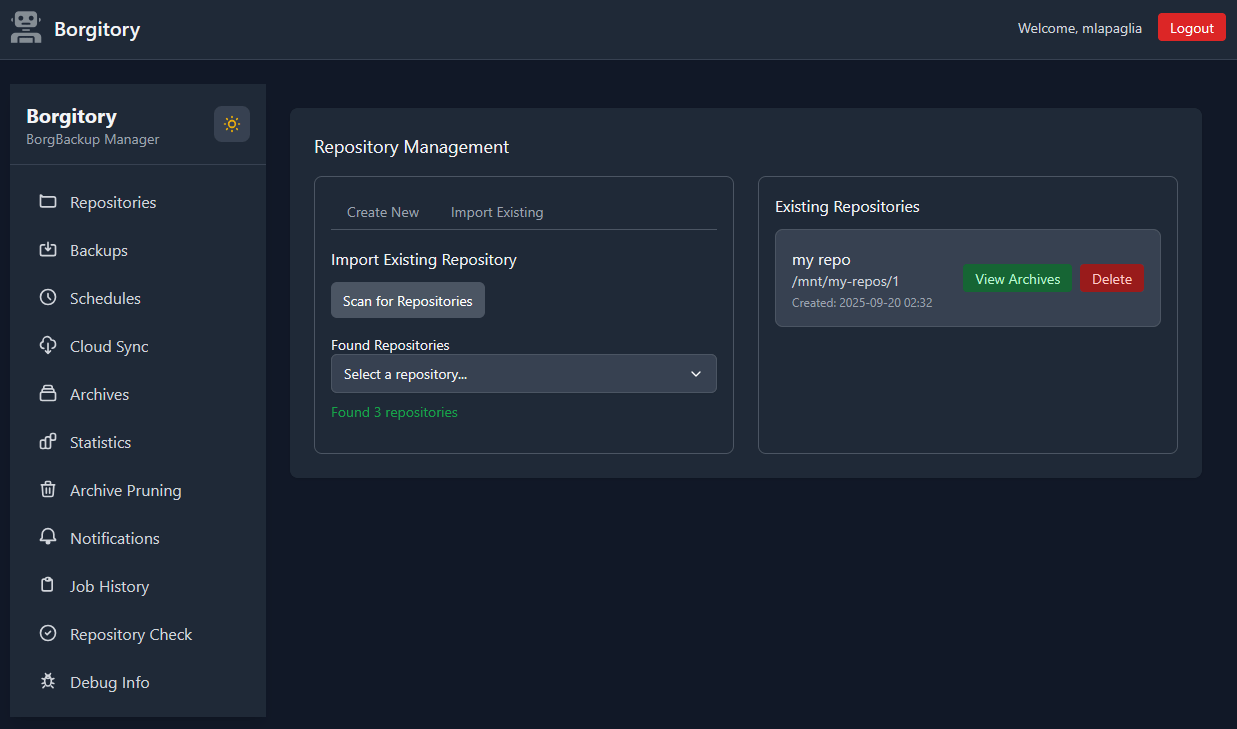
BorgBackup is one of the most technically capable backup tools in the open source ecosystem. It offers deduplication, compression, encryption, and highly efficient incremental backups — features that would cost significant money in commercial backup solutions. Ask any experienced Linux sysadmin what they use for serious backup work and BorgBackup comes up constantly. The problem is that all of that power lives behind a command-line interface that requires genuine investment to learn, configure, and operate reliably over time.
For individuals and small teams managing multiple machines, multiple repositories, and multiple backup schedules, the cognitive overhead of keeping everything organized in scripts, cron jobs, and shell aliases can quietly become a maintenance burden. You know your backups are running — probably — but confirming it means SSHing into a server and reading log output. Starting a manual backup means remembering the right borg command with the right flags. Browsing an archive to recover a single file means constructing a FUSE mount command from memory.
Borgitory is the answer to that frustration. Developed by Matt LaPaglia and released under the MIT License, it is a modern, self-hosted web interface for BorgBackup that brings all of your repository management, backup scheduling, archive browsing, cloud synchronization, and job monitoring into a single clean browser-based dashboard. In this post, we take a thorough look at what Borgitory does, how it works, what makes its technology stack interesting, how to get it running, and how it compares to the other BorgBackup front-ends in the ecosystem.
Borgitory is a self-hosted web application that provides a complete graphical management interface for BorgBackup. It is written in Python and developed by Matt LaPaglia, available on GitHub at github.com/mlapaglia/Borgitory under the permissive MIT License. The application is designed as a centralized control plane for backup operations — a single web dashboard from which you can manage multiple BorgBackup repositories, schedule automated backup jobs, monitor job execution in real time, browse and restore from archives, and synchronize your repositories to cloud storage providers.
Borgitory is built around the concept of managing multiple BorgBackup repositories from a single interface. In practice, most backup strategies involve at least a few separate repositories — one per machine, one per environment, or one per backup destination. Borgitory lets you add, configure, and operate all of them from the same dashboard without context-switching between terminal sessions or maintaining separate scripts for each one.
Backup automation is where most manual borg setups eventually break down. Writing a solid cron job that handles lock contention, send notifications on failure, applies retention policies after each backup, and logs output appropriately is genuinely complex to get right. Borgitory replaces this DIY automation with a built-in cron-style scheduler that handles all of it.
One of the most practically useful features of Borgitory is its real-time monitoring dashboard. Running backup jobs display live progress — data transferred, archives processed, errors encountered — directly in the browser. You no longer need to SSH into a server and tail a log file to know whether a backup is still running, has completed successfully, or has hit an error.
Recovering a specific file from a BorgBackup archive traditionally requires mounting the archive as a filesystem using FUSE, navigating it with standard file manager or terminal commands, copying out the files you need, and then unmounting the archive. Each step requires running borg commands correctly. Borgitory automates this entire workflow through an interactive archive browser.
Borgitory is designed for self-hosted deployment and the recommended installation method is Docker, which handles all dependencies — Python, BorgBackup, Rclone, and FUSE support — in a clean, isolated container. Here is how to get it running:
Create a docker-compose.yml in your preferred deployment directory with the following structure:
services:
  borgitory:
    image: ghcr.io/mlapaglia/borgitory:latest
    container_name: borgitory
    ports:
      - "8080:8080"
    volumes:
      - /path/to/your/repos:/repos
      - /path/to/borgitory/config:/config
      - /path/to/rclone/config:/root/.config/rclone
    devices:
      - /dev/fuse:/dev/fuse
    cap_add:
      - SYS_ADMIN
    security_opt:
      - apparmor:unconfined
    restart: unless-stopped
Then start the container:
docker compose up -d
Once running, navigate to http://your-server-ip:8080 in your browser to access the Borgitory web interface. The /dev/fuse device passthrough and SYS_ADMIN capability are required to enable FUSE-based archive mounting from within the container.
Borgitory addresses a genuine gap in the BorgBackup ecosystem. BorgBackup’s technical capabilities have always been exceptional — the deduplication efficiency, client-side encryption, and archive management model are hard to beat. What has historically limited its adoption among less CLI-centric users is exactly the kind of operational complexity that Borgitory solves: the need to manage schedules, monitor jobs, browse archives, and trigger cloud syncs through a proper interface rather than assembled shell commands.

We have detected that you are using extensions to block ads. Please support us by disabling these ads blocker.





