
KVM vs QEMU: What’s the Difference and Which Should You Use?
KVM and QEMU are often mentioned together, but they are not the same technology. QEMU can emulate a complete computer and can also run virtual machines using hardware-assisted virtualization. KVM is a Linux kernel capability that enables hardware virtualization. In many Linux environments, QEMU and KVM work together to run virtual machines efficiently.
What Is KVM?
Kernel-based Virtual Machine (KVM) is a Linux kernel virtualization capability. With suitable CPU virtualization extensions enabled, KVM allows the Linux host to run guest operating systems using hardware-assisted virtualization. KVM is not, by itself, a complete graphical VM management application or a general-purpose machine emulator.
On supported Intel and AMD systems, the processor’s virtualization extensions help execute guest code efficiently. KVM integrates with Linux kernel facilities, while a user-space component such as QEMU supplies virtual devices and the virtual machine process. KVM is also supported on other Linux architectures, subject to platform and distribution support.
What KVM contributes
- Hardware-assisted execution for virtual CPUs.
- Integration with the Linux kernel and host scheduling/memory facilities.
- A virtualization foundation used by tools such as QEMU, libvirt and virt-manager.
- Support for common Linux server, desktop and lab virtualization scenarios when configured correctly.
What Is QEMU?
QEMU (Quick Emulator) is open-source software that emulates a complete computer system. It can provide a virtual CPU, chipset, disks, network adapters, display devices and other virtual hardware to a guest operating system. QEMU supports two broad operating modes:
- System emulation: creates a virtual machine that can run an operating system, including systems built for a different CPU architecture, when the required emulation support is available.
- Hardware-accelerated virtualization: works with KVM on Linux hosts to use CPU virtualization extensions for compatible guests, while QEMU continues to provide much of the virtual hardware and device model.
QEMU is therefore more than a front end for KVM. It can run without KVM, using software emulation. That flexibility is valuable for operating-system development, architecture testing and compatibility work, although software emulation can be significantly slower than hardware-assisted virtualization.
KVM vs QEMU: Key Differences
| Area | KVM | QEMU |
|---|---|---|
| What it is | Linux kernel virtualization capability/modules. | User-space machine emulator and virtualizer. |
| Main role | Enables hardware-assisted guest execution. | Models a machine and supplies virtual hardware; can also emulate CPUs. |
| Requires hardware virtualization? | Typically yes for its normal accelerated use; CPU and firmware support must be enabled. | No, not for software emulation. KVM acceleration requires compatible host support. |
| Cross-architecture emulation | Not its primary role; guest/host architecture support and CPU capabilities matter. | A core capability when using the appropriate system emulator and target. |
| Performance | Provides the kernel side of efficient hardware-assisted virtualization. | With KVM, can run compatible guests efficiently; pure emulation generally has more overhead. |
| Virtual device model | Does not replace a full machine/device emulator by itself. | Provides configurable virtual disks, NICs, display, chipset and other devices. |
| Typical management layer | Usually used as part of a stack rather than as a complete VM management UI. | Can be controlled directly, or through libvirt and tools such as virt-manager. |
| Common use | Efficient Linux-hosted VMs on supported hardware. | VM execution, machine emulation, OS development and architecture testing. |
How KVM and QEMU Work Together
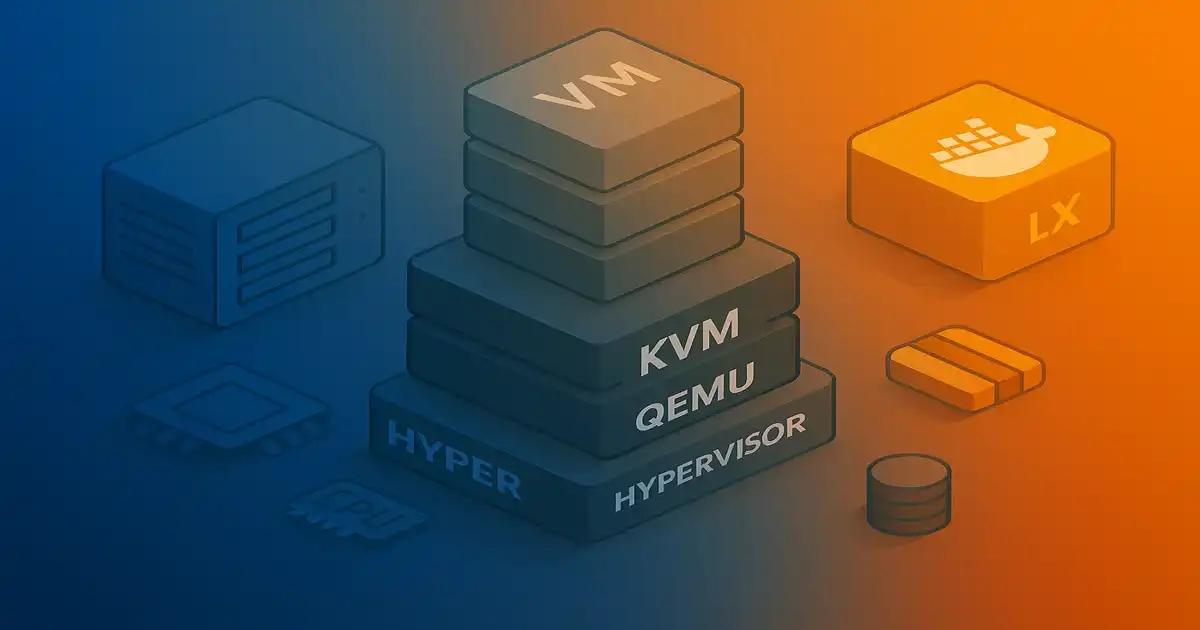
In a typical Linux virtualization stack, QEMU creates and manages the virtual machine process and presents virtual hardware. KVM allows compatible guest CPU execution to use hardware virtualization. A management layer such as libvirt can define VM settings, coordinate networks and storage, and provide consistent administration tools.
1. Linux host
The physical machine runs Linux, with CPU virtualization extensions enabled in firmware and supported by the processor.
2. KVM kernel support
KVM exposes hardware-assisted virtualization facilities to user-space virtualization software.
3. QEMU process
QEMU provides the virtual machine’s device model and uses KVM acceleration where configured and supported.
4. Guest operating system
Linux, Windows or another supported guest runs inside the VM with its own virtual CPU, memory, storage and network devices.
For everyday administration, libvirt sits above the QEMU/KVM layer. The `virsh` command-line tool and `virt-manager` graphical interface can manage virtual machines without requiring administrators to assemble long QEMU command lines manually.
Does QEMU Need KVM?
No. QEMU can use software emulation without KVM. This is useful when the host cannot expose hardware virtualization or when you need to emulate a different CPU architecture. The trade-off is that translating guest instructions in software can consume more CPU and may make demanding workloads much slower.
When the guest architecture and host platform are compatible and KVM is available, enabling KVM acceleration is usually the sensible choice for general-purpose VM workloads. Exact performance depends on the CPU, guest configuration, storage and network backends, device model, workload and host contention. Avoid promising a universal performance ratio.
When Should You Use KVM, QEMU, or Both?
Use QEMU with KVM
Best starting point for most Linux-hosted server VMs, home labs, development environments and many production virtualization deployments on compatible hardware.
Use QEMU without KVM
Useful for cross-architecture testing, firmware and operating-system development, or situations where hardware acceleration is unavailable. Expect performance to vary significantly.
Use libvirt on top
Prefer libvirt plus `virsh` or `virt-manager` when you want reusable VM definitions, managed networking and storage, and easier administration.
Performance: Is KVM Faster Than QEMU?
The comparison is not quite one-to-one because KVM and QEMU do different jobs. The practical comparison is usually QEMU with KVM acceleration versus QEMU using software emulation. With KVM, supported guest CPU execution can use hardware virtualization; in pure emulation, QEMU emulates the guest CPU in software. This often makes KVM-accelerated VMs much faster for compatible workloads.
That does not mean every VM operation is automatically at native speed. Storage emulation, network configuration, virtual device choices, memory pressure, I/O patterns and host scheduling can all affect results. Benchmark your actual workload and use supported virtio drivers/devices where appropriate rather than relying on a generic speed claim.
Compatibility and Architecture Considerations
QEMU’s system emulation can run guests designed for different CPU architectures, provided the relevant emulator and guest platform are supported. KVM acceleration is more constrained: it depends on host kernel support, CPU virtualization facilities and compatible guest/host execution. Do not assume a guest for a different architecture can use KVM acceleration simply because QEMU can emulate it.
For reliable results, check your Linux distribution’s supported QEMU/KVM packages, guest architecture, virtual machine type, firmware requirements and device compatibility. In production, also plan for security updates, VM backups, resource allocation and tested recovery procedures.
How to Check Whether KVM Is Available on Ubuntu
On Ubuntu, install the CPU checker utility if needed and verify that hardware virtualization is available:
sudo apt update
sudo apt install cpu-checker
kvm-ok
If the command reports that KVM acceleration can be used, the host has the necessary support detected by the tool. If it cannot, check CPU capability, firmware settings such as Intel VT-x or AMD-V, and whether the current hypervisor exposes nested virtualization when Ubuntu itself is running inside another VM.
Ubuntu’s documented baseline for a QEMU/KVM setup includes packages such as:
sudo apt update
sudo apt install qemu-kvm libvirt-daemon-system
sudo apt install virt-manager
The final command installs the graphical Virtual Machine Manager, which is most suitable for a desktop or workstation with a graphical environment. A headless server can be managed with command-line tools such as `virsh`. Package names and recommended installation paths may vary by Ubuntu release, so consult the official guide for your version.
Common Misconceptions About KVM and QEMU
“KVM and QEMU are competing hypervisors.”
That framing is misleading. KVM and QEMU are complementary components commonly used together, though QEMU can operate without KVM.
“QEMU always means slow emulation.”
Not necessarily. QEMU can use KVM for hardware-assisted virtualization on supported Linux hosts. Performance depends on the selected execution mode and configuration.
“KVM alone provides everything needed to manage a VM.”
KVM provides kernel virtualization functionality, not a complete administration experience. QEMU supplies the machine model, while libvirt and its clients can simplify VM lifecycle management.
“KVM can accelerate every guest architecture.”
Acceleration depends on platform compatibility and hardware/kernel support. QEMU’s ability to emulate a guest architecture does not guarantee that KVM can accelerate it.
Security and Operational Best Practices
- Keep the host kernel, QEMU, libvirt and guest operating systems patched.
- Use a supported management layer and avoid running virtual machine processes with unnecessary privileges.
- Restrict access to VM management sockets, APIs, remote consoles and SSH.
- Use appropriate network isolation, firewall rules and segmentation for guest workloads.
- Back up VM disks and configuration, and test restoration rather than assuming snapshots are backups.
- Plan capacity for RAM, CPU, storage latency and network bandwidth; monitor host pressure and guest health.
- Use device passthrough and privileged features only after understanding IOMMU, isolation and recovery implications.
Frequently Asked Questions
1. What is the main difference between KVM and QEMU?
KVM is a Linux kernel virtualization capability that enables hardware-assisted guest execution. QEMU is user-space software that emulates a machine and can also use KVM to accelerate compatible virtual machines.
2. Is KVM better than QEMU?
They are not direct alternatives. For a compatible Linux host running ordinary VMs, QEMU with KVM acceleration is a common choice. QEMU without KVM remains useful for software emulation and cross-architecture testing.
3. Can QEMU run without KVM?
Yes. QEMU can emulate a guest machine in software. This can be valuable for development and architecture testing, but may be slower than hardware-assisted virtualization for many workloads.
4. Does QEMU with KVM support Windows virtual machines?
It can run supported Windows guests when the host, virtual hardware, firmware, drivers and configuration meet the guest’s requirements. Consult the operating-system and distribution documentation for the specific version you plan to deploy.
5. Is KVM included in Linux?
KVM is part of the Linux kernel source and is delivered through kernel modules, but availability depends on the distribution’s kernel configuration, CPU support and firmware settings. You may need to install user-space packages such as QEMU and libvirt as well.
6. What is the difference between KVM, QEMU and libvirt?
KVM provides kernel-level hardware virtualization; QEMU provides the virtual machine process and device emulation; libvirt provides a management API and tools to define, configure and control virtual machines across supported virtualization technologies.
7. How can I start using KVM on Ubuntu 24.04?
Verify hardware virtualization, install the appropriate QEMU/KVM and libvirt packages, then create and manage a VM using a tool such as virt-manager or virsh. Follow our Ubuntu 24.04 KVM installation tutorial for the full workflow.
8. Is KVM suitable for production?
KVM is used in production virtualization environments, but suitability depends on architecture, support lifecycle, operational practices, monitoring, security hardening, backup and recovery, and workload requirements. Validate the design before deployment.
Conclusion
KVM and QEMU solve related but different problems. KVM enables hardware-assisted virtualization through the Linux kernel, while QEMU provides a flexible virtual machine and emulation environment. For most users building Linux VMs on compatible hardware, QEMU with KVM acceleration—often managed through libvirt—is the practical starting point. Use QEMU’s software emulation when cross-architecture compatibility or development needs outweigh the performance trade-off.
Official References
- Ubuntu Server: VM tools in the Ubuntu space — overview of KVM, QEMU and libvirt roles.
- Ubuntu Server: QEMU — QEMU installation and usage guidance.
- Ubuntu Server: libvirt — management, networking and system/session modes.
- QEMU official documentation — upstream technical documentation.
- libvirt documentation — APIs and VM management.

