
Virtualization · Informational Guide
KVM vs Hyper-V: Differences, Performance, Cost, and Use Cases
KVM and Microsoft Hyper-V are two established virtualization platforms, but they fit into different operating environments and management models. This guide compares how they work, what they require, and how to choose based on your workloads—not on a blanket claim that one is always faster or better.
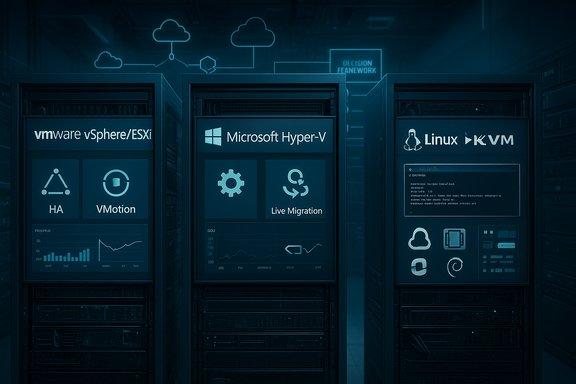
KVM vs Hyper-V
Table of contents
- What is KVM?
- What is Hyper-V?
- KVM vs Hyper-V comparison
- Performance
- Management and automation
- Licensing and total cost
- Security and resilience
- Which should you choose?
- Migration checklist
- FAQs
What is KVM?
Kernel-based Virtual Machine (KVM) is a virtualization capability in the Linux kernel. With processor virtualization extensions enabled, KVM allows Linux to run virtual machines with hardware-assisted virtualization. In a typical deployment, QEMU supplies the machine model and virtual devices, while libvirt and tools such as virsh or virt-manager help define and operate guests.
KVM is not a single all-in-one management product. The complete solution depends on the distribution, QEMU version, libvirt, networking and storage configuration, and any broader management platform deployed around it. For the relationship between these components, see our companion guide: KVM vs QEMU: differences and how they work together.
Common KVM use cases
- Linux server consolidation and private-cloud infrastructure.
- Development, CI testing, and repeatable virtual machine labs.
- OpenStack-based cloud platforms and other Linux-oriented virtualization stacks.
- Heterogeneous guest environments where the selected QEMU/KVM configuration supports the required operating systems and devices.
What is Microsoft Hyper-V?
Hyper-V is Microsoft’s hardware virtualization platform, available in Windows Server and supported Windows client editions. It uses a hypervisor architecture and integrates with Windows management features. Depending on the edition and design, administrators can use Hyper-V Manager, Windows Admin Center, PowerShell, Failover Clustering and System Center Virtual Machine Manager.
Hyper-V supports Windows and a range of Linux and other guest operating systems, but supported guest versions, integration features and device capabilities vary. Check the Microsoft compatibility and documentation pages for the exact host and guest versions you plan to run.
Common Hyper-V use cases
- Virtualizing Windows Server workloads and Active Directory lab environments.
- Organizations standardized on Windows administration and PowerShell automation.
- Windows-based development and testing, including supported client Hyper-V scenarios.
- Windows Server environments that need documented clustering, live migration or replica-based disaster recovery options.
KVM vs Hyper-V: key differences at a glance
| Area | KVM ecosystem | Microsoft Hyper-V |
|---|---|---|
| Core technology | Linux kernel virtualization capability, commonly paired with QEMU. | Microsoft hypervisor platform integrated with Windows. |
| Typical host environment | Linux distributions with supported CPU virtualization extensions. | Supported Windows Server or Windows client edition. |
| Management | Can use libvirt, virsh, virt-manager, APIs, and higher-level platforms. | Hyper-V Manager, PowerShell, Windows Admin Center and, where licensed/deployed, System Center. |
| Automation style | Shell, APIs, infrastructure-as-code tools and platform-specific tooling. | PowerShell and Windows management ecosystem; APIs and platform tooling also available. |
| Licensing model | KVM is open-source; support, management, operating systems and infrastructure still may cost money. | Hyper-V is included in supported Windows editions; Windows Server and guest licensing obligations still apply. |
| Networking | Linux bridges, virtual networks, NAT, VLANs and advanced Linux networking options depending on configuration. | Virtual switches, VLANs and network features supported by the host version and design. |
| Availability and movement | Live migration and HA are possible with compatible versions and correctly designed storage/networking/management. | Live Migration and Failover Clustering are available in supported Windows Server designs. |
| Best-fit starting point | Linux-first teams, open-source stacks, custom platforms and cloud infrastructure. | Windows-first teams, Windows Server estates and PowerShell-centric operations. |
Important: these are broad platform patterns, not guarantees. Features depend on host and guest versions, editions, hardware, storage, network design and the management products you deploy.
Architecture: how the platforms differ
Both platforms use hardware-assisted virtualization to isolate guest operating systems. The practical difference is the surrounding architecture and toolchain. KVM is part of Linux; QEMU provides machine emulation and virtual devices, and libvirt offers a consistent management interface. Hyper-V is a Microsoft platform whose management and operational workflows are designed around Windows.
That distinction matters for troubleshooting and skills. With KVM, administrators should be comfortable with Linux services, permissions, bridges, storage pools, QEMU/libvirt versions and host security controls. With Hyper-V, teams need to understand Windows host servicing, virtual switches, PowerShell, integration services and the Windows Server feature set they have deployed.
Performance: is KVM faster than Hyper-V?
There is no universal winner. Both can deliver strong performance for supported workloads when configured correctly. Results depend on CPU generation, firmware settings, NUMA layout, memory pressure, storage latency, network throughput, guest drivers, I/O patterns and host tuning.
For a meaningful comparison, test the same guest operating system and application workload on equivalent hardware. Measure application response time, CPU utilization, storage IOPS and latency, network throughput, boot time, and performance under contention. Include backup, monitoring and migration activity in the test if those tasks will run in production.
Management and automation
KVM management
At smaller scale, administrators may manage VMs using virsh or the graphical virt-manager. Libvirt supports local and remote management, and higher-level systems can add provisioning, inventory, policy and multi-host orchestration. This flexibility is useful, but the organization must choose and maintain the appropriate management stack.
# List running VMs managed by the system libvirt instance
sudo virsh list

# Show all defined VMs, including those that are stopped
sudo virsh list --all

# Inspect host virtualization support (install cpu-checker if needed)
kvm-ok
Commands can differ by distribution and installation. Confirm the libvirt connection URI and permissions before running administrative commands on production hosts.
Hyper-V management
Hyper-V offers a GUI through Hyper-V Manager and extensive PowerShell cmdlets. Larger Windows Server deployments may add Windows Admin Center, Failover Clustering and System Center Virtual Machine Manager. PowerShell can make repeatable configuration and reporting easier for teams already standardized on Windows administration.
# Run in an elevated PowerShell session on a Hyper-V host
Get-VM
Get-VMHost
Get-VMSwitch
Use the appropriate administrative permissions and verify cmdlet availability on the installed Windows version.
Networking and storage
KVM networking commonly uses Linux bridges, virtual NAT networks, VLANs and Linux networking tools. Libvirt can create a default NAT network for outbound guest connectivity; direct inbound access or production segmentation may require a bridge or a carefully designed virtual network. Storage can use local files, logical volumes, network storage and other supported backends.
Hyper-V uses virtual switches to connect guest network adapters to external, internal or private networks. Storage choices include virtual hard disks and supported storage systems used by standalone hosts or clusters. In either platform, design for management-plane separation, redundant uplinks, backup traffic, guest isolation, capacity, and recovery—not just whether a VM can reach the internet.
High availability, live migration and disaster recovery
Both ecosystems can support planned VM movement and resilient designs, but these capabilities are not automatic simply because the hypervisor is installed.
- KVM: live migration is supported in compatible QEMU/libvirt configurations. Reliable operation depends on CPU compatibility, network connectivity, shared or migratable storage, version compatibility and the management stack.
- Hyper-V: Live Migration can move running VMs between hosts in supported configurations. Windows Server Failover Clustering can provide high availability, while Hyper-V Replica can support asynchronous replication to a recovery host or site.
Validate the exact feature requirements in official documentation for your versions. Test failover, backup restore, recovery time objective (RTO), recovery point objective (RPO), and host maintenance procedures before relying on a design.
Licensing and total cost of ownership
KVM’s core components are open source, but a production KVM platform is not necessarily cost-free. Budget for supported Linux distributions, enterprise management software, storage and backup products, monitoring, hardware, engineering time, security maintenance and vendor support where needed.
Hyper-V is included in supported Windows editions, but this does not remove Windows Server licensing requirements or the need to license guest operating systems and applications appropriately. Licensing rights can depend on the Windows Server edition, physical cores, virtualization rights, guest workloads and organization-specific agreements. Confirm current terms with Microsoft or your licensing partner rather than relying on a generic cost comparison.
Compare three-to-five-year total cost of ownership: host and storage hardware, software and support subscriptions, staff training, management tools, backup, disaster recovery, power/cooling, and the cost of downtime. Include the cost of migrating away later.
Security and isolation
Neither platform is secure by default in every configuration. Security depends on timely host patching, least privilege, management network isolation, hardened remote access, secure boot and firmware controls where supported, VM lifecycle practices, backup protection and monitoring.
- Restrict who can administer hosts and alter VM configuration.
- Keep the management plane separate from guest networks where practical.
- Patch host operating systems, hypervisor components, firmware and guest tools on a tested schedule.
- Protect backups against deletion or ransomware and test restore procedures.
- Review device passthrough and nested virtualization requirements before enabling them.
- Use supported security features and validate guest compatibility before enforcing policy.
KVM deployments may use Linux security controls such as AppArmor or SELinux depending on distribution and configuration. Hyper-V environments can use Windows security features and supported shielded-VM or virtual TPM capabilities where applicable. Compare the features actually available in your version and design.
Guest operating systems and workload compatibility
Both platforms run a range of guest operating systems, but supported versions and performance features differ. Check official guest OS support matrices, virtual hardware requirements, integration drivers, backup-agent compatibility, application vendor support and licensing restrictions. A VM that boots successfully is not necessarily a vendor-supported production configuration.
For GPU passthrough, SR-IOV, nested virtualization, specialized storage or latency-sensitive workloads, validate the exact CPU, motherboard, firmware, adapter, driver and hypervisor combination. Hardware capability alone does not guarantee that a feature is supported in the intended configuration.
KVM or Hyper-V: which should you choose?
Choose KVM when…
- Your infrastructure and operational skills are Linux-first.
- You want an open-source virtualization foundation and flexibility in selecting management components.
- Your cloud, automation or platform engineering stack already integrates with QEMU/libvirt or KVM-based systems.
- You can support Linux networking, storage, patching and troubleshooting in-house or through a vendor.
Choose Hyper-V when…
- Your organization primarily operates Windows Server and Windows workloads.
- Your team uses PowerShell and Microsoft administration tools extensively.
- You want to align VM operations with Windows Server features and existing Windows support processes.
- Your required clustering, migration, backup and disaster recovery products support your intended Hyper-V versions.
Consider another platform or a mixed environment if application vendors, existing tooling, cloud integrations, hardware requirements or licensing rules point elsewhere. A mixed KVM and Hyper-V estate is possible, but it adds operational complexity: standardize monitoring, backup, identity, patching, documentation and incident response across both.
Migration checklist: before moving between platforms
- Inventory workloads: document operating systems, CPU features, disks, NICs, IP settings, dependencies, licensing and owners.
- Check compatibility: verify guest OS and application support on the destination platform.
- Plan disk conversion: confirm source and target virtual disk formats, controller types, boot firmware and disk provisioning.
- Rebuild networking: map virtual switches or Linux bridges, VLANs, security rules, IP addresses and DNS.
- Plan downtime and rollback: define a maintenance window, final synchronization, validation checks and a tested fallback.
- Protect data: take application-consistent backups and test restore before migration.
- Test application behavior: check boot, drivers, time synchronization, performance, monitoring, backup agents and licensing activation.
- Document operations: update runbooks, monitoring, disaster recovery, access control and capacity planning.
Related VMoreCloud guides
- KVM vs QEMU: understand the differences and how they work together
- KVM vs VMware: compare performance, cost and use cases
- How to Install KVM on Ubuntu 24.04 LTS
Official documentation and further reading
- Microsoft Learn: Hyper-V overview
- Microsoft Learn: Live Migration overview
- Ubuntu Server: Libvirt and KVM management
- Ubuntu Server: QEMU virtualization
- Ubuntu Server: Virtual Machine Manager
Building your virtualization lab?
Start with the fundamentals, compare your target workloads, and validate management, networking, backups and recovery before moving production systems.

