




Azure DevOps server
11views
Azure DevOps Server allows you to self host the same modern dev services available in Azure DevOps, including Boards (planning and tracking), Pipelines (CI/CD), Repos (Git repositories and centralized version control), Test Plans (manual and exploratory testing), Artifacts (package management and pipeline artifacts), and more.
Azure DevOps Server Express is free, simple to set up on both client and server operating systems, and supports all the same features as Azure DevOps Server. The only difference is that it is limited by licensing agreements to five or fewer active users.
Core Features
1Azure Boards
- Agile project management (Scrum, Kanban)
- Work items, bugs, user stories
- Sprint planning & tracking
Azure Repos
- Git and TFVC (Team Foundation Version Control)
- Code collaboration, branching, pull requests
Azure Pipelines
- CI/CD automation
- Build, test, and deploy apps
- Supports multiple languages and platforms
Azure Test Plans
- Manual and automated testing
- Test case management
- Integration with pipelines
Azure Artifacts
- Package management (NuGet, npm, Maven, Python)
- Version control for dependencies
System Requirements (Typical)
- OS: Windows Server (2019 / 2022 / 2025)
- Database: SQL Server (2016–2022)
- RAM: 8 GB+ (recommended)
- CPU: Multi-core processor
- Storage: Depends on project size
Why Use Azure DevOps Server?
- Full data privacy & control
- Highly customizable
- Seamless integration with Microsoft ecosystem
- Ideal for enterprise-scale deployments
Azure DevOps Server 2022.2 Downloads

File Size 3.37GB
add a comment

Microsoft DevOps Server 2022 ISO
If you're looking to build a powerful on-premises DevOps environment, Microsoft DevOps Server 2022 (formerly Azure DevOps Server / TFS)...
Block Program Installations from USB Drives Using Group Policy in Windows Server 2025
In Windows Server environments, blocking program installations from USB drives is an important security measure. This helps prevent the installation of unauthorized software and the spread of malware through removable storage devices. With Group Policy, administrators can enforce specific rules and restrictions on USB drives and other removable media. Below is an overview of how you can block program installations from USB drives using Group Policy in Windows Server 2025. In this lab tutorial we will configure a layered Group Policy Object (GPO) in our domain Active Directory environment to...
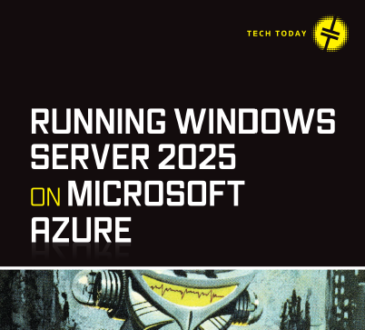
Running Windows Server 2025 on Microsoft Azure eBook
If you want to master deploying and managing Windows Server in the cloud, the “Running Windows Server 2025 on Microsoft...




