




296views

Roughly four months after the major 6.5 release and five follow-up maintenance updates, the KDE team has unveiled the highly anticipated KDE Plasma 6.6. This new version introduces a range of usability improvements, visual refinements, and new features across the desktop.
One of the standout additions is a redesigned on-screen keyboard, delivering a more cohesive and polished experience—particularly for touch-enabled devices.
Screenshot and screencasting capabilities have also been enhanced. The Spectacle app now includes built-in text recognition, enabling users to extract text directly from screenshots. Screencasting gains a useful refinement as well, allowing specific windows to be excluded via an option in the window’s title bar.
Accessibility sees further improvements in Plasma 6.6. A new grayscale filter joins the existing color blindness options in System Settings, bringing the total number of filters to four. The Zoom and Magnifier tool now offers a tracking mode that keeps the pointer centered. On Wayland sessions, Slow Keys and the standard Reduced Motion setting are now supported.
Everyday tasks are more streamlined too. Systems equipped with a camera can now connect to Wi-Fi networks by scanning QR codes. In the Task Manager, users can adjust an app’s volume simply by hovering over its icon and scrolling. The Windows List widget has been updated to allow window activation on hover and filtering by desktop or activity.
Customization receives notable upgrades. Users can convert their current desktop configuration into a reusable global theme, fully compatible with Plasma’s automatic day-and-night theme switching. Visual polish continues with smoother animations on high-refresh-rate displays and improved wallpaper previews that display both light and dark variants.
A major addition is Plasma Setup, a new first-run wizard that separates user account configuration from operating system installation. This is particularly useful for devices shipped with Plasma preinstalled, refurbished machines, or systems being handed over to new owners without transferring previous user data.
Additional enhancements include the option to restrict virtual desktops to the primary screen, a new optional login manager, and automatic brightness adjustment on devices with ambient light sensors. Game controllers can now function as input devices as well.
The Discover software center gains support for font installation, while System Monitor now allows changing process priorities. Users can also pin the Web Browser and Audio Volume widgets open, and USB permission prompts have been visually refreshed.
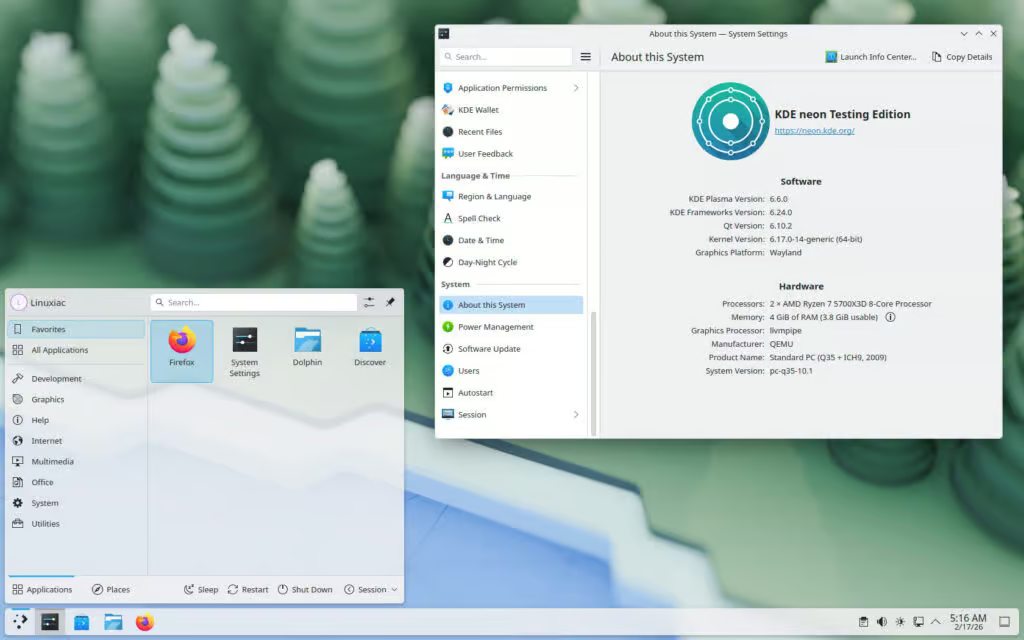
Plasma 6.6 is scheduled to receive six maintenance updates before the arrival of Plasma 6.7. Those who want to try it right away can install the KDE neon Testing Edition, which already includes Plasma 6.6. Users of rolling-release distributions can expect the update to reach their repositories in the near future.
Check out the full changelog for a thorough list of all the tweaks and improvements.
2 Comments
Leave a Response


Incus 6.23 Container & Virtual Machine Manager Released
The Incus project has rolled out version 6.23, marking the final update in the 6.x series before the anticipated 7.0...


KaOS 2026.03 Released With Major Move Away From systemd Components
The KaOS project has rolled out its March 2026 ISO, introducing one of the most extensive internal transformations the distribution...


8 Ubuntu Terminal Tools You Must Master in 2026
Introduction1. micro — The Terminal Editor With Zero Learning Curve2. Neovim — IDE-Level Terminal Editing When You Are Ready3. tmux...


Canonical Plans Controversial GRUB Changes for Ubuntu 26.10 Secure Boot
Canonical is considering a significant overhaul to how Secure Boot works in Ubuntu 26.10, with a proposal aimed at reducing...

[…] KDE development team has rolled out KDE Plasma 6.6.2, the second maintenance update in the Plasma 6.6 desktop environment series. This release focuses primarily on improving system stability, fixing bugs, and refining several […]
[…] KDE Plasma 6.6.2 […]