



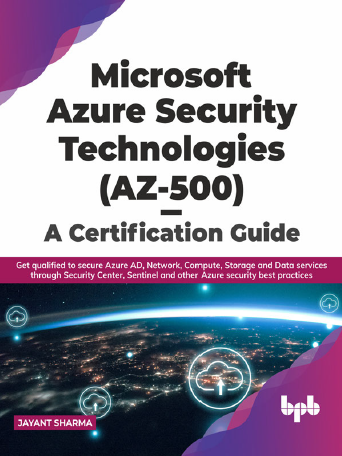
Microsoft Azure Security Technologies (az-500) – A Certification Guide
432views
Prepare yourself for the AZ-500 certification exam with this comprehensive guide by Jayant Sharma. Whether you’re an Azure security professional or aiming to become one, this book covers all the key concepts and hands-on techniques you need.
Table of Contents for Microsoft Azure Security Technologies (AZ-500) – A Certification Guide
- Introduction to Azure Security
- Overview of Azure Security Landscape
- Understanding the AZ-500 Exam
- Managing Identity and Access
- Azure Active Directory Fundamentals
- Role-Based Access Control (RBAC)
- Conditional Access Policies
- Implementing Platform Protection
- Securing Compute Resources
- Network Security Groups and Azure Firewall
- Azure DDoS Protection
- Managing Security Operations
- Azure Security Center
- Azure Sentinel Overview
- Security Alerts and Incidents
- Securing Data and Applications
- Encryption Options in Azure
- Securing Storage Accounts and Databases
- Application Security Best Practices
- Implementing Threat Protection
- Advanced Threat Protection (ATP)
- Azure Defender Capabilities
- Monitoring and Responding to Threats
- Governance and Compliance
- Azure Policy and Blueprints
- Compliance Frameworks in Azure
- Auditing and Reporting
- Preparing for the AZ-500 Exam
- Exam Tips and Study Strategies
- Practice Questions and Labs
- Resources and Learning Paths
What you’ll learn:
- Implementing Azure security controls and threat protection
- Managing identity and access in Azure environments
- Securing data, applications, and networks
- Monitoring and responding to security incidents
- Best practices and exam-focused tips
Why download this guide?
- Step-by-step coverage aligned with AZ-500 exam objectives
- Real-world scenarios and hands-on labs
- Ideal for self-paced learning or instructor-led training
Get your FREE copy now!
Download the eBook Here
Boost your Azure security expertise and certification readiness today!
add a comment

Block Program Installations from USB Drives Using Group Policy in Windows Server 2025
In Windows Server environments, blocking program installations from USB drives is an important security measure. This helps prevent the installation of unauthorized software and the spread of malware through removable storage devices. With Group Policy, administrators can enforce specific rules and restrictions on USB drives and other removable media. Below is an overview of how you can block program installations from USB drives using Group Policy in Windows Server 2025. In this lab tutorial we will configure a layered Group Policy Object (GPO) in our domain Active Directory environment to...

PowerShell Advanced Cookbook
If you're looking to take your automation and scripting skills to the next level, the PowerShell Advanced Cookbook by Morten...

Download Linux+ and LPIC-1 Certification Guide
Looking to start your journey in Linux and system administration? The Linux+ and LPIC-1 Guide to Linux Certification by Jason...