


Proxmox VE 9.1 Launches with OCI Image Support, vTPM Snapshots, and Big SDN Upgrades

236views
Here we are late in 2025, with the news that Proxmox VE 9.1 has been released as news from the Proxmox official blog has announced. This release has a lot of what I think are meaningful improvements that really do touch ever major part of the platform. This incoudes containers, virtual machines, security, and also software-defined networking. Proxmox VE Server 9 has already laid the groundwork, but this release takes that further. Let’s look at the Proxmox VE 9.1 release, new features, and where you can download it.
OCI Image Support for LXC Containers
The first new feature to note in Proxmox VE 9.1 is the ability that you now have to create LXC containers directly from OCI images. What is OCI anyway? Well, OCI stands for Open Container Initiative. It is a standard that is used across modern container ecosystems. This includes ecosystems like Docker Hub and also private registries.
This new features lets you upload or pull OCI formatted images and use them as the base for full system containers or even light application containers inside of Proxmox. Why is this big news? Well think about it this way. Historically in Proxmox containers have been created using distribution templates or manual custom builds, like something you would spin up yourself. These still work. but OCI image support means that Proxmox is now going to help DevOps workflows that maybe already have pipelines that output OCI formatted OS images.
Does this mean that Proxmox now includes Docker?
No not exactly. This is not what the new functionality is doing (adding Docker to Proxmox). Proxmox has historically ran LXC containers and that stays the same. It does not include Docker or the Docker Engine. But it does make things a bit more interesting for home labs I think.
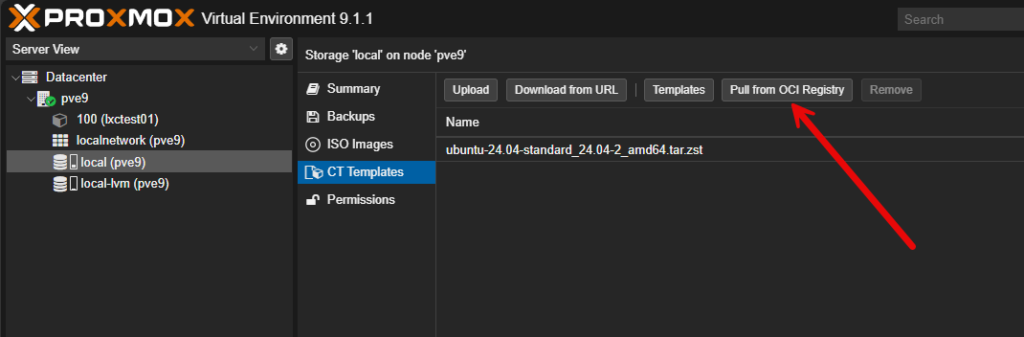
Now, we have a new option in the container templates storage, where you can Pull from OCI Registry.
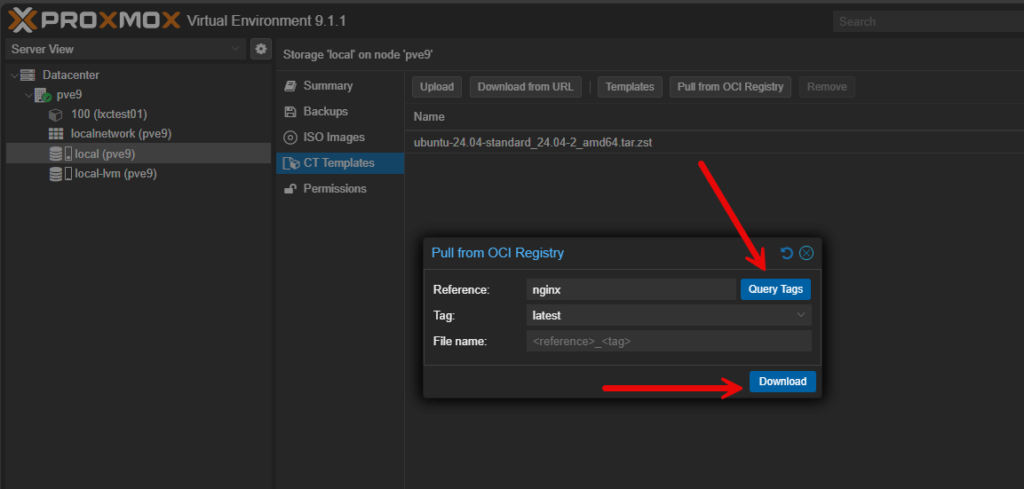
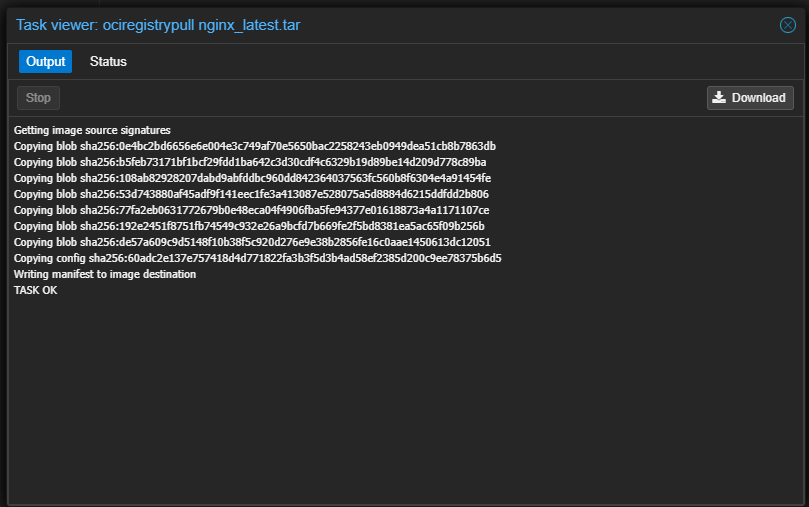
When you click download, it will download the new image.
Now, the cool thing is we can choose the application OCI image.
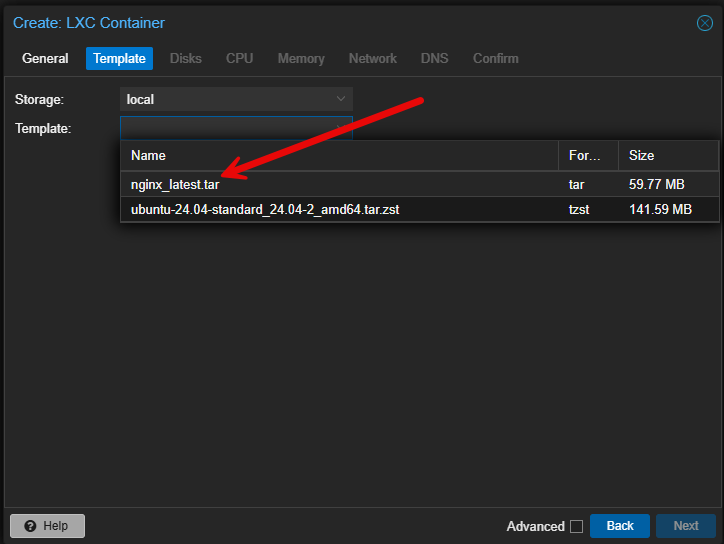
So after choosing your OCI image, you simply finish out creating the LXC container like you would any other LXC, including storage, compute, and networking (which network you are connecting to, IP addressing, etc).
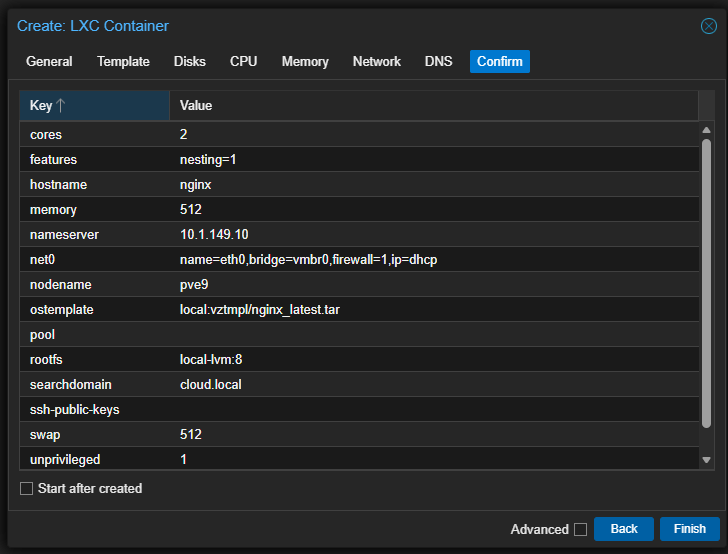
When you click Finish, the container is created as expected.
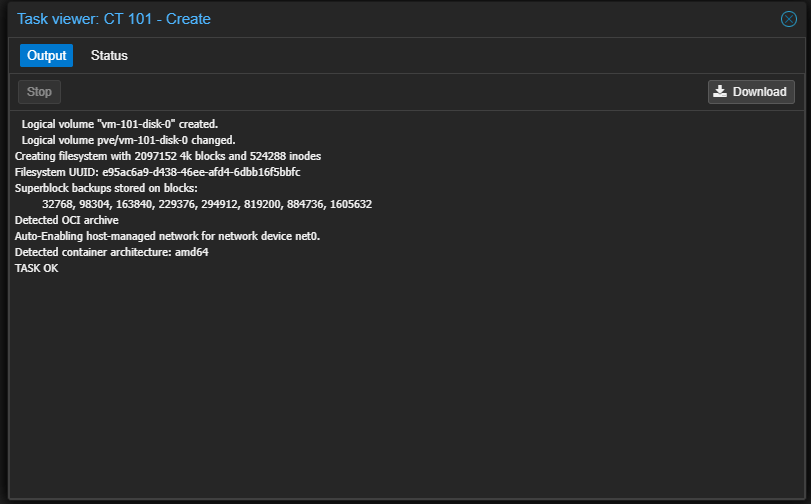
Now, here is what is cool. I can simply browse out to the container and the application is running. Very cool!
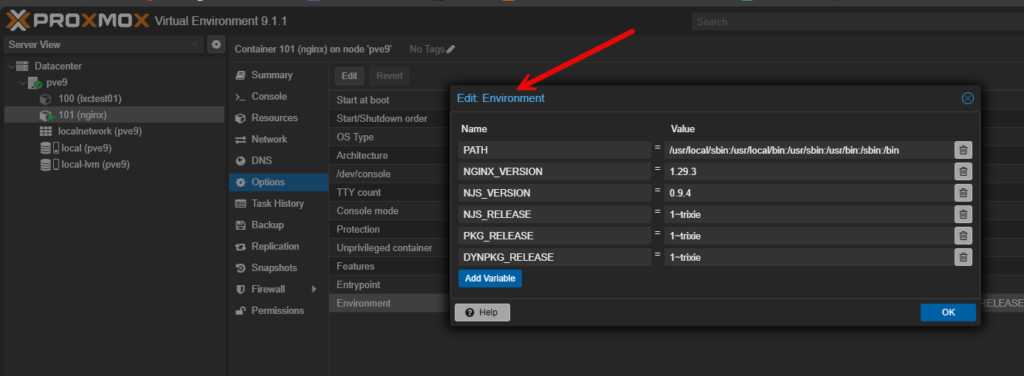
In case you are wondering, you can edit the image environment variables directly from the options of the LXC container that is spun up.
Improved vTPM support with qcow2
The next big feature in this release is a major enhancement that stores the state of virtual TPM inside qcow2 formatted disk files. This unlocks a lot of new capabilities that weren’t there before. Now that vTPM state is stored in qcow2, you can snapshot and restore a virtual machine with a vTPM device without breaking the trust chain.
This also will apply to storage that supports qcow2 images. That would include CIFS and NFS systems. It also applies to offline snapshots on LVM snapshot based storage. So, the result is that VMs that use BitLocker, Secure Boot, and other things like Windows Hello and virtualization based security are a lot easier to manage now.
Just think of hoops that had to be jumped through before this feature. Snapshots involving a vTPM had to have workarounds in place or admins had to completely avoid using snapshots in a lot of different scenarios. Now that is no longer the case. You can use snapshots and roll back without those same limitations.
For the home lab if you want to run full Windows 11 with proper security, you no longer have many of the restrictions in place. Small businesses that use encryption on servers can now rely fully on snapshots for maintenance or development work.
More control for nested virtualization
I have been a huge advocate of nested virtualization for learning and setting up various types of lab environments. Now in Proxmox 9.1, nested virtualization gets to be more powerful since PVE admins can now control which virtualization extensions are exposed to the guest. Before this, the recommended option for nested virtualization was to set the CPU type to host. This exposed the full set of processor features from the physical CPU, which you may not want to do.
Now it is way more granular. You can enable virtualization extensions without exposing all of the CPU flags from the host. This is great to have consistent CPU flags across your virtual environments if you have more than one Proxmox host with different CPU generations, etc. It also gives a small security boost since you can reduce the attack surface inside the guest operating system.
Better stability and reliability
Of course like most dot minor releases, Proxmox VE 9.1 is getting several quality of life improvements. These include updates to the kernel, fixes for the UI, better storage handling, and adjustments to clustering logic that make it more intelligent and efficient. Proxmox also officially states this release has many bug fixes and quality updates across the web interface and backend subsystems.
Upgrading to Proxmox VE 9.1
Below are a few of the screenshots and steps I used to upgrade my Proxmox VE 9.0 server to 9.1. Begin by clicking on your Proxmox VE Server in the web UI, then navigate to Updates. Click the Refresh button.
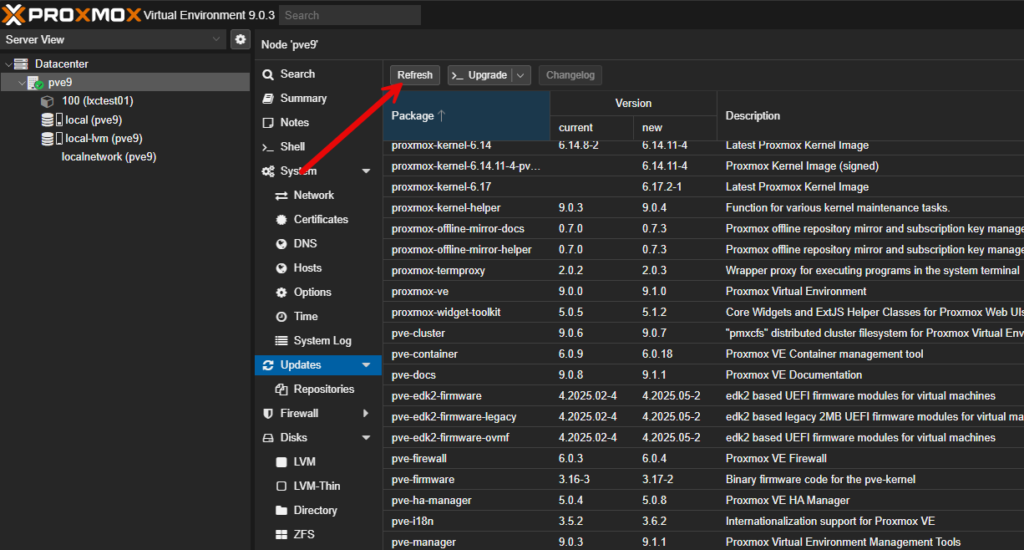
This will launch the following dialog box. You should see Task OK.
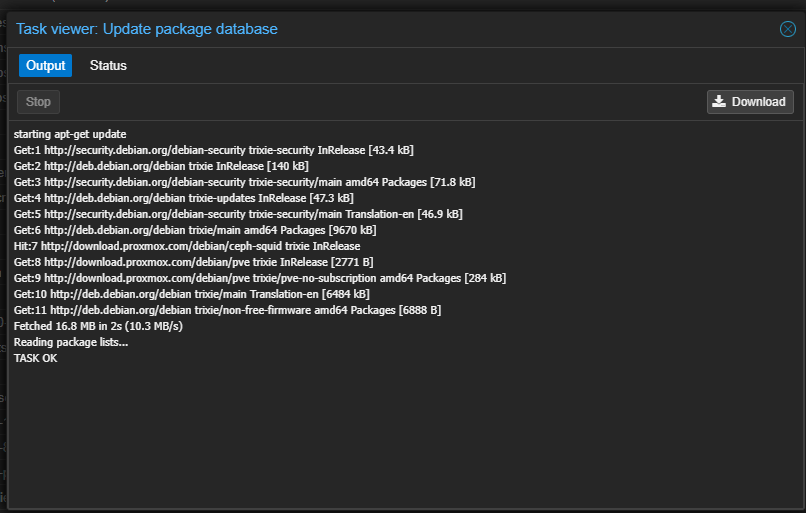
Now, you should notice that you see proxmox-ve, new: 9.1.0. Click the Upgrade button at the top by the refresh button.

This will launch the window below. You will need to type a Y to confirm the upgrade to Proxmox VE Server 9.1.
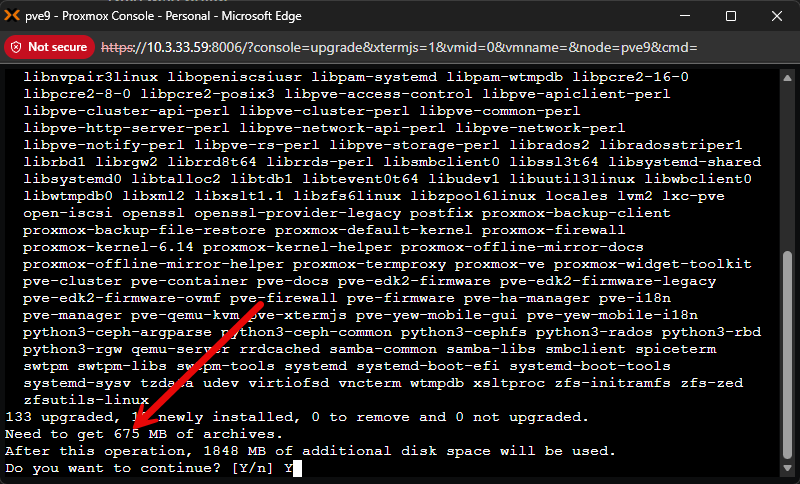
I saw these screens as well. Configure the encoding to use on the console. Here I just accepted the defaults.
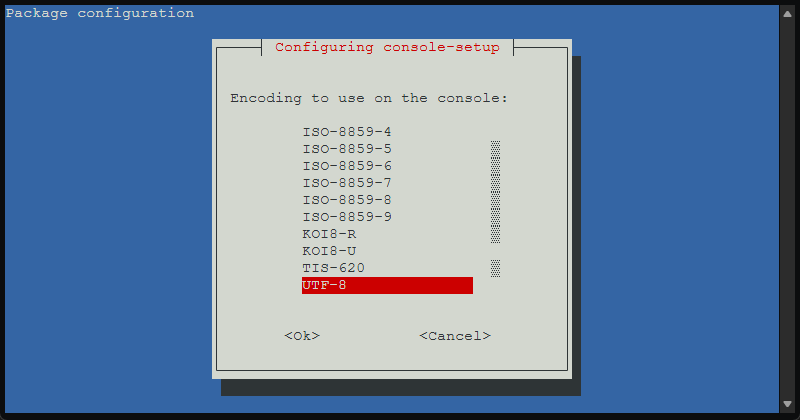
Mine was already set to English, but here you choose the Keyboard layout.

Finally, we need to reboot the server after the upgrade completes.
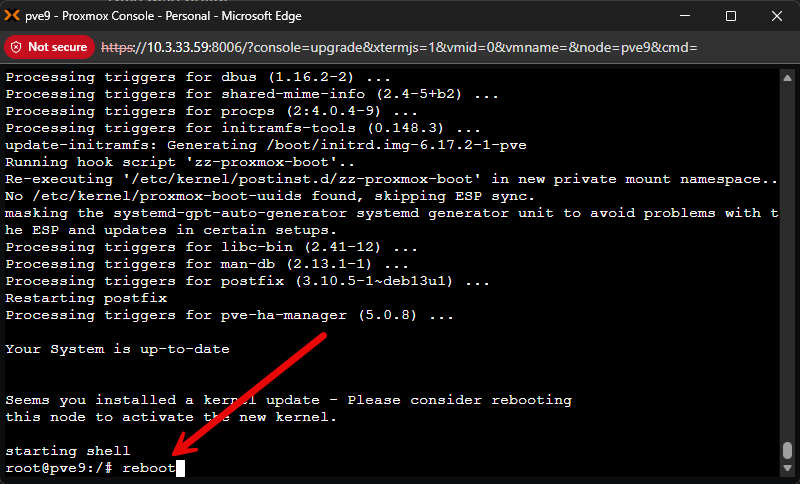
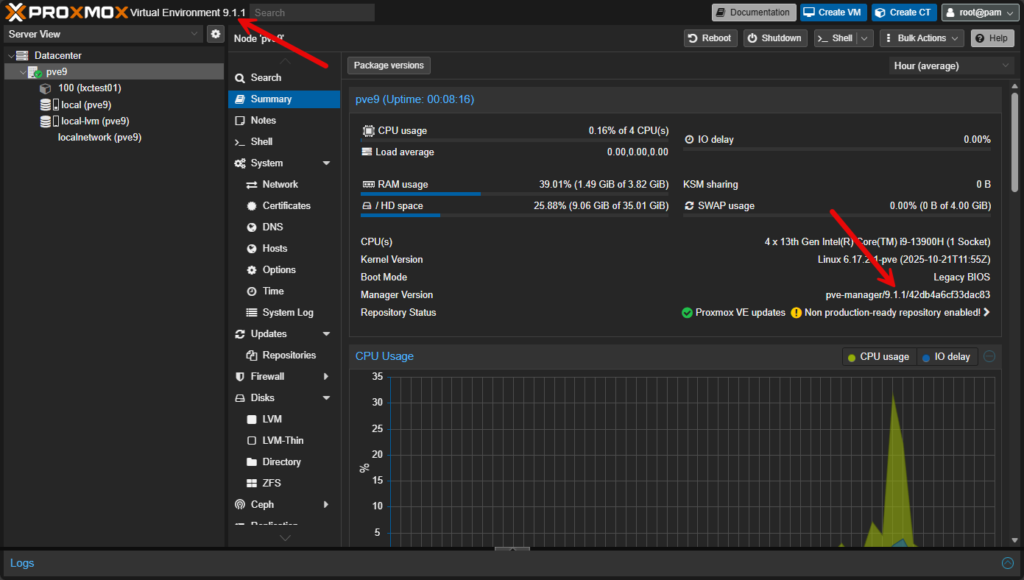
Very simple process! After the reboot, I logged back in to make sure I saw the right version displayed in the web UI. And, I did.
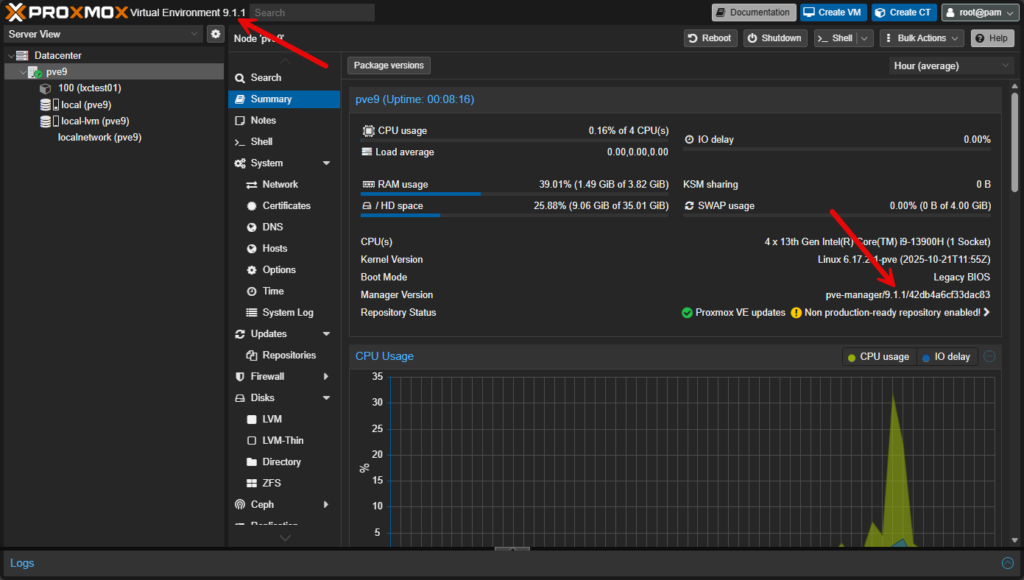
Very simple process! After the reboot, I logged back in to make sure I saw the right version displayed in the web UI. And, I did.
Proxmox VE 9.1 upgrade resources
Take a look at these official resources from Proxmox regarding the Proxmox VE Server 9.1 release:
- ISO Image Download: https://www.proxmox.com/en/downloads
- Video: What’s new in Proxmox VE 9.1
- Roadmap: Release Notes & Roadmap
Wrapping up
Proxmox continues to turn up the heat on other major players in the virtualization space with rapid development and quick releases coming forth. Many are switching over or have already switched over to Proxmox in the home lab. And, I am seeing this in many enterprise environments as well as companies are looking to get off the Broadcom ship. How about you? Are you already running Proxmox? What about Proxmox 9.0? Are you going to be upgrading to Proxmox VE 9.1 now that the release is out? Let me know.
1 Comment
Leave a Response


8 Best Free and Open Source Virtualization Tools for Linux in 2026
Introduction Virtualization has evolved from a niche enterprise data center technology into an essential part of everyday computing. Whether you...
Thinware SimpleVM – A Free-Forever Hypervisor Alternative for VMware
Here’s a fully rephrased, original version with a smooth tech-blog tone 👇 When I first came across Thinware and their upcoming SimpleVM virtualization platform, it immediately caught my attention. At first glance, it seemed like exactly what many admins have been waiting for—a straightforward virtualization solution with centralized management similar to vCenter, but completely free, open-source, and easy to operate. That’s precisely the direction they’re taking. I reached out to their team right away to learn more about the project. With many organizations now looking for cost-effective alternatives to traditional...
StarWind V2V / P2V Converter Version 9 (build 848) – Multi-VM Conversions
If you’re managing a datacenter or designing infrastructure and still working across platforms like VMware ESXi, Microsoft Hyper-V, Proxmox, oVirt,...
Run Your Own Private Cloud on Proxmox: Deploy Alpine Nextcloud LXC with the Proxmox Community Script
Introduction Google Drive, OneDrive, Dropbox — you've been feeding your files, documents, photos, and arguably some of your most sensitive...




[…] Let’s first of all review what changed in Proxmox VE 9.1 in case you haven’t heard or didn’t catch my introductory blog post on Proxmox VE 9.1. You can check out that full post here: Proxmox VE 9.1 Launches with OCI Image Support, vTPM Snapshots, and Big SDN Upgrades. […]