Physical Address
304 North Cardinal St.
Dorchester Center, MA 02124
Physical Address
304 North Cardinal St.
Dorchester Center, MA 02124

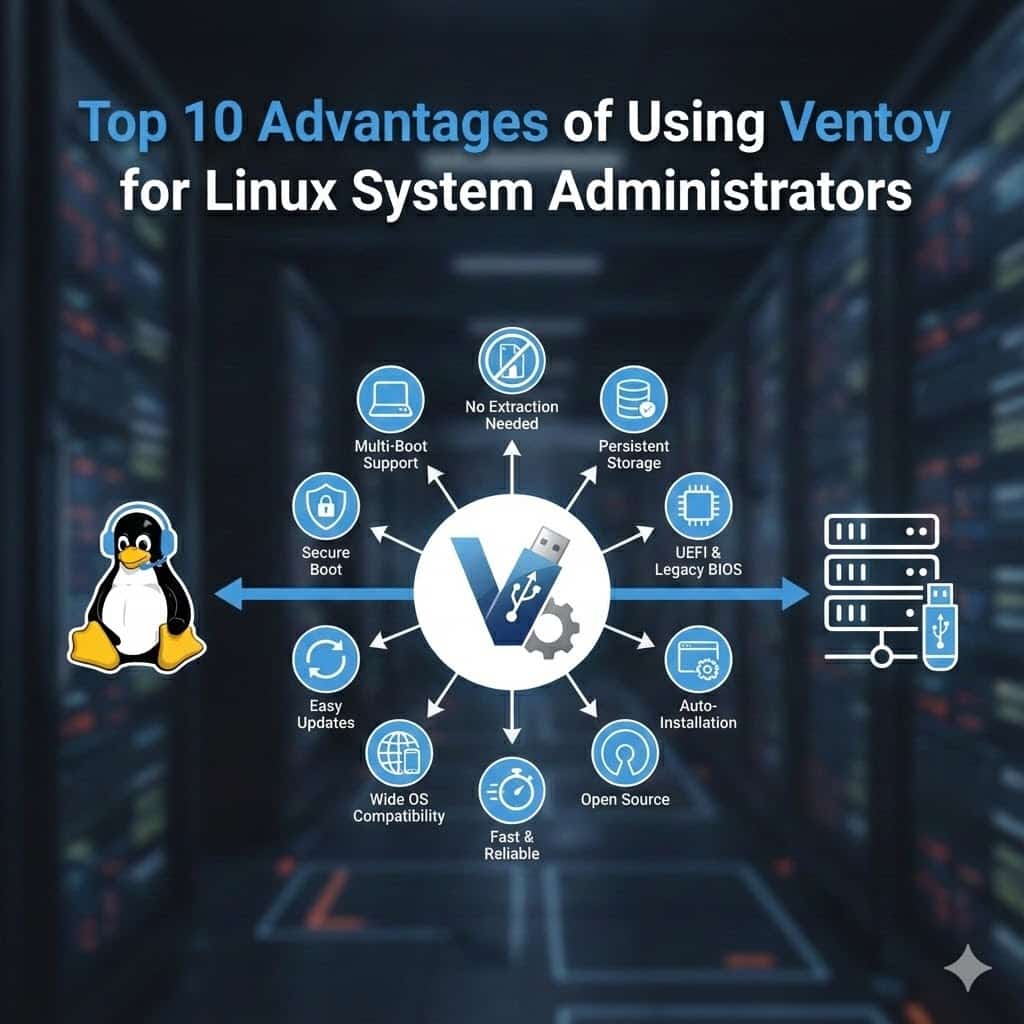
In the ever-evolving landscape of Linux system administration, efficiency and versatility are paramount. Ventoy has emerged as a game-changing tool that transforms how administrators handle bootable media. This comprehensive guide explores the top advantages of Ventoy and why it’s become an indispensable utility for Linux professionals.
Ventoy is an open-source tool that creates bootable USB drives with a revolutionary approach. Unlike traditional methods that require reformatting for each ISO, Ventoy allows you to simply copy ISO files directly to a USB drive. The tool supports both Legacy BIOS and UEFI boot modes, making it a universal solution for modern system administration needs.

The most significant advantage of Ventoy is its ability to host multiple ISO files on a single USB drive without any reformatting. System administrators can maintain an entire arsenal of Linux distributions, diagnostic tools, and recovery utilities on one device.
Real-world application: Imagine responding to a critical server issue where you’re unsure which distribution or tool you’ll need. With Ventoy, you can carry Ubuntu Server, CentOS, SystemRescue, and Clonezilla simultaneously. This eliminates the time-consuming process of creating separate bootable drives or reformatting your USB for each scenario.
Traditional bootable USB creation requires 5-10 minutes per ISO, including download verification, tool setup, and writing. With Ventoy, adding a new ISO takes seconds—just drag and drop the file.
Time is currency in system administration. Ventoy dramatically reduces deployment time across multiple scenarios:
For administrators managing multiple data centers or client sites, these time savings compound significantly. A single Ventoy USB can replace dozens of single-purpose bootable drives, streamlining your toolkit and response time.
Ventoy demonstrates exceptional compatibility with various file systems and ISO types, making it suitable for diverse administrative tasks:
Supported file systems:
ISO compatibility includes:
This versatility means you’re not limited by format constraints. Whether you’re working with a minimal Alpine Linux ISO or a full-featured distribution like Manjaro, Ventoy handles them seamlessly.
One of Ventoy’s powerful features is its support for persistent storage in live Linux environments. This functionality allows you to save changes, configurations, and data across reboots when using live distributions.
Practical benefits:
System administrators can create persistence files for specific distributions, enabling them to maintain different environments for various tasks—security testing, system recovery, or development—all from one USB drive.
Security-conscious administrators will appreciate Ventoy’s menu password protection feature. This capability prevents unauthorized users from booting into sensitive diagnostic tools or administrative distributions.
Security implementations:
In enterprise environments where physical security might be compromised, this feature adds an essential layer of protection. You can safely carry powerful administrative tools without risking unauthorized access if the drive is lost or stolen.
Ventoy extends beyond local boot scenarios with support for network boot (PXE) and automated installations. System administrators can leverage these features for large-scale deployments:
Auto-installation advantages:
The ability to pair ISOs with automated installation scripts makes Ventoy an excellent choice for administrators managing server farms or conducting mass deployments.
Ventoy’s cross-platform nature makes it invaluable for administrators working in heterogeneous environments:
This universal compatibility ensures that your bootable USB works reliably whether you’re troubleshooting a five-year-old server, deploying on cutting-edge hardware, or working with ARM-based systems. You’re not locked into specific hardware requirements or vendor limitations.
Maintaining bootable media is notoriously tedious with traditional tools. Ventoy revolutionizes this process with straightforward update procedures:
Updating Ventoy itself: Download the new version and run the update utility—your ISOs and configurations remain intact.
Updating ISOs: Simply replace old ISO files with newer versions. No reconfiguration, no reformatting, no complicated procedures.
Adding new tools: Drop new ISO files onto the USB drive whenever needed.
This simplified maintenance means administrators spend less time managing their tools and more time solving actual problems. For teams maintaining multiple bootable drives, Ventoy reduces the administrative overhead dramatically.
Ventoy’s plugin architecture extends its capabilities far beyond basic bootable media:
Available plugins include:
System administrators can tailor Ventoy to their specific workflows, creating customized boot environments that match their operational requirements. The JSON-based configuration system is straightforward and well-documented, making advanced features accessible even to those new to Ventoy.
Ventoy benefits from active development and a robust community, which translates to several advantages for Linux administrators:
Development momentum:
Community resources:
The project’s GitHub repository shows consistent activity, with the developer responsive to issues and feature requests. This active maintenance ensures Ventoy remains compatible with the latest Linux distributions and hardware platforms.
Getting started with Ventoy is straightforward:
For advanced configurations, explore the plugin system to add persistence, custom themes, or automated installations tailored to your environment.
Ventoy represents a paradigm shift in how Linux system administrators approach bootable media. Its multi-boot capability, time-saving features, extensive compatibility, and advanced functionality make it an essential tool for modern system administration.
The combination of simplicity for basic use and powerful features for advanced scenarios means Ventoy serves administrators at all skill levels. Whether you’re managing a single server or an enterprise infrastructure, Ventoy streamlines your workflow and enhances your capability to respond quickly to any situation.
For Linux system administrators looking to optimize their toolkit and improve operational efficiency, Ventoy isn’t just an advantage—it’s become a necessity in modern infrastructure management.

We have detected that you are using extensions to block ads. Please support us by disabling these ads blocker.





