



321views
Introduction
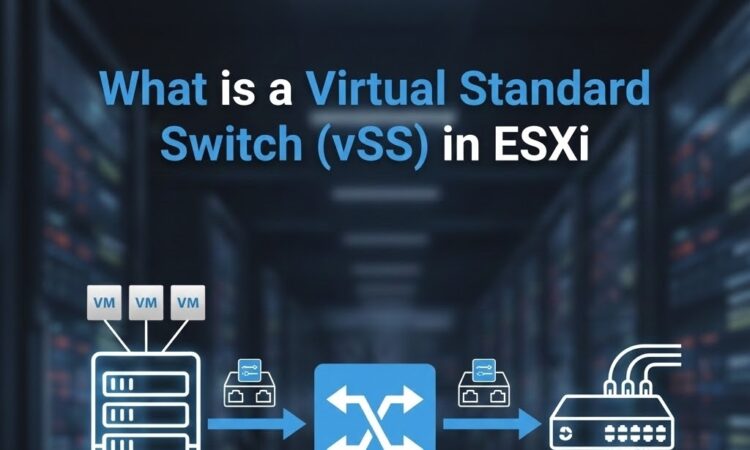
Networking is one of the most critical components of any virtualized environment. In VMware ESXi, virtual machines (VMs) rely on virtual switches to communicate with each other and the external network. One of the most fundamental networking constructs in ESXi is the Virtual Standard Switch (vSS).
In this guide, you’ll learn what a Virtual Standard Switch (vSS) is, how it works, its architecture, features, limitations, common use cases, and how it compares to the vSphere Distributed Switch (vDS).
Whether you’re new to VMware or preparing for VMware certifications, understanding vSS is essential.
What is a Virtual Standard Switch (vSS) in ESXi?
A Virtual Standard Switch (vSS) is a software-based Layer 2 network switch that operates inside a single ESXi host. It provides network connectivity for:
- Virtual machines (VMs)
- VMkernel services (vMotion, Management, iSCSI, NFS, etc.)
Unlike physical switches, a vSS does not exist as hardware. It is created and managed directly on each ESXi host.
Core Components of a vSS
1. Virtual Switch (vSwitch)
The main switching entity that forwards traffic between ports.
2. Port Groups
Port groups define:
- VLAN IDs
- Security policies
- Traffic shaping rules
Examples:
- VM Network
- Management Network
- vMotion Network
3. Uplinks (Physical NICs)
Physical adapters (vmnic0, vmnic1) provide external network connectivity.
4. VMkernel Ports
Used for ESXi host services like:
- Management
- vMotion
- vSAN
- iSCSI / NFS
Key Features of Virtual Standard Switch
✅ Host-Level Networking
Each ESXi host manages its own vSS independently.
✅ VLAN Tagging
Supports IEEE 802.1Q VLANs for network segmentation.
✅ NIC Teaming & Failover
Provides redundancy and load balancing across multiple physical NICs.
✅ Security Policies
Configurable settings for:
- Promiscuous Mode
- MAC Address Changes
- Forged Transmits
✅ Traffic Shaping
Control inbound and outbound bandwidth usage.
Advantages of Using vSS
✔ Simple to configure
✔ Ideal for standalone ESXi hosts
✔ No vCenter Server required
✔ Lightweight and reliable
✔ Perfect for labs, SMBs, and edge deployments
Limitations of Virtual Standard Switch
While vSS is reliable, it has notable limitations:
| Limitation | Explanation |
|---|---|
| Host-level only | Cannot span multiple ESXi hosts |
| Manual configuration | Must be configured individually per host |
| No centralized management | Requires direct ESXi access |
| Limited advanced features | No NetFlow, LACP, or Port Mirroring |
vSS vs vSphere Distributed Switch (vDS)
The Virtual Standard Switch (vSS) and vSphere Distributed Switch (vDS) differ mainly in scope and management. A vSS operates at the individual ESXi host level and is configured separately on each host, making it ideal for standalone or small environments without vCenter Server. In contrast, a vDS is managed centrally through vCenter Server and spans multiple ESXi hosts, providing consistent network configuration across the entire cluster. While vSS offers basic networking features such as VLANs, NIC teaming, and security policies, vDS includes advanced capabilities like centralized management, Network I/O Control, NetFlow, LACP, port mirroring, and enhanced monitoring, making it the preferred choice for enterprise-scale VMware environments.
| Feature | vSS | vDS |
|---|---|---|
| Management Scope | Single ESXi Host | Multiple Hosts |
| Requires vCenter | ❌ No | ✅ Yes |
| Centralized Config | ❌ No | ✅ Yes |
| Network I/O Control | ❌ No | ✅ Yes |
| Scalability | Low | High |
| Enterprise Features | Limited | Advanced |
How to Create a Virtual Standard Switch (High-Level)
- Log in to ESXi Host Client
- Navigate to Networking > Virtual switches
- Click Add standard virtual switch
- Assign physical NICs
- Create port groups
- Configure VLANs and policies
Security Best Practices for vSS
- Disable Promiscuous Mode unless required
- Restrict MAC address changes
- Separate management traffic
- Use dedicated VLANs
- Monitor NIC failover settings
Performance Considerations
- Use multiple uplinks for redundancy
- Align VLAN configuration with physical switches
- Avoid oversubscription
- Enable jumbo frames if required (iSCSI/NFS)
Final Thoughts
The Virtual Standard Switch (vSS) is the foundation of VMware ESXi networking. While it lacks advanced enterprise features, its simplicity, reliability, and independence make it a vital component of many VMware environments.
Understanding vSS is essential for:
- VMware administrators
- Virtualization engineers
- DevOps professionals
- Certification candidates (VCP)
Frequently Asked Questions (FAQ)
Is vSS free?
Yes. vSS is included in the free ESXi license.
Can vSS connect multiple ESXi hosts?
No. Each vSS is host-specific.
Can I migrate from vSS to vDS?
Yes, VMware provides migration tools via vCenter.
add a comment

Proxmox Finally Has a Real RVTools-Style Report (This is What Was Missing)
Introduction If you spent any meaningful time in VMware environments, RVTools was likely one of the first utilities you installed...
Download Virtuozzo 9 ISO
Virtuozzo 9 is a powerful enterprise-grade virtualization and cloud platform designed for service providers, hosting companies, and enterprises. It combines...
Check Point R81.20 T634 for VMware
If you're running Check Point environments in production, staying updated with the latest Jumbo Hotfix is critical for security, performance,...

VMware Cloud Director 10.3.3 OVA Download
The VMware Cloud Director-10.3.3 appliance is a ready-to-deploy OVA package that allows users to quickly set up VMware Cloud Director...




