




378views
Overview of Windows 11 Media Creation Tool
This media creation tool allows you to upgrade your current PC to Windows 11, create a USB/DVD, and install Windows 11 on a different PC. It helps you download Windows 11 and provides the best download experience for customers running Windows 7, Windows 8.1, and Windows 10.
It includes file formats optimized for download speed, built-in media creation options for USB & DVDs, and optional conversion to ISO file format.
It creates two directories on your system partition. These folders contain the downloaded setup or installation files and can resume the creation process if it fails.
Features of Windows 11 Media Creation Tool
- Upgrade your current PC to Windows 11
- Create a USB or DVD and install Windows 11
- Lightweight and easy to use
- Simple but useful
Technical Details and System Requirements
- Supported OS: Windows 10 or later
- RAM (Memory): 2 GB RAM (4 GB recommended)
- Free Hard Disk Space: 200 MB or more

File Szie: 20.6MB
File name MediaCreationTool.exe
Created by Microsoft
Version 10.0.26100.7019
License type freeware
Release Date October 29, 2025
Languages English
add a comment

How to Use the Group Policy Management Console (GPMC)
Managing hundreds or thousands of Windows machines individually is not administration — it is chaos. Whether you need to enforce a password policy across every workstation in the domain, restrict access to Control Panel for standard users, deploy software settings, or lock down security baselines across multiple sites, manually touching each device is simply not an option at scale. That is exactly the problem the Group Policy Management Console (GPMC) was designed to solve. It is the central command hub for all Group Policy operations in an Active Directory environment...
What is Microsoft Agent 365?
What Is Microsoft Agent 365? Microsoft Agent 365 is a platform‑neutral control plane that treats AI agents as first‑class entities...
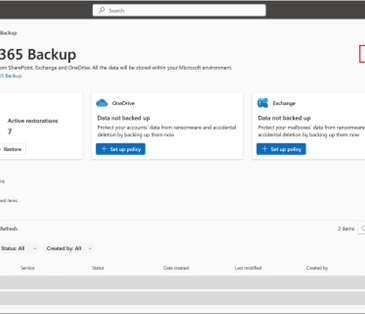
Microsoft 365 Backup: delegate administration, configure billing policies
Microsoft has launched departmental billing for Microsoft 365 Backup, effective March 2, 2026, enabling organizations to configure billing policies, delegate...
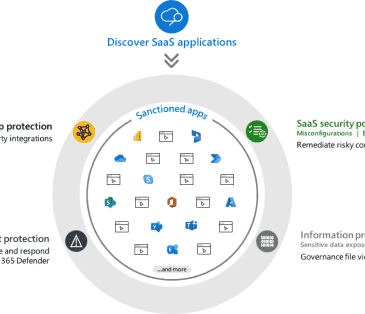
What is Microsoft Defender for Cloud Apps?
Microsoft Defender for Cloud Apps is a Cloud Access Security Broker (CASB) solution that delivers comprehensive security for Software as...




