


13views
Introduction
Data protection at enterprise scale is no longer a monolithic IT responsibility. As organizations grow — spanning multiple departments, regions, subsidiaries, and business units — the need to decentralize backup management while maintaining centralized governance has become one of the most pressing demands in Microsoft 365 administration.
On March 2, 2026, Microsoft announced the general availability of departmental billing for Microsoft 365 Backup, a major enhancement that directly addresses this challenge. The new capability introduces three fundamental improvements to the backup management experience: granular billing scoping across Azure subscriptions, Role-Based Access Control (RBAC) for delegated administration, and the ability to implement formal chargeback models across departments, regions, or business units.
Bottom line for IT administrators: You can now assign department-specific backup admins, connect multiple Azure subscriptions to a single Microsoft 365 Backup configuration, and bill backup costs back to the exact teams generating them — all without surrendering central IT governance or visibility.
What Is Microsoft 365 Backup?
Microsoft 365 Backup is Microsoft’s native, first-party backup and recovery service integrated directly into the Microsoft 365 Admin Center. Launched initially for OneDrive, SharePoint, and Exchange Online, it provides fast, point-in-time recovery for the three most critical Microsoft 365 workloads.
| Workload | What Gets Backed Up | Restore Capability |
| SharePoint Online | Sites, document libraries, lists, and metadata | Restore to any point within the last 365 days |
| OneDrive for Business | User accounts, files, folders, and version history | Restore to any point within the last 365 days |
| Exchange Online | User mailboxes, shared mailboxes, and email data | Restore to any point within the last 365 days |
The service operates on a pay-as-you-go billing model at a flat rate, with backups stored natively within Microsoft’s infrastructure. This eliminates the need for third-party backup agents, separate storage accounts, or complex export processes for basic recovery scenarios.
The Challenge Departmental Billing Solves
Before the introduction of departmental billing, Microsoft 365 Backup operated as a tenant-wide, all-or-nothing administrative model. A Global Administrator or SharePoint Administrator controlled all backup policies across the entire organization, and all backup costs landed in a single Azure subscription. This created three compounding problems for enterprise customers:
| Problem | Enterprise Impact |
| Single billing subscription | All backup costs aggregated in one Azure subscription, making it impossible to assign costs to individual departments or cost centers |
| No delegation of backup management | Department-level IT admins could not manage backup policies for their own teams without receiving tenant-wide administrative privileges |
| No chargeback model support | Finance teams could not accurately allocate backup spending to the business units generating the data, undermining IT cost transparency initiatives |
| One-size-fits-all policies | Organizations with different risk profiles across departments were forced to apply uniform backup coverage, leading to either overspending or insufficient protection for high-priority business units |
The Three Core Capabilities of Departmental Billing
1. Granular Billing Scoping Across Azure Subscriptions
Organizations can now connect multiple Azure subscriptions to a single Microsoft 365 Backup configuration. Each connected subscription acts as a billing policy, and backup costs are attributed to the subscription that covers the protected data. This maps backup spending to the correct cost centers at the Azure billing layer, making charge allocation automatic rather than manually calculated.
For example, a global enterprise might connect three Azure subscriptions — one for the EMEA region, one for North America, and one for APAC — each responsible for the backup costs generated by their respective departments. Backup administrators in each region can then manage their own protection policies independently, with costs flowing to their own Azure subscription.
| KEY POINT — Multiple Billing Policies: You can connect more than one billing policy to Microsoft 365 Backup via the Billing Policies tab in the Pay-as-you-go page in the Microsoft 365 Admin Center. Each billing policy corresponds to a separate Azure subscription. Organizations without a need for departmental separation can continue using a single billing policy as before. |
2. Role-Based Access Control (RBAC) for Delegated Administration
Departmental billing introduces RBAC enforcement at the Azure subscription level for Microsoft 365 Backup. Only administrators holding the Owner or Contributor role on an Azure subscription connected to Backup can create or modify backup policies that incur costs against that subscription. This is the delegation mechanism that makes decentralized backup management possible without compromising security.
The practical effect is that a department-level IT administrator — who may not have SharePoint Administrator or Global Administrator privileges at the tenant level — can still manage backup protection and recovery for the data within their department’s scope, provided they have been granted Owner or Contributor on the relevant Azure subscription.
| Role | Scope | Backup Capabilities |
| Global Administrator | Tenant-wide | Full access — create, edit, delete all backup policies across all workloads and all subscriptions |
| SharePoint Administrator | SharePoint + OneDrive | Manage backup policies for SharePoint sites and OneDrive accounts across the tenant |
| Exchange Administrator | Exchange Online only | Manage backup policies for Exchange Online mailboxes only |
| Azure Owner / Contributor (on billing subscription) | Scoped to that subscription’s protected resources | Create and edit backup policies that bill to their specific Azure subscription — the new departmental delegation role |
| Microsoft 365 Backup Administrator | Tenant-wide | Dedicated role for controlling the entire Microsoft 365 Backup tool, introduced alongside departmental billing |
3. Chargeback Model Support
Chargeback is the formal process of internally billing business units for the IT services they consume — in this case, Microsoft 365 Backup storage. By connecting each department’s backup policies to a dedicated Azure subscription, the costs are automatically separated at the Azure billing layer. Finance teams can then generate per-subscription cost reports and invoice departments accordingly.
This is a significant operational improvement for organizations that already run mature FinOps (Cloud Financial Operations) practices. Rather than manually splitting a single backup bill by estimating which department owns which data, the costs are inherently separated from the moment backup protection is configured.
| IMPORTANT — Chargeback vs. Cost Allocation: Connecting a backup policy to a department’s Azure subscription is cost allocation — Microsoft charges that subscription directly for backup consumption. Chargeback is the internal finance process your organization performs on top of that: generating reports from Azure Cost Management and raising internal invoices to department budget holders. Microsoft provides the cost separation; your organization’s FinOps process handles the internal billing workflow. |
Prerequisites for Departmental Billing
Before configuring departmental billing in your tenant, ensure the following are in place:
| Requirement | Details |
| Active Microsoft 365 Backup configuration | Microsoft 365 Backup must already be enabled and at least one backup policy must exist in your tenant before you can configure departmental billing |
| Admin role | You must be a SharePoint Administrator or Global Administrator to access the Microsoft 365 Admin Center and configure Backup settings |
| Azure subscription | A standard Azure subscription is required. Microsoft 365 Backup does not support Azure Free Trial subscriptions |
| Azure role on subscription | You must have Owner or Contributor role on the Azure subscription you intend to connect as a billing policy for departmental backup |
| Same Microsoft Entra tenant | The Azure subscription used for billing must reside in the same Microsoft Entra ID tenant as your Microsoft 365 organization — cross-tenant billing is not supported |
| No Azure Free Trial | Microsoft 365 Backup explicitly does not support Azure Free Trial subscriptions. You need a paid Azure subscription |
How to Configure Departmental Billing — Step-by-Step
| 1 | Access Microsoft 365 Admin Center |
Sign in to the Microsoft 365 Admin Center at admin.microsoft.com using a Global Administrator or SharePoint Administrator account.
| 2 | Navigate to Pay-as-You-Go Billing Setup |
In the Admin Center left navigation, select Billing. On the Billing page, navigate to the Pay-as-you-go tab. This is the new billing experience for Microsoft 365 Backup — new customers will find backup billing managed here rather than under Setup.
| NOTE — Two billing experiences exist: New customers onboarding to Microsoft 365 Backup use the Pay-as-you-go node under Billing. Existing customers continue to manage billing under Setup > Billing and licenses > Activate pay-as-you-go services. Both paths lead to the same underlying configuration. |
| 3 | Select Microsoft 365 Backup from Services |
On the Pay-as-you-go page, select the Services tab. From the list of available services, select Microsoft 365 Backup to open its billing configuration panel.
| 4 | Connect Multiple Billing Policies (Azure Subscriptions) |
In the Billing Policies tab on the Microsoft 365 Backup page, you can connect additional Azure subscriptions as billing policies. Each connected subscription can be designated to cover backup costs for specific departments, regions, or business units.
- Click Add billing policy.
- Select the Azure subscription you want to connect from the dropdown. Only subscriptions in the same Entra tenant will appear.
- Assign a descriptive name to the billing policy (e.g., EMEA-Backup-Policy or HR-Department-Backup).
- Click Save. The new billing policy will appear in the Billing Policies tab.
- Repeat for each department or business unit that requires separate billing.
| 5 | Enable Departmental Billing Restriction |
To enforce RBAC-based delegation — preventing administrators from billing backup charges to subscriptions they do not own — enable the departmental restriction:
- In the Settings tab on the Microsoft 365 Backup page, locate the departmental billing option.
- Select the checkbox to limit backup management within departments.
- Click Save.
Once this setting is enabled, only administrators with the Owner or Contributor Azure role on a connected billing policy subscription can create and edit backup policies that bill to that subscription. Administrators without this role on a specific subscription cannot create backup policies against it, even if they are SharePoint Administrators.
| RESULT: Departmental billing is now active. Backup administrators in each department can manage protection and recovery for their scoped data independently. Costs flow to their department’s Azure subscription. Central IT retains overall governance and visibility across all policies. |
| 6 | Delegate Backup Administration to Department Admins |
To grant a department-level administrator the ability to manage backup for their scope, assign them the Owner or Contributor role on the relevant Azure subscription in the Azure Portal:
- Sign in to portal.azure.com with Owner or User Access Administrator privileges.
- Navigate to Subscriptions and select the subscription connected as the department’s billing policy.
- Select Access control (IAM) from the left menu.
- Click Add > Add role assignment.
- Select the Contributor role (or Owner if full subscription management is appropriate).
- Search for and select the department backup admin’s user account.
- Click Review + assign to save the role assignment.
The department admin can now sign into the Microsoft 365 Admin Center and create or modify backup policies that bill to their assigned Azure subscription.
Real-World Deployment Scenarios
| Organization Type | Deployment Scenario | Departmental Billing Benefit |
| Large enterprise with multiple BUs | Finance, HR, Engineering, and Sales each have separate Azure subscriptions | Each BU bears its own backup costs; BU IT admins manage their own protection policies independently |
| Global organization | EMEA, APAC, and North America regions have separate subscriptions | Regional IT teams manage backup locally; backup costs are automatically separated by region in Azure billing |
| Managed Service Provider (MSP) | MSP manages M365 Backup for multiple client tenants | Each client is billed separately via their own subscription; MSP retains management visibility across all clients |
| University or higher education | Schools, faculties, or colleges have separate budget centers | Each faculty bears its own backup costs; faculty IT staff can manage protection without central IT bottleneck |
| Government / public sector | Departments have strict budget separation requirements | GCC availability (now GA) plus departmental billing supports strict public sector cost accountability requirements |
Additional Microsoft 365 Backup Updates (March 2026)
Alongside departmental billing, Microsoft announced several additional updates to Microsoft 365 Backup at the same time:
| Feature | Status | Description |
| Departmental Billing | Generally Available (GA) — March 2, 2026 | Full RBAC delegation, multiple billing policies, chargeback model support |
| Government Community Cloud (GCC) Support | Generally Available (GA) — March 2026 | Microsoft 365 Backup is now available for US Government Community Cloud customers |
| File-Level Restore | Upcoming / In Development | Granular file-level recovery rather than full-site restore — targets faster, more surgical recovery scenarios |
| Streamlined Billing Experience | Upcoming | Simplified billing management UI to reduce administrative overhead for backup configuration |
Pricing and Billing Model
Microsoft 365 Backup operates on a pay-as-you-go consumption model with no upfront commitment required. The current pricing structure is straightforward:
| Pricing: $0.15 USD per GB per month for all data protected by Microsoft 365 Backup Restore operations: Free — no charge for recovering data Billing unit: Calculated per gigabyte of protected data across SharePoint, OneDrive, and Exchange Retention period: Up to 365 days (1 year) for all supported workloads Minimum subscription: Standard paid Azure subscription required (no Free Trial) |
With departmental billing, the $0.15/GB/month charge is split across the connected Azure subscriptions according to which subscription’s billing policy covers each protected resource. There is no premium or additional charge for using departmental billing — the cost model remains the same; only the attribution of charges changes.
Known Limitations and Considerations
| LIMITATIONS TO BE AWARE OF BEFORE DEPLOYING: |
| Limitation | Detail |
| No Azure Free Trial support | Microsoft 365 Backup will not work with Azure Free Trial subscriptions. A paid Azure subscription is mandatory. |
| Same Entra tenant required | Azure subscriptions used for billing must be in the same Microsoft Entra ID as the M365 organization. Cross-tenant billing is not supported. |
| eDiscovery gap | Exchange Online backups are eDiscoverable, but OneDrive and SharePoint backups are currently not accessible for eDiscovery workflows. |
| GDPR workflow limitations | GDPR data subject request workflows cannot be executed directly on backup data — they apply to the live tenant only. |
| Retention/deletion policy gap | Retention and deletion policies configured in Microsoft Purview do not automatically apply to data in Microsoft 365 Backup. |
| Sensitivity label revert | Restoring data reverts sensitivity labels to their state at the chosen restore point, which may not match current label assignments. |
| End users cannot self-manage | Only tenant-level admins or delegated backup admins (with Azure Owner/Contributor role) can initiate backups or restores. End users have no self-service backup capability. |
| No cross-platform backup | Microsoft 365 Backup covers only SharePoint, OneDrive, and Exchange. Teams, Viva Engage, and other M365 workloads are not covered. |
Native Microsoft 365 Backup vs. Third-Party Backup Solutions
With departmental billing now available, Microsoft 365 Backup has closed a significant enterprise gap — but it remains a relatively streamlined service compared to specialist third-party backup solutions. Understanding where each fits is important for IT decision-makers:
| Capability | Microsoft 365 Backup (Native) | Third-Party Solutions |
| Setup complexity | Low — built into Admin Center | Medium to high — separate product deployment |
| Departmental billing | Yes — now GA as of March 2026 | Varies — depends on vendor |
| Workload coverage | SharePoint, OneDrive, Exchange only | Often includes Teams, Viva, and cross-cloud |
| eDiscovery on backups | Exchange only | Usually full workload coverage |
| Granular file-level restore | Coming soon (in development) | Generally available in most vendors |
| Air-gapped backup option | No — stored in Microsoft infrastructure | Available from some vendors |
| Retention flexibility | Fixed 1-year maximum | Configurable — some vendors offer multi-year |
| Pricing | $0.15/GB/month (pay-as-you-go) | Varies — often per-seat licensing |
| GDPR/compliance workflow integration | Limited | Advanced in most enterprise-grade solutions |
For organizations with straightforward backup and recovery needs, the native Microsoft 365 Backup service now offers compelling value — particularly with departmental billing enabling cost transparency and delegated administration that previously required expensive third-party solutions. Organizations with advanced compliance, multi-workload, or cross-cloud requirements should evaluate whether a third-party solution better meets their needs.
Conclusion
The general availability of departmental billing for Microsoft 365 Backup, effective March 2, 2026, represents one of the most significant maturity upgrades to the service since its launch. For enterprise IT administrators, it resolves the three major blockers that previously made Microsoft 365 Backup unsuitable for large, decentralized organizations: single-subscription billing, lack of delegation, and inability to implement chargeback models.
With multiple Azure subscription support, RBAC-enforced departmental administration, and native chargeback capability now in place, Microsoft 365 Backup can realistically serve as the primary backup solution for a much wider range of enterprise deployments — particularly those with regional IT teams, multiple business units, or mature FinOps practices that demand cost transparency and accountability.
add a comment

PowerShell 7.6 LTS: New Features, How to Install, and How to Upgrade
Introduction On March 18, 2026, Microsoft released PowerShell 7.6.0, the newest Long-Term Support (LTS) version of the cross-platform automation shell. Built on .NET 10 — itself an LTS release — PowerShell 7.6 is the recommended version for production automation environments, carrying three years of critical security updates and servicing fixes from Microsoft. For IT administrators, DevOps engineers, and infrastructure professionals who rely on PowerShell for daily automation, Windows Server management, Active Directory administration, and cloud operations, this release is a meaningful quality-of-life upgrade. The headline themes are a dramatically improved...
How To Increase Internet Speed on All Domain Computers Using Group Policy on Windows Server 2025
Introduction Slow internet performance across domain-joined workstations is one of the most persistent complaints IT administrators face. Users experience sluggish web browsing, slow file downloads, delayed cloud application response times, and laggy video conferencing — yet the underlying network hardware is often more than capable. The root cause is frequently not the internet connection itself, but a collection of Windows configuration defaults that actively throttle, fragment, or deprioritize network traffic. These include a reserved QoS bandwidth allocation that Windows holds back by default, suboptimal DNS resolution settings, Windows Update peer-to-peer...
Thinware SimpleVM – A Free-Forever Hypervisor Alternative for VMware
Here’s a fully rephrased, original version with a smooth tech-blog tone 👇 When I first came across Thinware and their upcoming SimpleVM virtualization platform, it immediately caught my attention. At first glance, it seemed like exactly what many admins have been waiting for—a straightforward virtualization solution with centralized management similar to vCenter, but completely free, open-source, and easy to operate. That’s precisely the direction they’re taking. I reached out to their team right away to learn more about the project. With many organizations now looking for cost-effective alternatives to traditional...
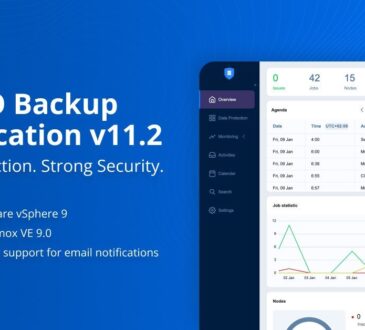
Nakivo 11.2 With Proxmox 9.1 and VMware vSphere 9 Support Released
If you’ve been reading my blog for a while, you’ll know I regularly explore backup and recovery tools that simplify...


