Physical Address
304 North Cardinal St.
Dorchester Center, MA 02124
Physical Address
304 North Cardinal St.
Dorchester Center, MA 02124

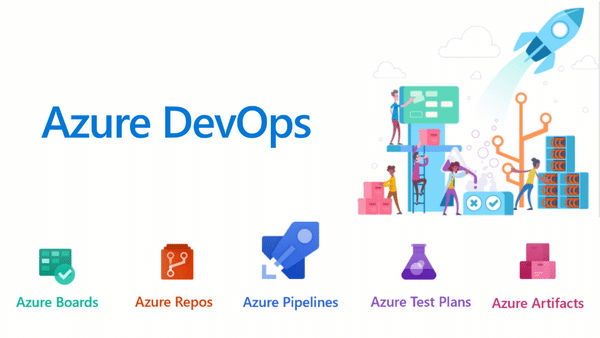
Azure DevOps 22.2 (that is, Azure DevOps Server 2022.2) is the latest point release in the 2022 server line, delivering new features from the cloud‑hosted Azure DevOps plus fixes and security updates. It is intended for on‑premises or private‑cloud deployments of Azure DevOps…
Managing hundreds or thousands of Windows machines individually is not administration — it is chaos. Whether you need to enforce a password policy across every workstation in the domain, restrict access to Control Panel for standard users, deploy software settings,…
What Is Microsoft Agent 365? Microsoft Agent 365 is a platform‑neutral control plane that treats AI agents as first‑class entities inside an enterprise, similar to how you manage users and applications today. It aims to bring governance, security, and observability…
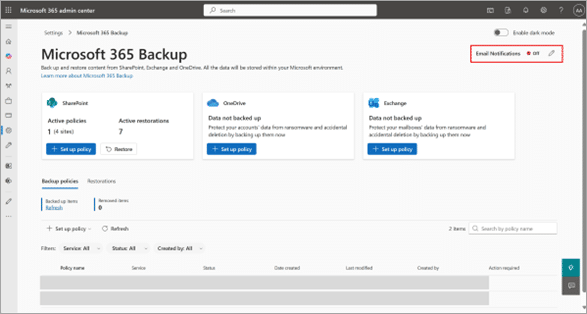
Microsoft has launched departmental billing for Microsoft 365 Backup, effective March 2, 2026, enabling organizations to configure billing policies, delegate administration, and implement chargeback models across different business units. This enhancement addresses enterprise demands for decentralized backup management while maintaining…
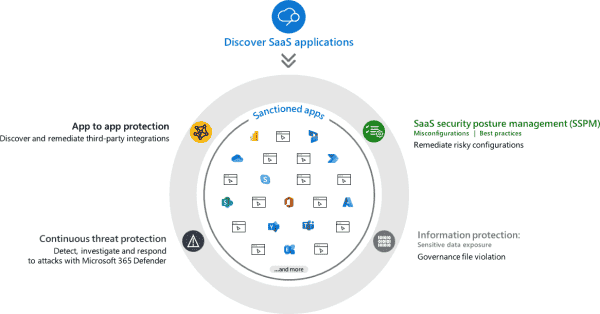
Microsoft Defender for Cloud Apps is a Cloud Access Security Broker (CASB) solution that delivers comprehensive security for Software as a Service (SaaS) applications across your organization. This security platform provides visibility into shadow IT, threat protection, data loss prevention…

According to Microsoft’s latest Digital Defense Report, 97% of identity-based attacks are password spray attacks. This highlights a key reality: most attackers aren’t relying on advanced cracking methods. Instead, they use a simple but highly effective tactic—trying a small set…
Azure DevOps Server allows you to self host the same modern dev services available in Azure DevOps, including Boards (planning and tracking), Pipelines (CI/CD), Repos (Git repositories and centralized version control), Test Plans (manual and exploratory testing), Artifacts (package management and…
If you’re looking to build a powerful on-premises DevOps environment, Microsoft DevOps Server 2022 (formerly Azure DevOps Server / TFS) is the ultimate enterprise solution. Microsoft DevOps Server 2022 is a powerful solution for organizations that want complete control, security,…
In Windows Server environments, blocking program installations from USB drives is an important security measure. This helps prevent the installation of unauthorized software and the spread of malware through removable storage devices. With Group Policy, administrators can enforce specific rules…
Azure Stack HCI 20348.587 is a specific build/version of the Azure Stack HCI operating system, designed for running virtual machines and containers on-premises with Azure integration. Azure Stack HCI continues to evolve as a powerful hyper converged infrastructure (HCI) solution,…

We have detected that you are using extensions to block ads. Please support us by disabling these ads blocker.




