Physical Address
304 North Cardinal St.
Dorchester Center, MA 02124
Physical Address
304 North Cardinal St.
Dorchester Center, MA 02124

![Windows Server 2025 LTSC [10.0.26100.7462], Version 24H2](https://vmorecloud.com/wp-content/uploads/2026/01/Microsoft-Windows-Server-2025-768x432.webp "Windows Server 2025 LTSC [10.0.26100.7462], Version 24H2 1")
Windows Server 2025 LTSC is Microsoft’s next-generation Long-Term Servicing Channel (LTSC) server operating system, designed for enterprises that require stability, long-term support, and predictable updates. Built on the 24H2 release and identified by build 10.0.26100.7462, it delivers enhanced security, performance,…
The Microsoft Office 365 ProPlus Online Installer v5.4.3.27 is a lightweight script-based tool developed by the community to streamline Office deployment. It’s not an official Microsoft product but uses Microsoft’s official APIs and download infrastructure. Key Features: System Requirements Before…
Windows 11 Version 25H2 Build 26200.7462 Microsoft MSDN
Microsoft Office LTSC 2024 represents a fundamentally different approach to Office deployment compared to the subscription-based Microsoft 365. LTSC stands for Long Term Servicing Channel, which signals its purpose: providing organizations with a stable, unchanging version of Office that receives…
The Windows 11 Pro 25H2 MICRO edition represents a streamlined version of Microsoft’s latest operating system, specifically optimized for virtual machine environments like VMWare. This build (26200.7462) offers users a lightweight alternative to the full Windows 11 installation while maintaining…
Microsoft has just released Microsoft Entra PowerShell v1.2.0 (announced on January 15, 2026), marking one of the most significant updates to date for automating identity and access management in Microsoft Entra ID (formerly Azure AD). This version brings full production-ready…
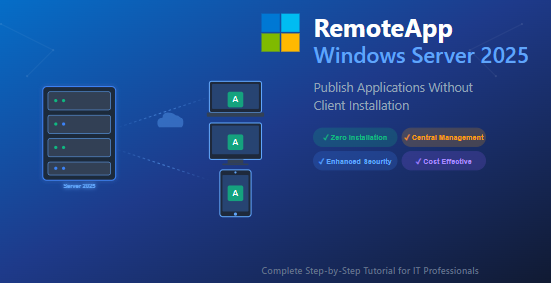
In today’s rapidly evolving IT landscape, organizations face mounting pressure to deliver applications efficiently while maintaining security and reducing operational overhead. Whether you’re managing a small business network or an enterprise infrastructure, the challenge remains the same: how do you…
Overview of 1.1.1.1 + WARP It made the Internet faster and more private for individual users everywhere. But as businesses embraced remote work models at scale, security teams struggled to extend the security controls they had enabled in the office…
Windows Remote Management (WinRM) has become an indispensable tool for system administrators managing enterprise environments. Whether you’re running PowerShell remoting commands, deploying software updates, or performing routine maintenance across hundreds of computers, WinRM provides the foundation for efficient remote administration.…
Microsoft is breaking from tradition with an unexpected Windows 11 release that’s raising eyebrows across the tech community. Windows 11 version 26H1 is set to arrive by April 2026, but here’s the catch: it won’t be available for most Windows…

We have detected that you are using extensions to block ads. Please support us by disabling these ads blocker.




