


336views
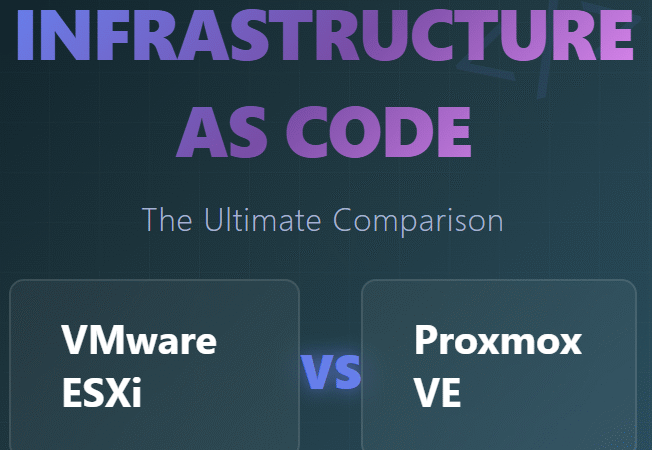
The virtualization landscape has undergone seismic shifts since Broadcom’s acquisition of VMware. As IT professionals and homelab enthusiasts search for the perfect platform to power their infrastructure-as-code workflows, two titans stand ready for battle: VMware ESXi and Proxmox VE. But which platform truly delivers when paired with Terraform? Let’s dive deep into this comprehensive comparison that goes beyond surface-level features.
The Infrastructure as Code Revolution
Infrastructure as Code (IaC) isn’t just a buzzword anymore—it’s the foundation of modern DevOps practices. Terraform, HashiCorp’s declarative configuration language, has become the Swiss Army knife of infrastructure automation. Whether you’re managing three VMs in your home lab or orchestrating hundreds of instances across data centers, Terraform brings consistency, repeatability, and version control to your infrastructure.
But here’s the catch: your hypervisor choice can make or break your Terraform experience. Let’s explore why.
Platform Overview: Setting the Stage
VMware ESXi: The Enterprise Veteran
VMware ESXi has dominated enterprise virtualization for over two decades. As a Type-1 bare-metal hypervisor, it runs directly on server hardware, offering exceptional performance and stability. ESXi is part of the broader vSphere ecosystem, which includes vCenter Server for centralized management, vMotion for live migration, and Distributed Resource Scheduler (DRS) for intelligent workload balancing.
The Broadcom Factor: Since Broadcom’s acquisition in 2023, VMware’s licensing model has shifted dramatically. The free ESXi tier was discontinued, pushing many organizations and home users to explore alternatives. This change has accelerated migration to open-source platforms like Proxmox.
Proxmox VE: The Open-Source Challenger
Proxmox Virtual Environment emerged in 2008 as a Debian-based virtualization platform built on the KVM hypervisor. It combines full virtualization (KVM) with lightweight containerization (LXC), offering flexibility that rivals ESXi. Proxmox’s web-based interface is intuitive, and its clustering capabilities rival enterprise solutions—all without licensing fees.
The platform has exploded in popularity post-Broadcom, with community adoption soaring as users seek cost-effective, feature-rich alternatives to VMware.
Terraform Integration: Where the Rubber Meets the Road
ESXi Terraform Provider Options
VMware’s official Terraform provider is the vsphere provider (hashicorp/vsphere), maintained by Broadcom. It’s mature, well-documented, and supports the full range of vSphere features:
- VM deployment and management: Create, modify, and destroy virtual machines with granular control
- Storage configuration: Manage datastores, storage policies, and virtual disks
- Network automation: Configure distributed virtual switches, port groups, and VLANs
- Advanced features: DRS rules, HA configuration, resource pools, and vMotion
Example Terraform Configuration for ESXi:
hcl
provider "vsphere" {
  user                 = var.vsphere_user
  password             = var.vsphere_password
  vsphere_server       = var.vsphere_server
  allow_unverified_ssl = true
}

resource "vsphere_virtual_machine" "vm" {
  name             = "terraform-vm"
  resource_pool_id = data.vsphere_compute_cluster.cluster.resource_pool_id
  datastore_id     = data.vsphere_datastore.datastore.id

  num_cpus = 2
  memory   = 4096

  network_interface {
    network_id = data.vsphere_network.network.id
  }

  disk {
    label = "disk0"
    size  = 40
  }

  clone {
    template_uuid = data.vsphere_virtual_machine.template.id
  }
}
The Catch: The official provider requires vCenter Server for most advanced features. For standalone ESXi hosts (common in home labs), you’re limited to the community-maintained josenk/esxi provider, which is less feature-rich and relies on SSH/API access to individual hosts.
Proxmox Terraform Provider Options
Proxmox boasts two prominent Terraform providers:
- Telmate/proxmox (Legacy): The original community provider, widely used but development has stagnated. It covers basic VM and LXC container management but lacks advanced features.
- bpg/proxmox (Recommended): A modern, actively maintained provider developed by Pavel Boldyrev. This provider is a game-changer, supporting:
- Complete VM and LXC container lifecycle management
- Cluster operations and node management
- Storage configuration (including ZFS, Ceph, and NFS)
- Network configuration (bridges, VLANs, SDN)
- User and permission management
- Firewall rules and security groups
- Cloud-init integration
- ISO management and template creation
Example Terraform Configuration for Proxmox:
hcl
terraform {
  required_providers {
    proxmox = {
      source  = "bpg/proxmox"
      version = "0.50.0"
    }
  }
}

provider "proxmox" {
  endpoint = var.proxmox_endpoint
  username = var.proxmox_username
  password = var.proxmox_password
  insecure = true
}

resource "proxmox_virtual_environment_vm" "ubuntu_vm" {
  name        = "terraform-ubuntu"
  node_name   = "pve01"

  cpu {
    cores = 2
  }

  memory {
    dedicated = 4096
  }

  disk {
    datastore_id = "local-lvm"
    file_id      = proxmox_virtual_environment_download_file.ubuntu_cloud_image.id
    interface    = "virtio0"
    size         = 40
  }

  network_device {
    bridge = "vmbr0"
  }

  initialization {
    ip_config {
      ipv4 {
        address = "dhcp"
      }
    }
  }
}
The Advantage: Proxmox’s providers work directly against the Proxmox API without requiring a separate management layer. This simplifies architecture and reduces complexity, especially for smaller deployments.
Feature Comparison: Head-to-Head
Cost and Licensing
ESXi: Post-Broadcom, ESXi requires a paid vSphere license for production use. Pricing starts at thousands of dollars per processor, making it prohibitive for home labs and small businesses. Educational and evaluation licenses exist but come with restrictions.
Proxmox: Completely free and open-source under the GNU AGPL v3 license. Optional enterprise subscriptions ($129-$899/year per server) provide access to tested repositories and commercial support but aren’t required for full functionality.
Winner: Proxmox, by a landslide. Zero licensing costs open doors for experimentation and learning.
Ease of Setup for Terraform
ESXi: Requires either vCenter Server (complex deployment) or the community ESXi provider (limited features). Setting up vCenter involves deploying a large appliance, configuring SSO, and managing multiple services. For Terraform, you’ll need API tokens, proper permissions, and often SSH access for certain operations.
Proxmox: Installation takes 10-15 minutes—boot from ISO, configure network and storage, done. Terraform setup requires only creating an API token in the web interface. No separate management layer, no complex authentication schemes.
Winner: Proxmox. The barrier to entry is significantly lower.
Terraform Provider Maturity
ESXi: The official vsphere provider is battle-tested with years of enterprise deployment. Documentation is comprehensive, and community support is extensive. However, it’s tightly coupled to vCenter, limiting flexibility for standalone ESXi scenarios.
Proxmox: The bpg/proxmox provider has matured rapidly, with 30+ releases in 2024 alone. It covers nearly every Proxmox API endpoint and is actively maintained. The Telmate provider, while older, is now considered legacy.
Winner: Tie, with caveats. For enterprise vSphere environments, VMware wins. For standalone or home lab scenarios, Proxmox’s modern provider is more practical.
Feature Richness for IaC
ESXi Strengths:
- DRS and HA automation
- vMotion for zero-downtime migrations
- Advanced networking with NSX integration
- Comprehensive storage policy management
- Enterprise backup integration (Veeam, Nakivo)
Proxmox Strengths:
- Native ZFS and Ceph storage automation
- LXC containers alongside VMs (lighter weight)
- Built-in backup scheduling and retention
- Software-defined networking (SDN) stack
- Hyperconverged storage without additional licenses
Winner: Depends on use case. ESXi excels for complex, multi-site enterprise scenarios. Proxmox shines for agile, cost-conscious deployments.
Automation Workflow
ESXi: Typical workflow involves:
- Deploy/configure vCenter (unless using standalone ESXi)
- Create templates manually or with Packer
- Configure Terraform provider with vCenter credentials
- Define infrastructure in HCL
- Execute
terraform planandterraform apply
Proxmox: Streamlined workflow:
- Install Proxmox (10 minutes)
- Create cloud-init enabled templates or use ISO downloads
- Generate API token in web UI
- Define infrastructure in HCL
- Execute
terraform planandterraform apply
Winner: Proxmox. Fewer layers, faster iteration.
Performance and Resource Overhead
ESXi: Lightweight hypervisor with minimal overhead. ESXi itself consumes ~500MB RAM. VMs achieve near-native performance, and hardware pass-through is rock-solid.
Proxmox: Slightly higher base memory usage (~1GB) due to Debian underpinnings, but KVM offers comparable performance to ESXi. LXC containers provide significantly lower overhead than full VMs—ideal for microservices architectures.
Winner: Slight edge to ESXi for pure VM workloads, but Proxmox’s container support offers unique advantages.
Community and Support
ESXi: Massive enterprise community, extensive documentation, and professional support options. However, community enthusiasm has waned post-Broadcom acquisition.
Proxmox: Vibrant, growing community driven by home lab enthusiasts and SMBs. The Proxmox forum is active, and countless YouTube tutorials exist. Commercial support available through enterprise subscriptions.
Winner: Proxmox, purely on momentum. The community energy is palpable.
The Verdict: Which Should You Choose?
Choose VMware ESXi/vSphere If:
- ✅ You’re in an enterprise with existing VMware infrastructure
- ✅ You require advanced features like NSX, Site Recovery Manager, or vRealize
- ✅ Compliance demands certified solutions
- ✅ Budget isn’t a primary constraint
- ✅ You need comprehensive vendor support
Choose Proxmox VE If:
- ✅ You’re building a home lab or small business environment
- ✅ Cost efficiency is paramount
- ✅ You value open-source flexibility
- ✅ You want built-in clustering and HA without extra licenses
- ✅ You’re comfortable with community-driven support
- ✅ You want to experiment with containers (LXC) alongside VMs
Conclusion: The Power of Choice
In 2026, the choice between ESXi and Proxmox for Terraform automation isn’t black and white—it’s a spectrum. Both platforms offer robust Terraform integration, but they serve different audiences and use cases.
For home labs, education, and cost-conscious SMBs, Proxmox is a revelation. Its zero-cost licensing, modern Terraform provider, and intuitive management make it the go-to choice for anyone prioritizing flexibility and learning.
For enterprises with complex requirements, VMware’s mature ecosystem, comprehensive support, and advanced feature set justify the investment—despite Broadcom’s pricing changes.
Ultimately, infrastructure as code isn’t about the hypervisor—it’s about treating infrastructure as software. Whether you terraform apply against Proxmox or ESXi, you’re embracing automation, repeatability, and the future of IT operations.
add a comment

Run Your Own Private Cloud on Proxmox: Deploy Alpine Nextcloud LXC with the Proxmox Community Script
Introduction Google Drive, OneDrive, Dropbox — you've been feeding your files, documents, photos, and arguably some of your most sensitive...
Self-Host Your Own AI Chat Platform with LibreChat: Deploy on Proxmox in Minutes with the Community Script
Introduction If you've ever stared at your monthly ChatGPT Plus bill and thought, "I'm an IT professional with a running...
Deploy Teleport on Proxmox in Minutes: Zero Trust Infrastructure Access via the Proxmox Community Script
Introduction Managing secure remote access to your home lab or production Proxmox environment has never been more important — and never more complicated, if you're still relying on SSH keys, shared passwords, or a badly configured VPN that you set up three years ago and haven't touched since. Teleport fixes all of that. Teleport is an open-source, identity-aware access platform that replaces traditional VPNs and static SSH keys with short-lived cryptographic certificates, SSO integration, and a full audit trail for every session. And thanks to the Proxmox Community Scripts project...
Proxmox Datacenter Manager 1.0 is Here
Introduction If you run more than one Proxmox VE cluster — or mix standalone nodes, backup servers, and remote datacenters — you have probably felt the pain of juggling multiple browser tabs just to get a handle on your infrastructure. Proxmox Datacenter Manager (PDM) was built to fix exactly that, and with the release of version 1.0, it has officially graduated from an experimental tool to a production-ready platform. This post breaks down everything that landed in the PDM roadmap update published on March 19, 2026: from the headline EVPN...




