




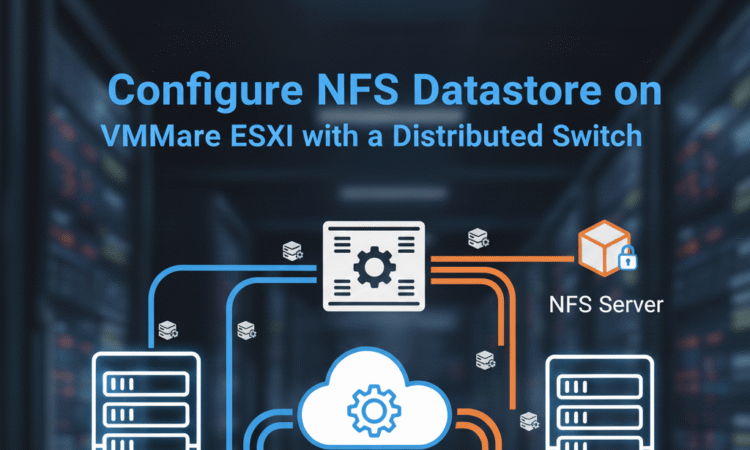
Configure NFS Datastore on VMware ESXi with a Distributed Switch
674views
In VMware environments, using NFS storage is one of the simplest ways to provide shared storage for ESXi hosts. When combined with a VMware Distributed Switch (VDS), it offers better network management, traffic isolation, and scalability across multiple ESXi hosts.
This tutorial will guide you through configuring Windows Server 2022 as an NFS server, creating a dedicated VMkernel port on an ESXi host (192.168.91.128), and connecting it to your NFS datastore via VMware Distributed Switch (VDS) managed by vCenter (192.168.91.130).
Prerequisites
Before you begin, ensure the following:
| Component | IP Address | Notes |
|---|---|---|
| vCenter Server | 192.168.91.130 | Already installed, managing ESXi hosts |
| ESXi Host | 192.168.91.128 | Added to vCenter |
| Windows Server 2022 | 192.168.91.129 | Will act as NFS server |
| Network | Same subnet 192.168.91.0/24 | Ensure connectivity between ESXi and NFS |
Step 1: Install NFS Server on Windows Server 2022
Open Server Manager
Click Manage → Add Roles and Features. Select Role-based or feature-based installation
Select your server (192.168.91.129)
Expand File and Storage Services → File and iSCSI Services. Check Server for NFS. Click Next → Install and Restart if prompted
Explanation:
The Server for NFS allows ESXi hosts to connect to shared folders over the network using the NFS protocol.
I have created a detail setup on how to configure NFS datastore.
Step 4: Create a VMware Distributed Switch (VDS)
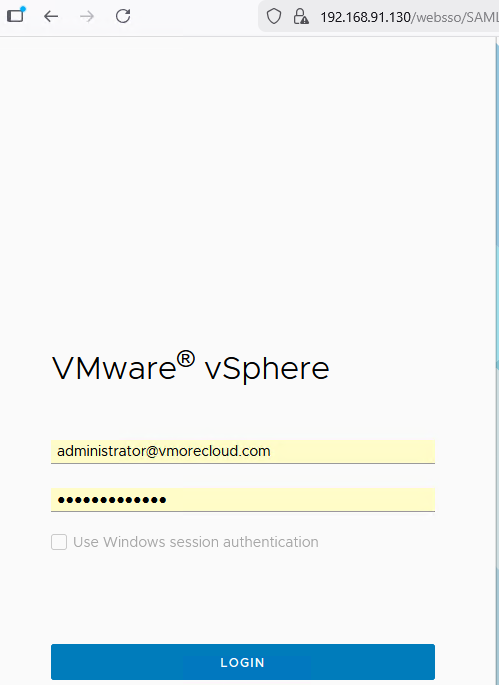
Open Web broswer and log in to vCenter (192.168.91.130). Type username and password and hit login button.
Click here to download VMware vCenter 8.0
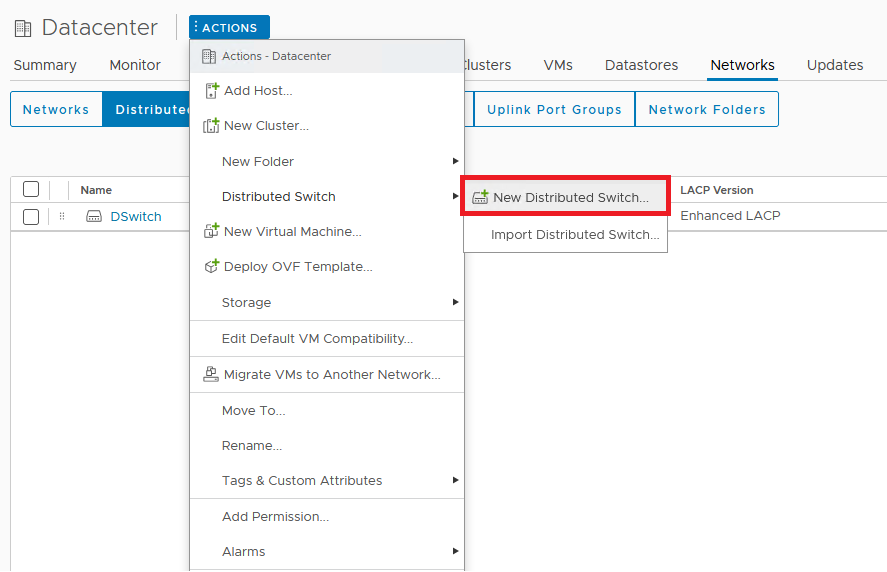
Go to Datacenter → Create a Distributed Switch
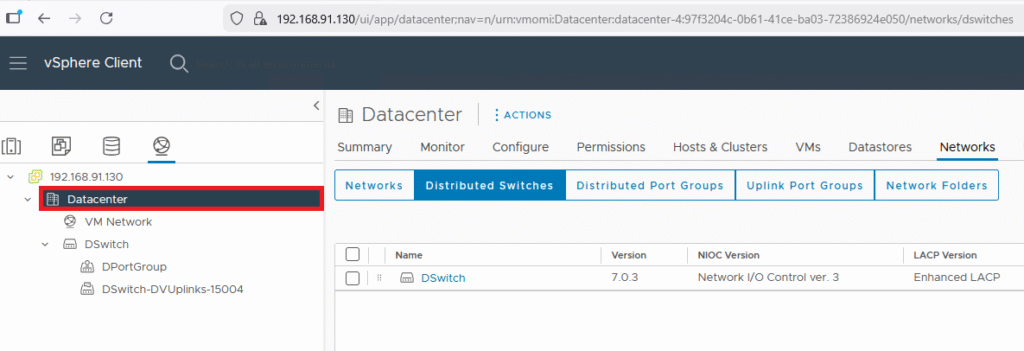
Click on Action and select, and select Distributed Switch. click on New Distributed Switch.
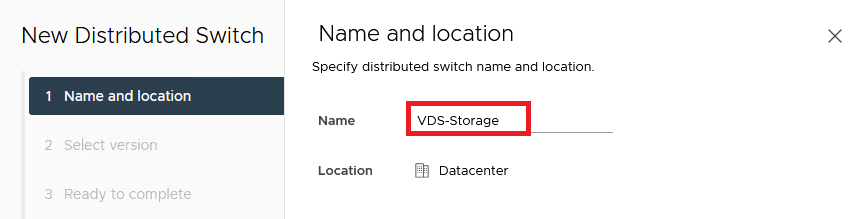
Name: VDS-Storage
Version: Use latest supported by your ESXi host Add ESXi host (192.168.91.128) to the VDS.
Assign uplinks (physical NICs) for redundancy (e.g., vmnic0, vmnic1), and Click Finish
Explanation: A Distributed Switch allows VMkernel and VM traffic to be centrally managed and consistent across multiple hosts.
Step 5: Create a Dedicated VMkernel Port for NFS on VDS
In vCenter → Networking → VDS-Storage → VMkernel Adapters → Add Host Networking
Select VMkernel Network Adapter. Choose VDS-Storage as the switch
Configure:
| Setting | Example |
|---|---|
| Network Label | NFS-Storage |
| VLAN ID | 0 (or your storage VLAN) |
| IP Address | 192.168.91.131 |
| Subnet Mask | 255.255.255.0 |
| Gateway | Leave blank |
Leave services unchecked (NFS does not require enabling vMotion, Management, etc.). Assign uplinks to physical NICs (vmnic0 and vmnic1 for redundancy). Finish configuration
Step 6: Test VMkernel Connectivity
SSH into ESXi host (192.168.91.128) and run:
vmkping 192.168.91.129
Successful ping confirms connectivity between VMkernel NIC and NFS server. Ready to mount NFS datastore.
Step 7: Mount NFS Datastore on ESXi
- Go to vCenter → Storage → New Datastore
- Select NFS
- Fill details:
| Field | Value |
|---|---|
| Name | Win2022-NFS |
| NFS Server | 192.168.91.129 |
| Share Path | /NFS-ESXi |
| NFS Version | NFS 3 |
Click Next → Finish and Verify datastore appears in vCenter → Storage
Conclusion
Using a Windows Server 2022 NFS share with a VMware Distributed Switch ensures:
- Optimized storage performance
- Network isolation for NFS traffic
- Centralized network management for multiple ESXi hosts
This setup is ideal for home labs, SMBs, and enterprise labs using vSphere and vCenter.
By creating a dedicated VMkernel port for NFS on a Distributed Switch, you ensure reliability, scalability, and best practices compliance for VMware storage.
FAQ
Why should multiple ESXi hosts use the same VDS?
Using the same VDS guarantees consistent VMkernel, VLAN, and NIC settings across all hosts. This prevents storage disconnections, improves vMotion, and ensures stable high availability.
Can I migrate VMkernel ports to the VDS without downtime?
Yes. vSphere supports live migration of VMkernel adapters from a standard switch to a VDS as long as the host maintains IP connectivity and at least one NIC stays active.
What NIC configuration is recommended for shared storage?
VMware recommends using two or more physical NICs dedicated to storage traffic, configured with NIC teaming and optionally LACP for redundancy and throughput.
Can I use the same VDS for vMotion and storage?
Yes, but not recommended. Storage should have dedicated uplinks to prevent congestion and improve performance.
Why is VDS better than vSS for shared storage?
A Distributed Switch eliminates configuration drift and ensures every host uses identical settings, which is crucial for stable storage and vMotion networking.
How do I verify storage connectivity after adding hosts to VDS?
vmkping IP Address
1 Comment
Leave a Response

Proxmox Finally Has a Real RVTools-Style Report (This is What Was Missing)
Introduction If you spent any meaningful time in VMware environments, RVTools was likely one of the first utilities you installed...

Download Virtuozzo 9 ISO
Virtuozzo 9 is a powerful enterprise-grade virtualization and cloud platform designed for service providers, hosting companies, and enterprises. It combines...
Check Point R81.20 T634 for VMware
If you're running Check Point environments in production, staying updated with the latest Jumbo Hotfix is critical for security, performance,...

VMware Cloud Director 10.3.3 OVA Download
The VMware Cloud Director-10.3.3 appliance is a ready-to-deploy OVA package that allows users to quickly set up VMware Cloud Director...




There is definately a lot to find out about this subject. I like all the points you made