




111views
To properly boot a migrated Windows vSphere VM in Proxmox during a migration, you must follow a specific procedure.
Windows VMs are quite sensitive to virtual platform changes. This is because the storage controller configured in the source environment often causes issues, the mismatch between the original controller and the new Proxmox drivers (which are not yet loaded) must be resolved to avoid boot failures.
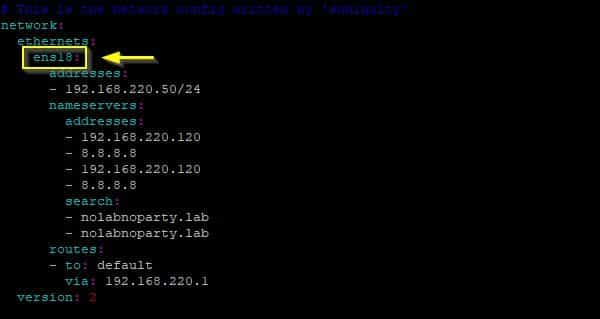
If you are migrating Linux-based VMs, you typically won’t face major booting issues. Usually, you only need to update the network configuration to reflect the new NIC names assigned by the Proxmox environment.
Prerequisites
Before migrating a Windows vSphere VM to Proxmox, install the Proxmox (VirtIO) drivers for Windows and uninstall VMware Tools. To streamline this transition, you can utilize automation scripts.
Use a solution like Veeam Backup & Replication to backup the VM and restore it directly to the Proxmox node.
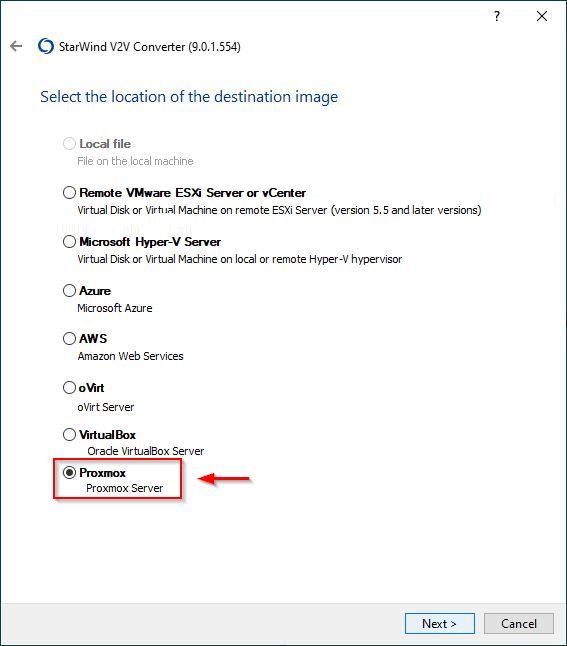
Alternatively, you can use a utility such as the StarWind V2V Converter to handle the disk format transition.
Before powering on the VM
Once the VM has been migrated to Proxmox, certain configurations are required to ensure a successful first boot.
Attempting to power on the VM without first selecting the correct storage controller will result in a boot failure (BSOD). This occurs because the Windows OS has not yet loaded the drivers for the Proxmox-specific controller.
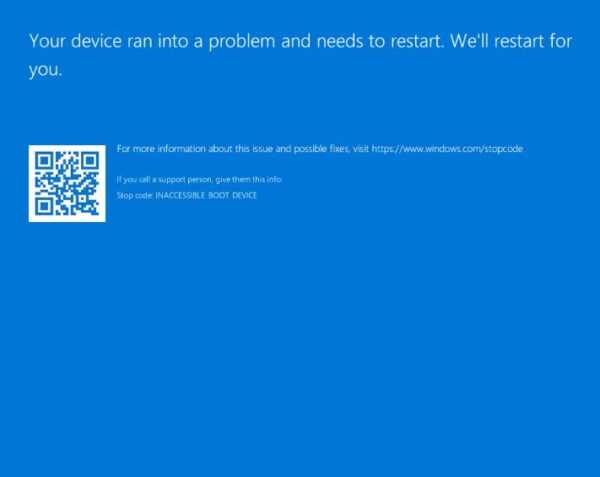
This article has been written for StarWind blog and can be found in this page. It covers the full procedure to properly boot a migrated Windows vSphere VM in Proxmox.
Power on the VM
The VM now utilizes the VirtIO SCSI controller, and which offers the lowest overhead and highest throughput available in a Proxmox environment.
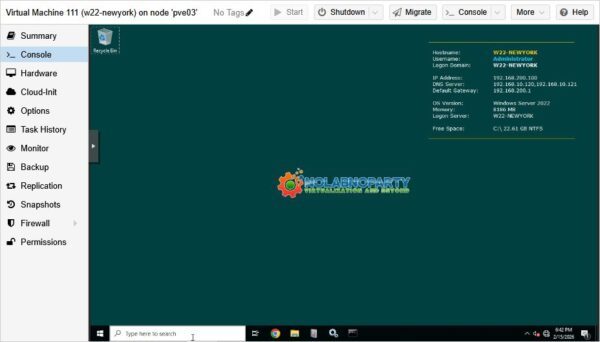
By following this procedure you bypass the common Inaccessible Boot Device (BSOD) errors that typically occur when you boot a migrated Windows vSphere VM in Proxmox.
add a comment


8 Best Free and Open Source Virtualization Tools for Linux in 2026
Introduction Virtualization has evolved from a niche enterprise data center technology into an essential part of everyday computing. Whether you...
Thinware SimpleVM – A Free-Forever Hypervisor Alternative for VMware
Here’s a fully rephrased, original version with a smooth tech-blog tone 👇 When I first came across Thinware and their upcoming SimpleVM virtualization platform, it immediately caught my attention. At first glance, it seemed like exactly what many admins have been waiting for—a straightforward virtualization solution with centralized management similar to vCenter, but completely free, open-source, and easy to operate. That’s precisely the direction they’re taking. I reached out to their team right away to learn more about the project. With many organizations now looking for cost-effective alternatives to traditional...
StarWind V2V / P2V Converter Version 9 (build 848) – Multi-VM Conversions
If you’re managing a datacenter or designing infrastructure and still working across platforms like VMware ESXi, Microsoft Hyper-V, Proxmox, oVirt,...
Run Your Own Private Cloud on Proxmox: Deploy Alpine Nextcloud LXC with the Proxmox Community Script
Introduction Google Drive, OneDrive, Dropbox — you've been feeding your files, documents, photos, and arguably some of your most sensitive...




