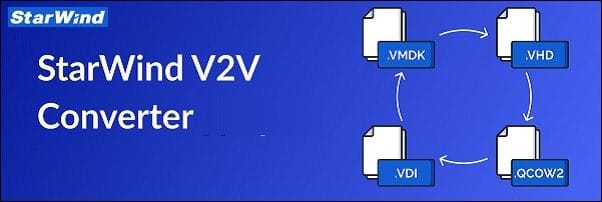
StarWind V2V Converter is a free tool designed to convert virtual machines (VMs) between different formats and to convert physical machines into VMs.
With this tool, you can easily perform bidirectional conversions between various supported VM formats, including VMDK, VHD/VHDX (Windows Repair Mode compatible), QCOW2, and StarWind’s native IMG format.
Migrate Proxmox VMs to VMware with StarWind V2V Converter 20
StarWind V2V Converter supported conversions
With StarWind V2V Converter you can convert VMs from/to the following formats:
Virtual to Virtual (V2V) / VM Image Files Converting
Hyper-V to VMware ESXi (.vhdx to .vmdk)
VMware ESXi to Hyper-V (.vmdk to .vhdx)
Image File from Hyper-V to VMware ESXi
Image File from VMware ESXi to Hyper-V Format
VMs conversion to and from Proxmox
Conversion of RAW disk images (.raw)
Local File to Local File
Physical to Virtual (P2V) / Physical to Cloud (P2C)
Physical Machine to Hyper-V VM
Physical Machine to VMware ESXi VM
Physical Machine to Microsoft Azure VM
Physical Machine to AWS VM
Virtual to Cloud (V2C) / Cloud to Cloud (C2C)
Microsoft Azure to AWS
AWS to Microsoft Azure
Hyper-V to AWS
Hyper-V to Microsoft Azure
VMware ESXi to Microsoft Azure
VMware ESXi to AWS
Main features
Windows Repair Mode – VMs and virtual disks can be migrated to different hardware by booting the migrated VM in Windows Repair Mode. Additionally, you can convert a physical machine into a virtual machine, regardless of the new hardware setup.
Hypervisor switch – VMs can be migrated to different hypervisors (the tool supports Microsoft Hyper-V, VMware ESXi, Citrix XenServer, KVM, and Proxmox). Physical machines can be converted to any VM compatible with the supported hypervisors.
Supported formats – the tool supports the most popular formats VMDK, VHD/VHDX, QCOW2, and StarWind-native IMG and it works in both ways. You can convert from and to any VM format.
Zero-Copy – you can convert VM formats from one hypervisor to another without creating local copies.
Free of charge – this is a free software without any hidden costs.
StarWind V2V Converter installation
Download from StarWind website the StarWind V2V Converter tool and run the installer. Accept the EULA and click Next.
Migrate Proxmox VMs to VMware with StarWind V2V Converter 21
Leave default Destination Location and click Next.
Migrate Proxmox VMs to VMware with StarWind V2V Converter 22
Click Next.
Migrate Proxmox VMs to VMware with StarWind V2V Converter 23
Enable the Create a desktop shortcut option if you want to have the shortcut on the desktop. Click Next.
Migrate Proxmox VMs to VMware with StarWind V2V Converter 24
Click Install to proceed.
Migrate Proxmox VMs to VMware with StarWind V2V Converter 25
The tool is being installed in the system.
Migrate Proxmox VMs to VMware with StarWind V2V Converter 26
After a few seconds the installation completes successfully. Click Finish to close the installer.
Migrate Proxmox VMs to VMware with StarWind V2V Converter 27
Migrate a Proxmox VM to VMware
When you launch the StarWind V2V Converter tool, select the location of the image to convert (Proxmox in the example) and click Next.
Migrate Proxmox VMs to VMware with StarWind V2V Converter 28
Specify Host and credentials to connect then click Next.
Migrate Proxmox VMs to VMware with StarWind V2V Converter 29
Select the VM to convert and click Next.
Migrate Proxmox VMs to VMware with StarWind V2V Converter 30
Select the location of the destination image (Remote VMware ESXi or vCenter in the example) and click Next.
Migrate Proxmox VMs to VMware with StarWind V2V Converter 31
Specify the IP address of the ESXi or vCenter to connect and the credentials to use. Click Next.
Migrate Proxmox VMs to VMware with StarWind V2V Converter 32
From the Host drop-down menu, select the ESXi to use.
Migrate Proxmox VMs to VMware with StarWind V2V Converter 33
Click the 3 dots and select the target datastore. Click OK.
Migrate Proxmox VMs to VMware with StarWind V2V Converter 34
Modify the Name if requested and set the correct OS type. Click Convert.
Migrate Proxmox VMs to VMware with StarWind V2V Converter 35
The conversion operation is being executed.
Migrate Proxmox VMs to VMware with StarWind V2V Converter 36
After some minutes, the conversion is completed successfully.
Migrate Proxmox VMs to VMware with StarWind V2V Converter 37
The converted VM in the VMware vSphere infrastructure.
Migrate Proxmox VMs to VMware with StarWind V2V Converter 38
StarWind V2V Converter can be downloaded as free tool at StarWind website.