Physical Address
304 North Cardinal St.
Dorchester Center, MA 02124
Physical Address
304 North Cardinal St.
Dorchester Center, MA 02124

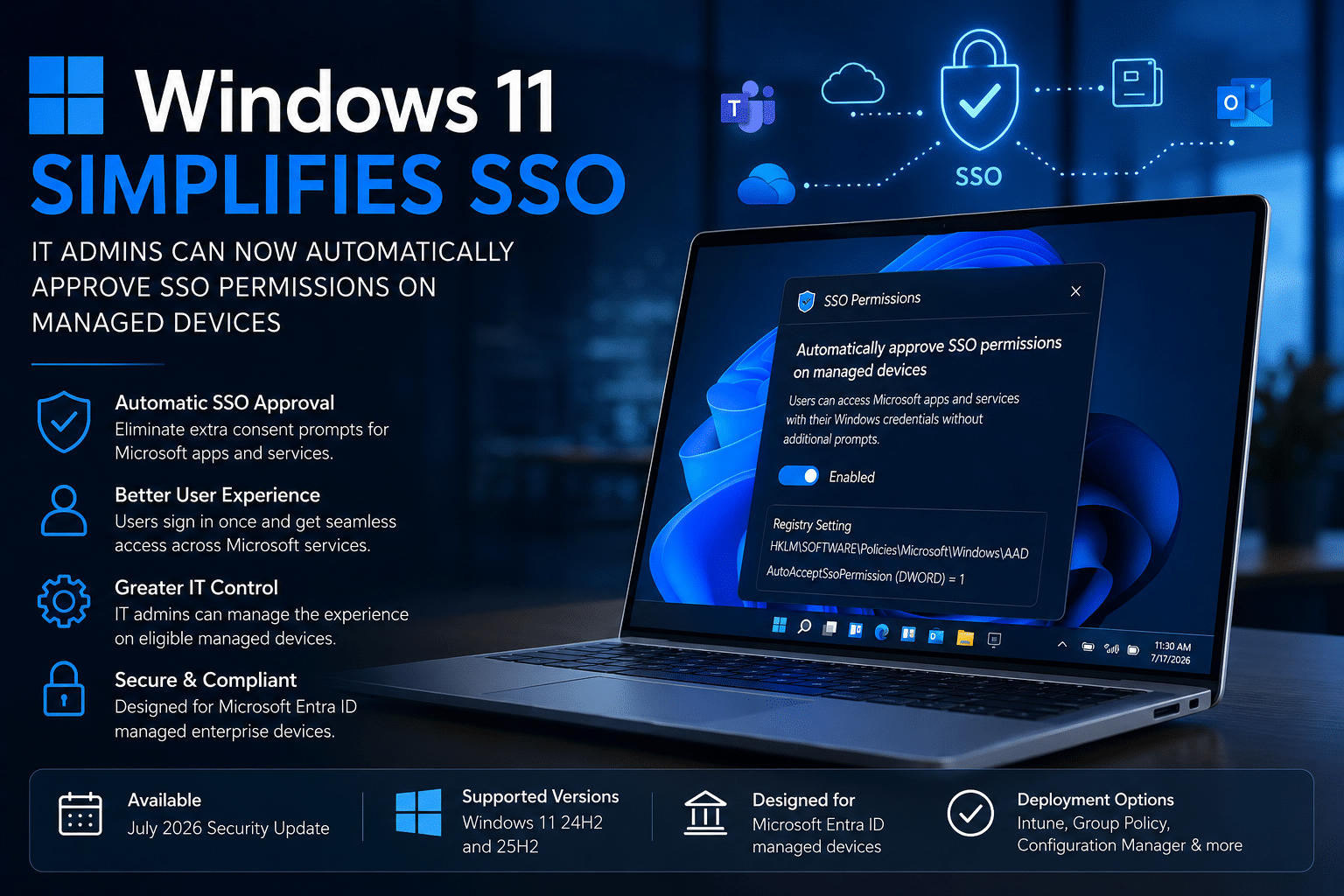
Microsoft has introduced a new enterprise-focused enhancement in Windows 11 that simplifies the sign-in experience for managed devices. Beginning with the July 2026 Security Update, IT administrators can now automatically approve Single Sign-On (SSO) permissions for eligible Windows 11 devices, eliminating unnecessary consent prompts when users access Microsoft apps and services.
The feature is available for Windows 11 version 24H2 and 25H2 and is designed specifically for organizations that manage authentication through Microsoft Entra ID.

Single Sign-On (SSO) enables users to access multiple applications and services with a single set of credentials. In enterprise environments, this reduces password fatigue, improves productivity, and strengthens security by centralizing identity management.
Recent regulatory changes in the European Economic Area (EEA) require Windows users to explicitly grant permission before their Windows sign-in credentials can be used across Microsoft applications and services. As a result, users now encounter additional consent prompts instead of being signed in automatically.
While these consent dialogs help meet privacy requirements, many organizations found them unnecessary on managed corporate devices where authentication policies are already controlled by IT administrators. In response to customer feedback, Microsoft has introduced a new policy that allows enterprises to automate this approval process.

With the July 2026 security update installed, IT administrators can configure a registry-based policy that automatically accepts SSO permissions on eligible managed Windows devices.
Once enabled, employees can seamlessly sign in to Microsoft applications using their existing Windows credentials without seeing additional consent prompts.
This enhancement helps organizations:
The feature is intended only for enterprise-managed devices that are connected to Microsoft Entra ID.
Administrators can enable automatic SSO approval using the following registry setting:
Registry Path
HKLM\SOFTWARE\Policies\Microsoft\Windows\AAD
Registry Value
| Setting | Value |
|---|---|
| AutoAcceptSsoPermission | DWORD = 1 |
After configuring this value, Windows automatically grants SSO permissions on supported managed devices, removing the need for users to manually approve the consent dialog.
Microsoft designed this feature to integrate with existing enterprise management platforms.
Organizations can deploy the registry setting using:
This flexibility allows administrators to implement the policy across thousands of devices without requiring manual configuration.
The automatic SSO approval feature is available only under specific conditions.
Users on unsupported devices will continue to receive the standard consent prompts.
Although the change appears small, it addresses a common frustration in enterprise environments.
Large organizations often deploy Microsoft 365, Teams, OneDrive, Outlook, SharePoint, and other Microsoft services across thousands of managed devices. Requiring every user to acknowledge additional consent prompts can interrupt workflows and generate unnecessary support requests.
By allowing administrators to automatically approve SSO permissions, Microsoft enables organizations to provide a more consistent and seamless authentication experience while still maintaining compliance and administrative control.
The new policy provides several operational advantages:
Because the feature is limited to managed devices governed by enterprise policies, administrators retain oversight of authentication and identity management.
Organizations that want to use this capability should:
Once deployed, users should experience automatic Single Sign-On without additional consent prompts when accessing Microsoft applications.
Microsoft continues to refine Windows 11 for enterprise customers by focusing on both security and usability. The new automatic SSO approval policy is a practical improvement that reduces friction for users while giving IT administrators greater control over the authentication experience.
For organizations already using Microsoft Entra ID and modern endpoint management solutions, this update offers an easy way to streamline access to Microsoft services, improve employee productivity, and simplify day-to-day device management.
As enterprises continue adopting cloud-based identity and device management, features like automatic SSO approval demonstrate Microsoft’s commitment to making Windows 11 more efficient, secure, and enterprise-ready.

We have detected that you are using extensions to block ads. Please support us by disabling these ads blocker.





