



Microsoft Intune – An Administrator’s Guide to Deploying Applications using PowerShell

563views
Microsoft Intune: An Administrator’s Guide to Deploying Applications Using PowerShell by Owen Smith is a step-by-step guide designed for IT administrators seeking to simplify the process of deploying applications across corporate devices using PowerShell scripting in Microsoft Intune.
What’s Covered in This Guide?
This in-depth guide covers the following key topics:
- Overview of Microsoft Intune – A brief introduction to Intune and its role in mobile device management (MDM) and mobile application management (MAM).
- Using PowerShell for Automation – Learn how PowerShell can streamline app deployment, saving you time and reducing manual tasks.
- Setting up PowerShell for Intune – Detailed steps to configure your PowerShell environment for use with Intune.
- Deploying Apps with PowerShell – Step-by-step instructions on how to create deployment scripts, push applications to users, and monitor deployments.
- Error Handling and Troubleshooting – Practical advice for handling common issues when deploying apps using PowerShell in Intune.
- Best Practices – Owen Smith shares his best practices for efficient and secure application deployment using PowerShell.
Why Use PowerShell for Microsoft Intune Deployment?
PowerShell is one of the most powerful scripting tools for IT administrators because it allows for automated, scalable management of Intune resources. Some reasons why IT admins prefer PowerShell include:
- Automating repetitive tasks: Instead of manually deploying each application, you can write a script to automatically push apps across multiple devices.
- Greater control: PowerShell gives you complete control over the deployment process, allowing you to specify configurations and dependencies.
- Efficient mass deployments: Whether you’re dealing with hundreds or thousands of devices, PowerShell scripts can scale to handle large deployments.
Download your eBook Copy

add a comment

How to Use the Group Policy Management Console (GPMC)
Managing hundreds or thousands of Windows machines individually is not administration — it is chaos. Whether you need to enforce a password policy across every workstation in the domain, restrict access to Control Panel for standard users, deploy software settings, or lock down security baselines across multiple sites, manually touching each device is simply not an option at scale. That is exactly the problem the Group Policy Management Console (GPMC) was designed to solve. It is the central command hub for all Group Policy operations in an Active Directory environment...

What is Microsoft Agent 365?
What Is Microsoft Agent 365? Microsoft Agent 365 is a platform‑neutral control plane that treats AI agents as first‑class entities...
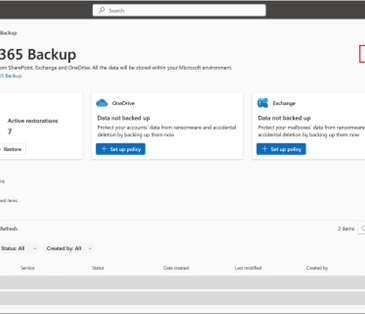
Microsoft 365 Backup: delegate administration, configure billing policies
Microsoft has launched departmental billing for Microsoft 365 Backup, effective March 2, 2026, enabling organizations to configure billing policies, delegate...
The Linux Terminal for Advanced Users – The Command Line Made Easy
If you're ready to move beyond basic commands and truly master the Linux command line, The Linux Terminal for Advanced...




