Physical Address
304 North Cardinal St.
Dorchester Center, MA 02124
Physical Address
304 North Cardinal St.
Dorchester Center, MA 02124

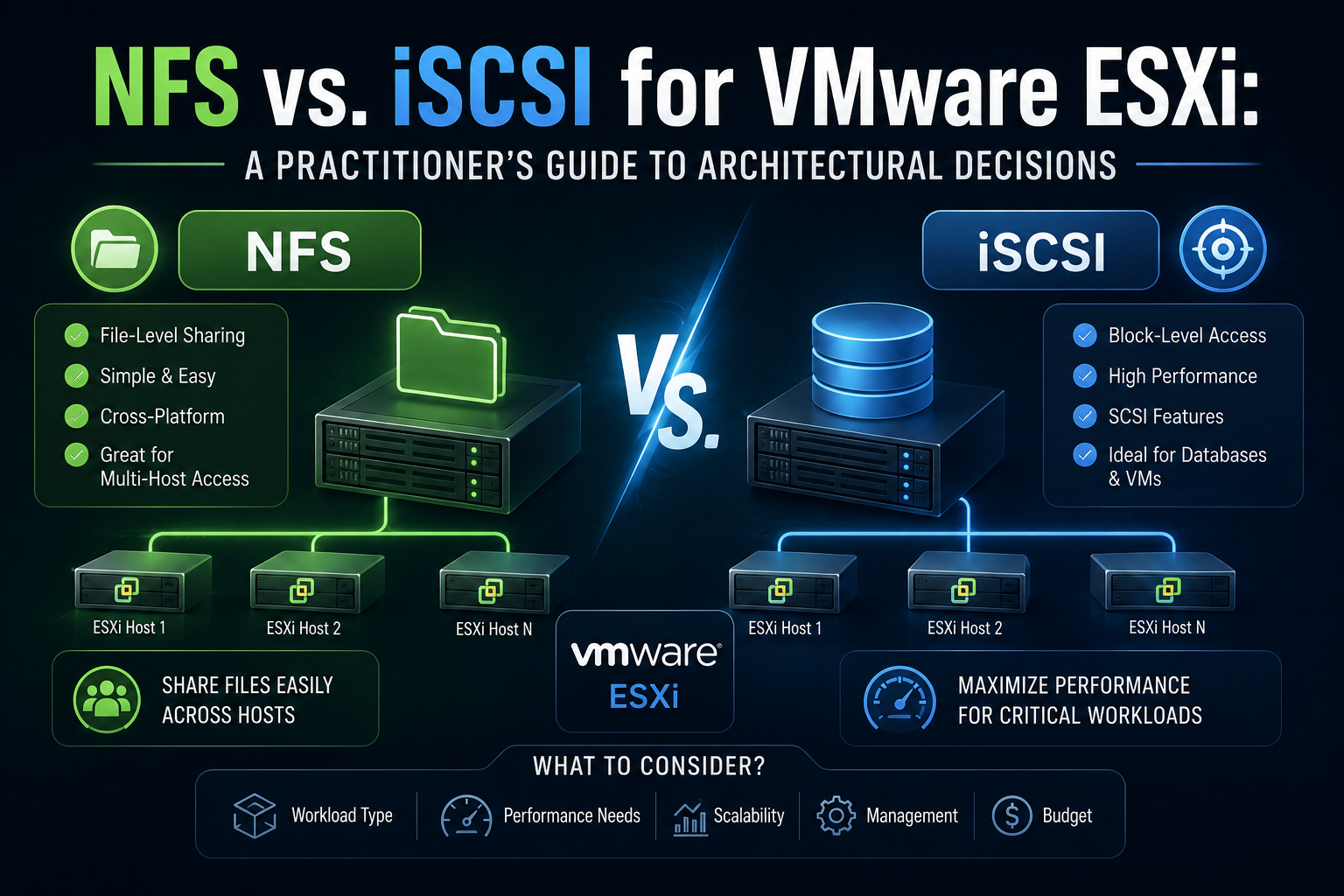
Choosing between NFS and iSCSI for ESXi shared storage is one of those decisions that looks simple on paper and gets complicated fast once you factor in your actual array, network, licensing tier, and operational team. Both protocols run over standard Ethernet, both are well supported in vSphere, and both can deliver excellent performance the “right” answer depends heavily on context. This guide breaks down the technical differences that actually matter for architectural planning, not just the textbook feature list.
NFS is a file-level protocol. The ESXi host acts as an NFS client and mounts an export from an NFS server (a NAS, filer, or software-defined storage appliance) directly into the hypervisor’s namespace. VMDKs, configuration files, snapshots, and ISOs all live as regular files on that remote file system — there’s no VMFS layer involved, because the array’s own file system (WAFL, ZFS, etc.) is doing the work.
ESXi supports two client implementations side by side:
krb5 and krb5i), and simplified firewall handling via a single port.You pick the version at datastore-creation time, and <cite index=”12-1″>you should use the same NFS version for mounting the NFS datastore across all ESXi hosts, since mixing versions on the same datastore can lead to data corruption</cite>.
iSCSI is a block-level protocol. It encapsulates SCSI commands inside TCP/IP packets, presenting a raw LUN to the ESXi host exactly as a Fibre Channel LUN would. ESXi formats that LUN with VMFS, VMware’s clustered file system, which is what actually provides multi-host concurrent access, file locking, and the datastore abstraction you interact with in vCenter.
Three initiator types are supported:
This file-vs-block distinction cascades into almost every other comparison point below. Because NFS delegates file-system responsibilities to the array, the array vendor’s data services (dedupe, compression, snapshots, replication) tend to be more directly exposed and more granular — you can often see and manage individual VMDK files from the array side. Because iSCSI hands ESXi a raw LUN, VMFS’s own locking and space-management mechanisms take over, which historically made VAAI primitives (hardware-accelerated clone, zero, and locking operations) more mature on the block side, though NAS VAAI has closed much of that gap on capable arrays.
The honest, current answer: for a well-configured, modern all-flash array, NFS and iSCSI perform close enough to each other that protocol choice rarely decides your performance ceiling. The network, the array’s controller/cache architecture, and disk media dominate. That said, some patterns show up consistently in independent testing:
Practical takeaway: don’t pick a protocol based on a vendor’s marketing throughput number. Benchmark your actual array, your actual network path, and your actual workload profile (small-file-heavy vs. large sequential vs. random OLTP-style I/O) before committing at scale.
This is where the two protocols diverge more clearly. In one lab comparison, iSCSI-backed VAAI clone/move operations dramatically outperformed NFS with VAAI-NAS enabled, to the point that the author <cite index=”3-1″>was very impressed by the iSCSI performance for clones and moves when using VAAI and had assumed NFS performance with VAAI enabled would have been much closer to the iSCSI numbers</cite>. If your workflow leans heavily on linked clones, rapid VM provisioning, or frequent Storage vMotion, this is worth benchmarking specifically rather than assuming parity.
| NFS | iSCSI | |
|---|---|---|
| Initial config | Mount export via IP/hostname + path; minimal ESXi-side setup | Configure software/hardware initiator, iSCSI targets, discovery (dynamic or static), and format VMFS |
| Networking | Standard IP networking; NFS 4.1 adds Kerberos/AD integration complexity | Dedicated VLAN/subnet strongly recommended; CHAP auth setup |
| Multipathing | NFS v3: none natively (NIC teaming only). NFS v4.1: session trunking, multiple IPs specified at mount time | Native MPIO; well-documented Round Robin policy setup |
| Troubleshooting familiarity | Feels like managing a file share; approachable for teams with Linux/NAS background | Feels like managing a SAN; approachable for teams with block-storage/Fibre Channel background |
For a team that’s already comfortable with block storage concepts (LUN masking, zoning-adjacent thinking, MPIO policies), iSCSI setup is second nature. For a team more familiar with file shares and array-side snapshots, NFS setup and troubleshooting will feel more intuitive.
NFS datastores expose VM files directly on the array’s file system, which is genuinely convenient for backup software, forensic recovery, and browsing you can often see .snapshot directories or equivalent directly. One long-time NetApp user summed up a common sentiment: <cite index=”5-1″>NFS access has been stable and performance-friendly, with the added advantage of not needing extra licensing to restore backups since snapshot copies are directly accessible</cite>.
iSCSI/VMFS management is more “SAN-like” LUN provisioning, VMFS extent management, and datastore expansion follow familiar block-storage patterns that many enterprise storage teams already have runbooks for.
esxcli storage nmp.| Factor | NFS | iSCSI |
|---|---|---|
| Storage array requirement | Any NAS/filer with an NFS export (Synology, QNAP, TrueNAS, NetApp, etc.) — often cheaper entry point | Any array or software target (TrueNAS, StarWind, dedicated SAN) presenting LUNs |
| Network hardware | Standard NICs; benefits from jumbo frames but not mandatory | Standard NICs (software iSCSI) or iSCSI HBAs (independent hardware, adds hardware cost but offloads CPU) |
| CPU overhead | Handled by NFS client stack; generally low | Software initiator adds modest host CPU load for TCP/iSCSI processing; HBA removes this entirely at a hardware cost |
| Licensing | No VMFS licensing implications; array-side feature licensing varies by vendor | VMFS is included in all ESXi licensing tiers; array-side feature licensing varies by vendor |
| Multipathing hardware | NFS v3 needs nothing extra (no true multipath); NFS v4.1 needs an array that supports session trunking | Needs multiple NICs/switches or an HBA for true redundant paths — same physical investment as most block-storage designs |
For a lab or small deployment, NFS is often the lower-friction and lower-cost path because so many affordable NAS platforms expose NFS with minimal configuration. For an enterprise SAN refresh where the team already owns block-storage skills and hardware (or is migrating off Fibre Channel), iSCSI leverages existing operational investment more directly.
AUTH_SYS (host/IP-based trust) there is no strong per-request authentication, which is a real limitation in zero-trust-conscious environments.Neither protocol encrypts data in flight by default at the storage-protocol layer in the way that, say, NVMe/TCP with TLS or IPsec does natively out of the box for typical deployments. Kerberos krb5i provides integrity checking for NFS 4.1 traffic; genuine confidentiality/encryption in transit for either protocol typically depends on network-layer controls (IPsec, dedicated/isolated storage VLANs, or array-specific encryption features) rather than the storage protocol itself. Segment your storage network (dedicated VLAN, ideally physically isolated or air-gapped from general traffic) regardless of which protocol you choose this matters more for both protocols’ real-world security posture than the authentication mechanism alone.
RAID and data protection are functions of the array, not the protocol this is a common point of confusion. Whether you present storage over NFS or iSCSI, the underlying RAID level, snapshot engine, replication, and dedupe/compression are determined by the storage platform underneath. The protocol choice does, however, affect how you interact with those features:
.snapshot directory access) and lets backup tooling work at the file level.Lean NFS, especially NFS v3 with a consumer/prosumer NAS (Synology, QNAP, TrueNAS). Setup is fast, VM files are transparent and easy to browse/back up, and most home-lab-grade NAS platforms have first-class NFS support with fewer gotchas than getting iSCSI CHAP and MPIO dialed in correctly on the same hardware. The performance ceiling of a 1GbE/2.5GbE lab network will rarely expose the throughput differences that matter at scale anyway.
When to reach for iSCSI instead in a lab: if you specifically want to practice enterprise block-storage skills (MPIO, CHAP, VMFS extents) because that’s what your target job/certification path requires — AZ/VMware certification labs are a legitimate reason to choose the “harder” protocol deliberately.
This is the genuine toss-up tier, and the right call depends on team skills and existing hardware more than protocol superiority:
At true enterprise scale, Fibre Channel or FCoE often re-enters the conversation for the highest-tier tier-0 workloads, since <cite index=”4-1″>organizations deploying vSphere in large datacenters have traditionally preferred FC/FCoE, with NFS and iSCSI positioned as the more affordable options for small and medium-size datacenters</cite>. Where NFS/iSCSI remain in play at enterprise scale:
Running both protocols side by side on the same cluster is common and often the pragmatic answer rather than a compromise:
The main cost of a hybrid approach is operational: your team now needs competency in two storage stacks, two sets of monitoring/alerting, and two troubleshooting playbooks. That’s a real tax — only take it on if the workload segmentation genuinely earns it.
| Dimension | NFS | iSCSI |
|---|---|---|
| Protocol layer | File-level | Block-level (LUN + VMFS) |
| Native multipathing | v3: none / v4.1: session trunking | Yes (MPIO — Round Robin, Fixed, MRU) |
| Strong authentication | v4.1 + Kerberos (krb5/krb5i) | CHAP / mutual CHAP |
| VAAI maturity | Improving, historically behind block VAAI for clone/move ops | Mature, well-established |
| Setup familiarity | Easier for file/NAS-oriented teams | Easier for block/SAN-oriented teams |
| Typical entry cost | Lower (many affordable NAS options) | Comparable, higher if using independent HBAs |
| Backup/DR transparency | Strong (file-level array snapshot access) | Depends on VAAI/VASA array integration |
| ESXi 8.x notable update | nconnect for v3 (U2) and v4.1 (U3) | CHAP/jumbo frame tuning largely unchanged, mature |
This guide draws on current Broadcom/VMware TechDocs for vSphere 8.0 (accessed August 2026), NetApp’s ONTAP-VMware integration documentation, and independent lab benchmarking from practitioner blogs (dated 2023–2026, cited inline). Where sources conflicted or reflected older vSphere releases (particularly NFS 4.1’s SDRS/SIOC/vVols/VAAI limitations, which originated in the 6.0 era), that’s flagged explicitly above — always cross-check against the current vSphere Storage guide for your exact build before finalizing an architecture, since NFS 4.1 feature parity has been an actively moving target across releases.

We have detected that you are using extensions to block ads. Please support us by disabling these ads blocker.





