

11views
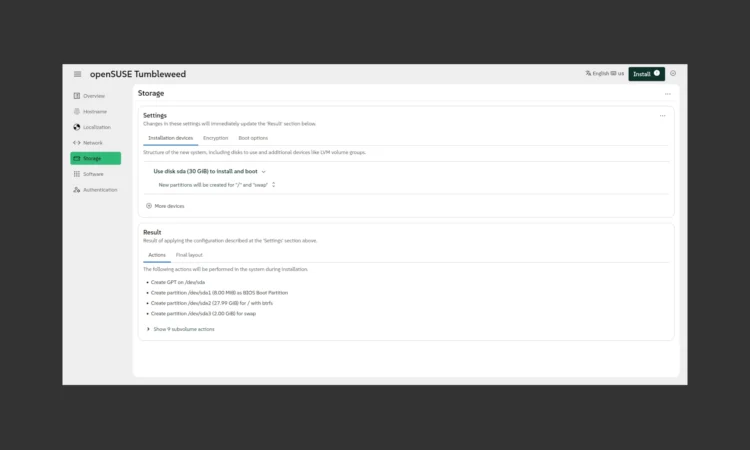
The openSUSE project released the Agama 19 web-based installer for openSUSE Tumbleweed, Slowroll, and MicroOS operating systems, a major release that introduces several new features, small improvements, and bug fixes.
Coming four months after Agama 18, the Agama 19 installer introduces the ability to install some SUSE Linux distributions in so-called installation modes, such as Standard or Immutable, adds a new updateNvram boot loader setting to update the persistent RAM (NVRAM), and the ability to use SSH public keys to authenticate the root user.
Also new is the ability to install into an existing LVM volume group and add new physical volumes to an existing volume group, and a new option to download the current installer configuration in JSON format, which is used by the Agama command line tools and for unattended installation.
“That is the first step to turn the web interface into a useful learning and prototyping tool for more advanced scenarios, although this new functionality could benefit from several usability improvements,” said the devs.
The Network page has been improved to let you define new Ethernet connections, dynamically react to changes in the underlying system, such as when plugging in an Ethernet cable or when a new Wi-Fi adapter is connected.
Also updated is the live Agama Installer ISO image with better support for serial console or adapted timeouts, unified location of kernel and initramfs between different architectures, and a new live.net_config_tui=1 boot argument to trigger the NetworkManager text-mode UI nmtui before Agama starts.
Under the hood, the Agama 19 installer introduces a major architectural revamp that allows the core of the installer to be controlled through a consistent and simple API, while keeping the JSON-based configuration format fully backwards compatible with previous versions of the Agama installer.
Check out the full changelog for more details. To use the Agama installer for installing openSUSE Tumbleweed, MicroOS, or Slowroll, you must download the Agama live ISO image, create a bootable medium on a flash drive, and boot from it. The standard live ISOs still use the old YaST installer.
add a comment

Fedora Introduces Fedora Forge, Plans Full Pagure Migration by 2026
After nearly a year of planning and development, the Community Linux Engineering (CLE) team has officially introduced Fedora Forge, a new platform powered by Forgejo. This marks an important step forward for Fedora’s infrastructure. While Pagure has served the community reliably for many years, the project is now moving away from its in-house solution toward a more modern and scalable alternative. The complete transition is scheduled to take place during Flock to Fedora 2026, and project maintainers are strongly advised to migrate their repositories well in advance of the event....

Krita 5.3 and Krita 6.0 Released With New Text Engine and Wayland HDR Support
Following its beta release earlier this year, Krita has officially launched two parallel versions, 5.3 and 6.0, both derived from...

Mozilla Thunderbird 149 Brings Address Book Export and Multiple Bug Fixes
Mozilla has announced the release of Thunderbird 149, bringing new features and multiple fixes to its open-source desktop email client....

GNOME 48.10 Released as Final Bugfix Update for GNOME 48
GNOME 48.10 has been released as the final maintenance-focused update in the GNOME 48 series, closing this branch with a...




