Physical Address
304 North Cardinal St.
Dorchester Center, MA 02124
Physical Address
304 North Cardinal St.
Dorchester Center, MA 02124

openSUSE Tumbleweed now uses systemd-boot as the default bootloader for new installations, replacing GRUB2 with BLS support. To be clear, this change only applies to fresh installs—existing systems will continue using GRUB unless users decide to switch manually.
Because of this, new Tumbleweed installations will present a different bootloader interface compared to earlier versions. After a clean install, systemd-boot will appear by default instead of the traditional GRUB menu.
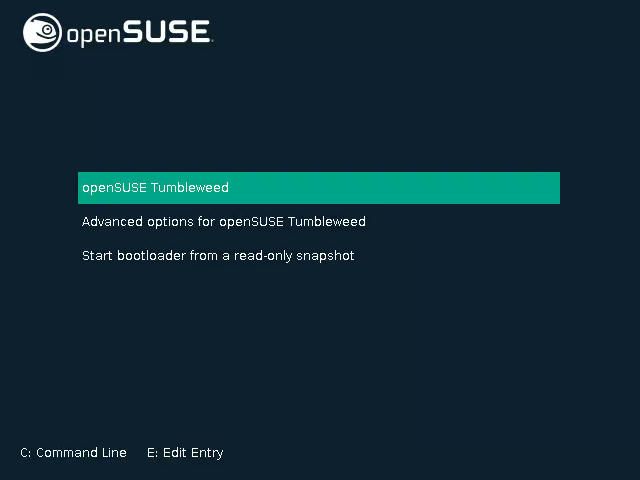
This transition didn’t happen overnight—it was introduced in two stages. In November 2025, openSUSE first moved from classic GRUB2 to a BLS-based GRUB2 setup. While still using GRUB, this approach changed how boot entries were managed by storing them as separate Boot Loader Specification (BLS) files instead of a single configuration file. This shift was designed to better support modern workflows, including systemd-based full-disk encryption, TPM2, and FIDO2 authentication.
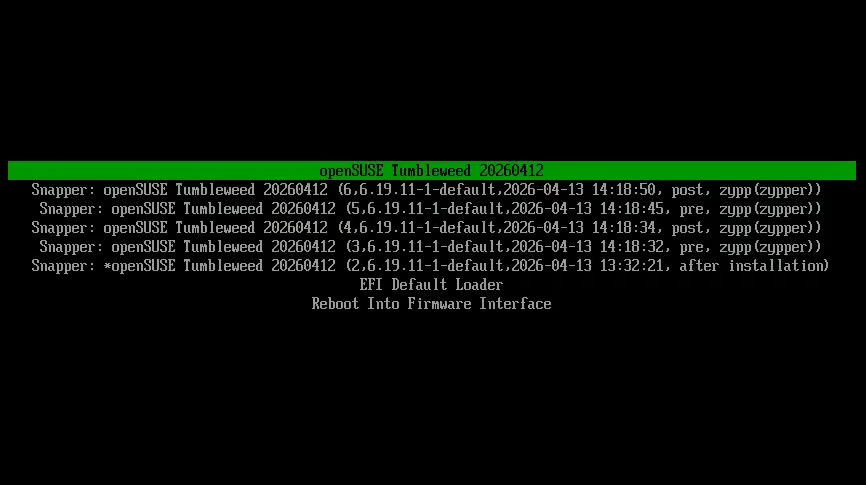
Now, Tumbleweed has taken the next step by adopting systemd-boot as the default. One of the key advantages is simpler integration of modern features, particularly those aligned with BLS-compatible systems. It also improves compatibility with advanced encryption methods, such as systemd-managed disk encryption using TPM2 and FIDO2 tokens. In contrast, traditional bootloaders like GRUB require embedding decryption logic directly into the bootloader, which adds complexity.
Another benefit is simplicity. Like BLS, systemd-boot manages boot entries as individual files rather than openSUSEgenerating a large, monolithic configuration file, making it easier to understand and maintain.
That said, systemd-boot isn’t a complete replacement for GRUB in every scenario. GRUB still offers broader compatibility, especially for legacy systems and complex multi-boot setups beyond standard UEFI environments. systemd-boot, while cleaner and more streamlined, is limited to UEFI systems.
Overall, this move by openSUSE is a positive step forward. Managing boot entries with systemd-boot involves editing small, straightforward text files, which improves transparency and ease of use.
Finally, it’s worth noting that switching an existing Tumbleweed installation between GRUB and systemd-boot is possible, but it requires manual steps and a good level of technical understanding. Unless you have a specific need, it’s generally best to stick with your current bootloader.

We have detected that you are using extensions to block ads. Please support us by disabling these ads blocker.





