Physical Address
304 North Cardinal St.
Dorchester Center, MA 02124
Physical Address
304 North Cardinal St.
Dorchester Center, MA 02124

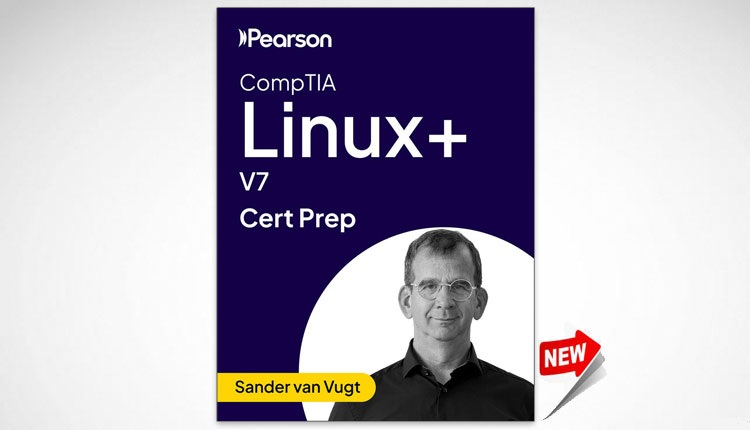
If you’re looking to learn Linux and earn the CompTIA Linux+ certification, Pearson Cert Prep for CompTIA Linux+ V7 is the course for you. This comprehensive course will prepare you for the official CompTIA Linux+ V7 exam and teach you the essential skills to work with the Linux operating system.
The CompTIA Linux+ V7 course is one of the most popular Linux systems administration certifications offered by CompTIA. It helps IT professionals improve their ability to install, configure, manage, and troubleshoot Linux systems.

Pearson – CompTIA Linux+ V7 – Pearson Cert Prep course download link


Size: 4.4 GB

Download – Part One
Download – Part Two
Download – Part Three
Download – Part Four
Download - Part Five
Master Linux system administration and prepare for the CompTIA Linux+ certification with hands-on labs.
Ready to upskill and earn your CompTIA Linux+ certification? Our CompTIA Linux+ V7 – Pearson Cert Prep training course is expertly designed for professionals who need to master Linux quickly and efficiently. Whether youre new to the platform or looking to validate your skills, this is your one-stop training course. Each module aligns with the latest CompTIA Linux+ exam objectives, guiding you through user security, network management, storage, system troubleshooting, and advanced administration tasks like containers, virtualization, and scripting. With hands-on labs and practical exercises, youll gain the real-world experience needed to tackle exam questions and excel in your IT role. Dont just study–learn Linux the right way and unlock new career opportunities with confidence!
Linux Fundamentals
Module 1: Essentials
Lesson 1: Installing Linux
Lesson 2: Using Essential Tools
Lesson 3: Using GNOME
Lesson 4: Essential File Management
Lesson 5: Advanced File Management Tools
Lesson 6: Working with Text Files
Lesson 7: Advanced Text File Processing
Lesson 8: Connecting to a Server
Lesson 9: Working with the Bash Shell
Module 2: Essential Administration Tasks
Lesson 10: User and Group Management
Lesson 11: Permissions Management
Lesson 12: Storage Management Essentials
Module 3: Operating Running Systems
Lesson 13: Managing Networking
Lesson 14: Working with Systemd
Lesson 15: Managing Software
Lesson 16: Managing SSH
Lesson 17: Managing Time
Lesson 18: Process Management
Lesson 19: Scheduling Tasks
Lesson 20: Reading Log Files
Module 4: Advanced Topics
Lesson 21: Containers and Linux
Lesson 22: Managing the Kernel
Lesson 23: Managing Hardware
Lesson 24: Linux Security
CompTIA Linux+ V7 – Pearson Cert Prep
Module 1: Essential Linux Management
Lesson 1: Managing User Related Security
Lesson 2: Network Management
Lesson 3: Managing Systemd
Module 2: Storage Management
Lesson 4: Basic Hardware Management
Lesson 5: Managing Partitions
Lesson 6: Managing File Systems
Module 3: Common Administration Tasks
Lesson 7: Configuring Logging
Lesson 8: Managing and Monitoring Performance
Lesson 9: Managing the Boot Procedure
Lesson 10: Managing File Compression and Backup
Lesson 11: Managing User Interfaces
Lesson 12: Troubleshooting Linux Issues
Module 4: Security
Lesson 13: Configuring a Firewall
Lesson 14: Securing Linux
Lesson 15: Managing Secure Access and Authentication Methods
Lesson 16: Managing Mandatory Access Control
Module 5: Advanced Administration Tasks
Lesson 17: Managing Linux Server Roles
Lesson 18: An Introduction to Bash Shell Scripts
Lesson 19: Using Git for Version Control
Lesson 20: Configuration Management
Lesson 21: An Introduction to Containers
Lesson 22: Managing Virtualization and Cloud
Lesson 23: Python Essentials

We have detected that you are using extensions to block ads. Please support us by disabling these ads blocker.





