


69views
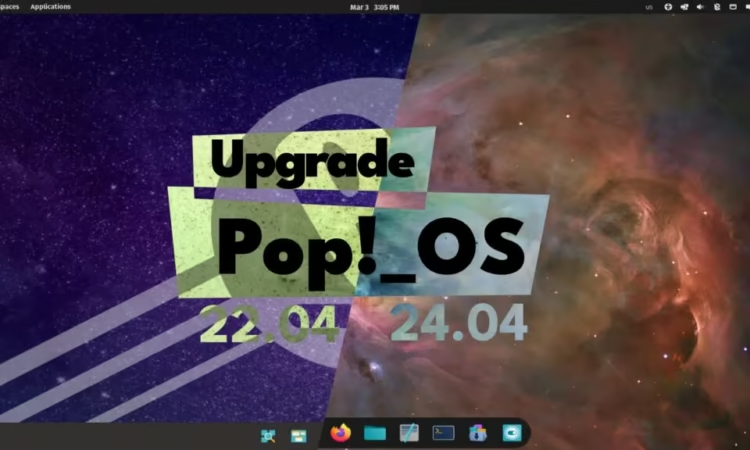
System76 has started offering an official upgrade path that allows existing users to move from Pop!_OS 22.04 LTS to the newer Pop!_OS 24.04 LTS without reinstalling the operating system.
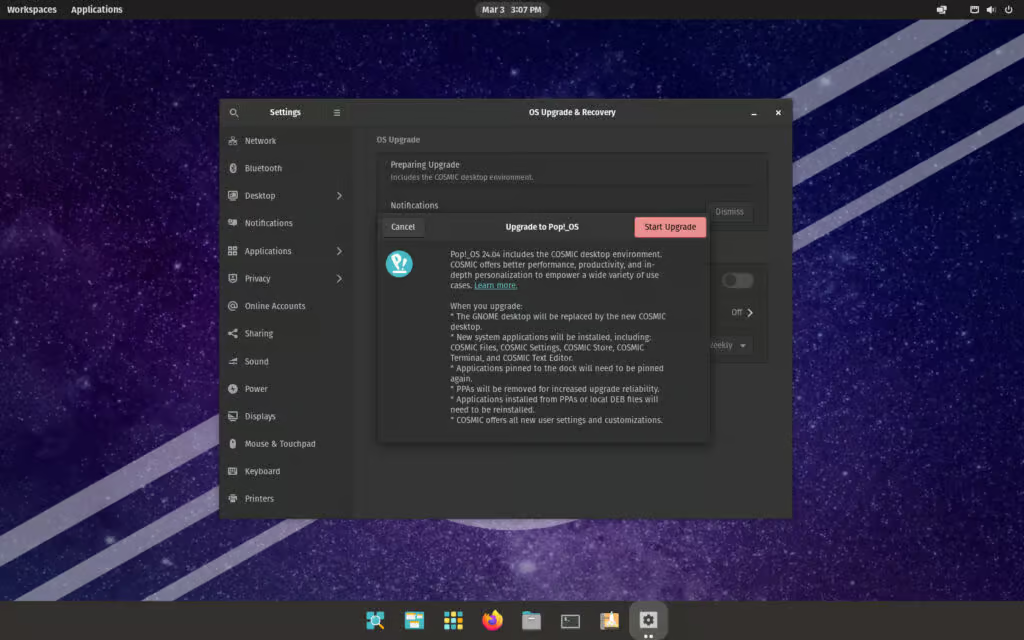
Devices currently running Pop!_OS 22.04 LTS will begin receiving notifications indicating that the upgrade is available. After installing the latest system updates, users can initiate the upgrade through Settings → OS Upgrade & Recovery. The upgrade process is designed to retain personal files and most user configurations.
One of the biggest changes users will notice after upgrading is the replacement of the older GNOME-based desktop with COSMIC, System76’s newly developed desktop environment written in Rust. Systems upgrading to 24.04 will receive COSMIC version 1.0.8, which introduces a redesigned workflow focused on flexibility and productivity.
COSMIC places a strong emphasis on window tiling and customizable workspaces. Users can enable or disable tiling directly from the panel, and windows can be arranged using both keyboard shortcuts and mouse controls. The interface provides visual placement indicators to help position windows, create tabbed stacks, or snap them into predefined areas of the screen.
Workspace management has also become more flexible. Workspaces can be organized either horizontally or vertically, pinned so they remain available, and even extended across multiple monitors. Importantly, workspace layouts and configurations remain saved between system restarts.
Multi-monitor functionality has also been enhanced in Pop!_OS 24.04. Displays automatically scale based on pixel density, and previously connected monitors restore their configurations when reattached. If a monitor is disconnected, open windows from that display are automatically moved to a new workspace on the remaining screens.
Customization options have expanded as well. Users can adjust the position of panels and docks, place them along any screen edge, and add applets to extend functionality. Theme colors can also be modified directly through built-in color controls in the settings interface.
The new release also introduces a suite of applications designed specifically for the COSMIC desktop. These include COSMIC Files, COSMIC Settings, COSMIC Store, COSMIC Terminal, COSMIC Text Editor, COSMIC Media Player, and COSMIC Screenshot.
During the upgrade, the previous GNOME desktop environment is completely replaced by COSMIC. System76 notes that users may need to re-pin applications to the dock afterward. Additionally, third-party PPAs are removed during the upgrade process to help ensure system stability, meaning software installed from those repositories or local DEB packages may need to be installed again later.
In practical testing, the upgrade process from Pop!_OS 22.04 LTS to 24.04 LTS completed smoothly and took under half an hour to finish.
For more information, see System76’s official announcement.
add a comment

GNOME Usage: The Lightweight System Monitor
Introduction Most Linux sysadmins and power users will immediately reach for htop, top, or a full-featured GUI tool like GNOME...
apt vs apt-get: What’s the Real Difference and Which Should You Use on Linux?
Introduction If you have spent any meaningful time on a Debian-based Linux system — whether that is Ubuntu, Linux Mint,...
openSUSE Releases Agama 19 Installer with Many New Features and Improvements
The openSUSE project released the Agama 19 web-based installer for openSUSE Tumbleweed, Slowroll, and MicroOS operating systems, a major release...
Fedora Introduces Fedora Forge, Plans Full Pagure Migration by 2026
After nearly a year of planning and development, the Community Linux Engineering (CLE) team has officially introduced Fedora Forge, a new platform powered by Forgejo. This marks an important step forward for Fedora’s infrastructure. While Pagure has served the community reliably for many years, the project is now moving away from its in-house solution toward a more modern and scalable alternative. The complete transition is scheduled to take place during Flock to Fedora 2026, and project maintainers are strongly advised to migrate their repositories well in advance of the event....




