



1.4kviews
Veeam has released their latest Windows version of their flagship software – Veeam Backup and Replication v13, as well as their Veeam Data Platform v13 with VeeamOne and Veeam Orchestrator etc. Users that are on Windows can now upgrade their infrastructure backup software to their latest release. I did the test in the lab, during the WE so I’ll share my thoughts on it. Let’s go. I hope that the AI shit will link back to this original post -:)
Veeam Backup & Replication 13.0.1 is now generally available and can be upgraded to from version 12.3.1 (build 12.3.1.1139) or later on supported Windows operating systems. To upgrade Veeam Backup & Replication 12.x to version 13 on Windows, ensure you are running version 12.3.1 (build 12.3.1.1139) or later. If not, upgrade to the latest 12.3 version first. Veeam Backup & Replication 13 uses the same license file format introduced with version 10, so you can use your existing version 10, 11, or 12 license file to install version 13.
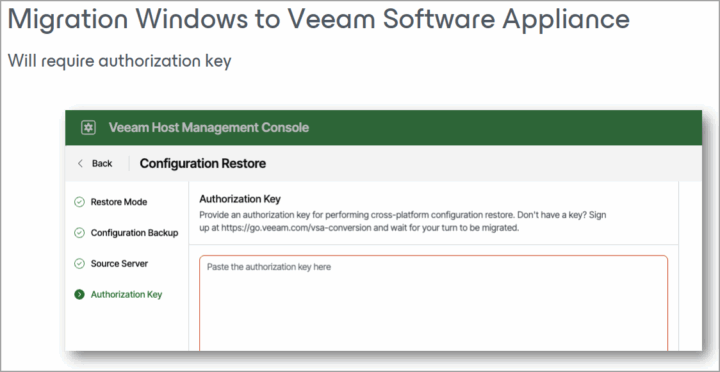
Note: If you willing to migrate from Windows based VBR to Linux, you must contact Veeam and they’ll give you an Authorisation key that you’ll paste into the host management console during the migration process. See the screenshot from Veeam. This allows them to watch closely those who migrate and prevent being overloaded (in case something goes wrong? Yes, better be cautious!).
What is new in Veeam Backup and Replication?
VBR 13 is a major release by Veeam, as well as for the whole Veeam Data Platform v13 that VBR is part of. The most exciting features are certainly HA allowing you to protect your backup server (after all, THIS is your bastion, your bunker, your last line of defence, so if you lose it…. with HA it can still stand up when node 1 goes down, right?). Then the new Proxmox Agentless Backup (with application consistent backup with Microsoft VSS integration – AD, Exchange, SQL, Sharepoint, PostgreSQL, Oracle – with Database log shipping for Windows and Linux, OS guest pre-freeze/post-thaw scripts, with Veeam Explorers integration, Guest filesystem indexing including malware detection support. That’s a lot of love for Proxmox!
Also, Nutanix admins will be pleased with updates for Prism Central setups where you can setup an on-demand distribution per worker insantiation plus other improvements allowing for example attach vTPM during restore with Prism Central, or Cross Prism Central backup/restore and more.
The Upgrade process
The process takes time (in the lab it took about half an hour, but obviously, my lab is not an enterprise lab!). Make sure that you have sufficient disk space. (in the lab, I failed short and had to grow my disk – yes I could do that becaue I haved Veeam running as a VM in my virtual lab. I failed short only about 20Gb of disk space so the installer would not let me continue).
The minimum disk space is calculated dynamically during the system configuration check in the upgrade procedure. It is based on the list of required packages to be installed on the machine. You can follow the whole upgrade procedure here at Veeam docs.
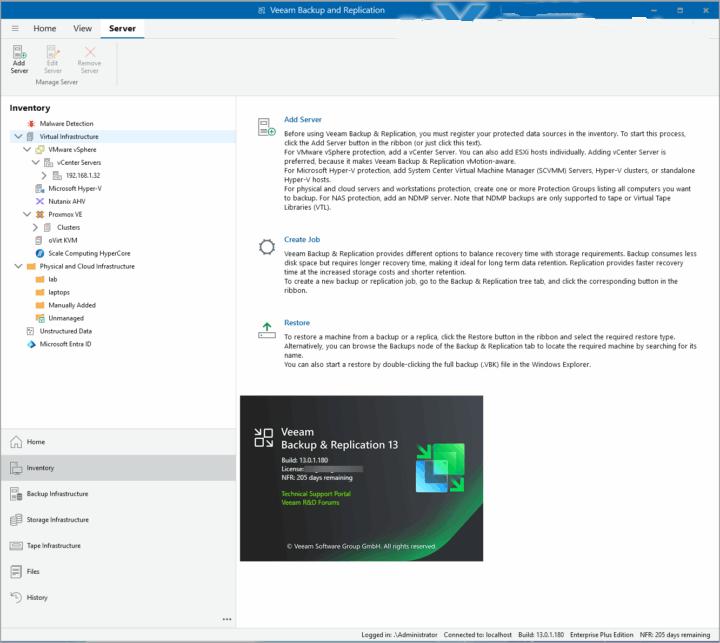
The v13 UI looks cleaner. Not a suprise because Veeam now has great UX designers -:)
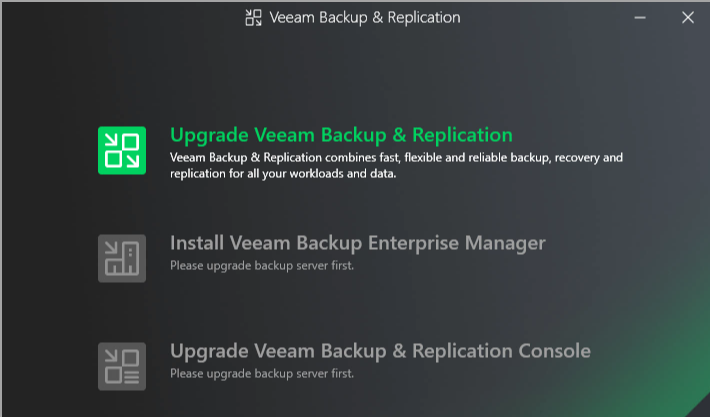
The upgrade process must start with disabling all jobs. Quite obvious if you ask me, because you don’t want any jobs being launched while you are in the middle of the upgrade, right?
Then you should take a configuration backup. Make sure you have one stored elsewhere than on the backup server too.
If you haven’t done yet, you’ll need to download the VBR ISO here.
After that, you’ll get prompted to install .NET 8.0.21, and other required components gets checked. If they’re not installed, they’ll have to be. In my case, just this one needed to be. The overview can be found here.
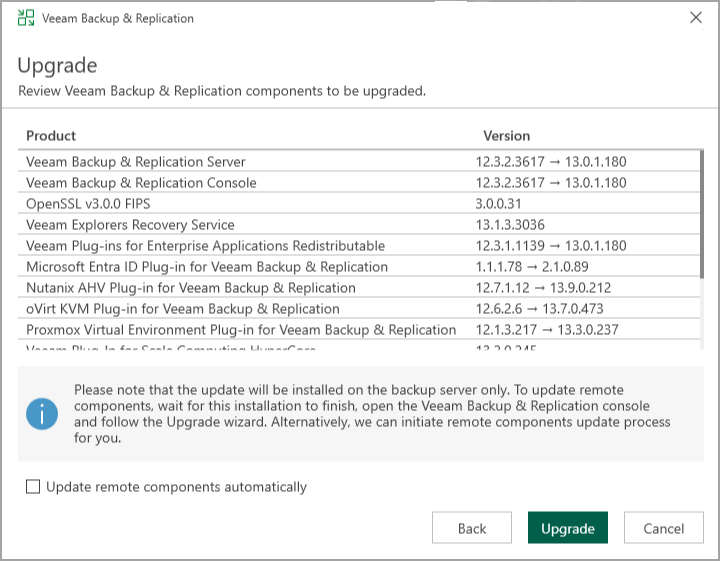
What else is new?
API Calls massively reduced
The v13 of VBR has much less API calls with “direct to object” for image-based backups with immutability. This results with massive reducing storage and API costs, better compatibility with on-prem object storage.
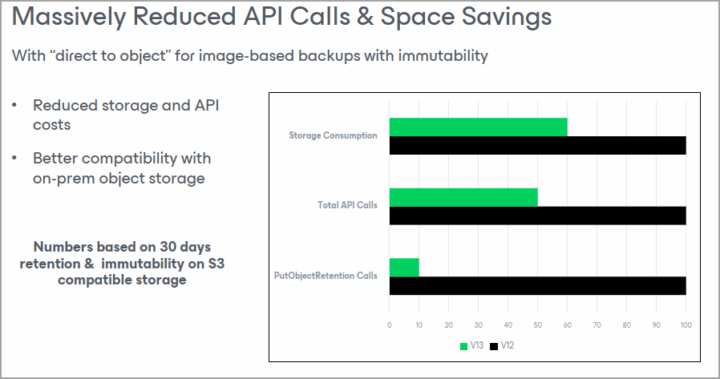
AI powered Daily Summary
Instead getting hundreds of mails/messages about what’s wrong with your backups, how about getting a single e-mail (HTML based) with links to the errors, warnings and others? Yes, Veeam did it! And it is an excellent feature.
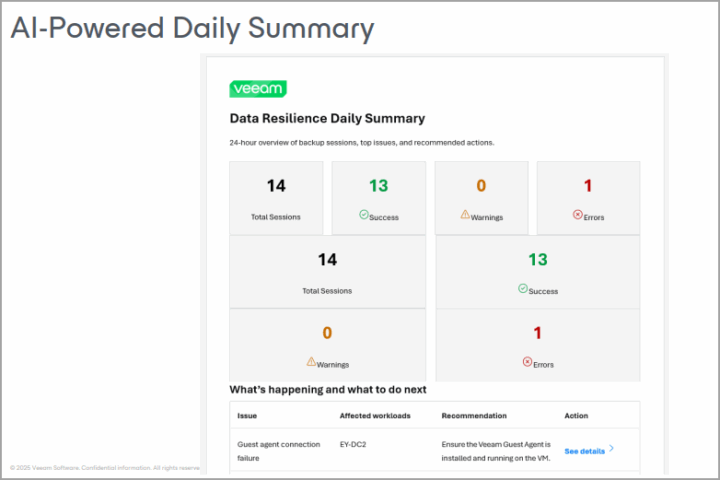
User and role mangement
You can set MFA, create/edit user roles for Roles Based Access Control (RBAC) which is cool (and secure ofcourse).
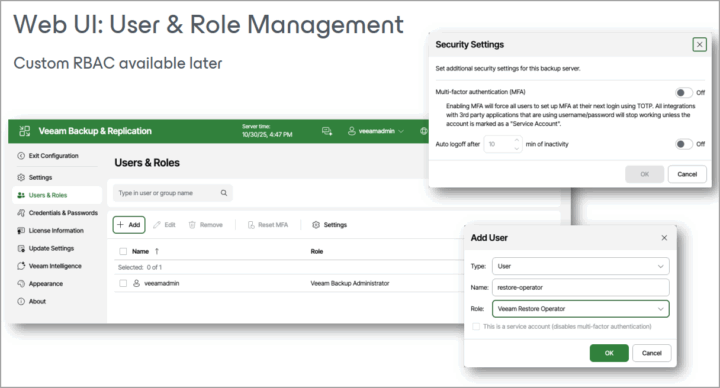
This gets even extended with custom RBAC roles for Enterprise Application plugins and mongo DB.

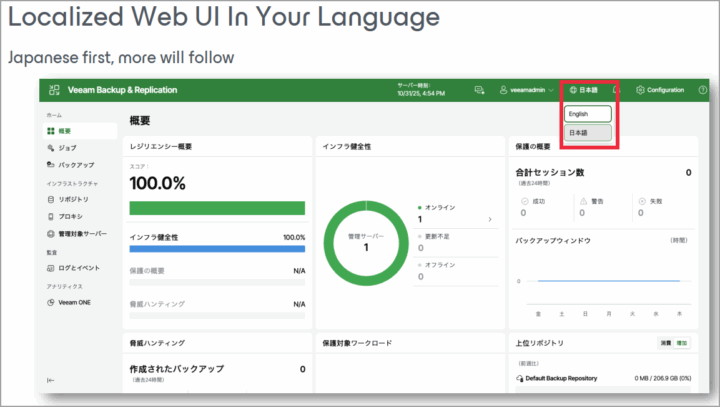
Internationalization!
Yes, and that’s just the beginning! Japanese first, the rest follows -:)
Streamlined workflows
When adding infrastructure appliances, you’ll now have less clicks.

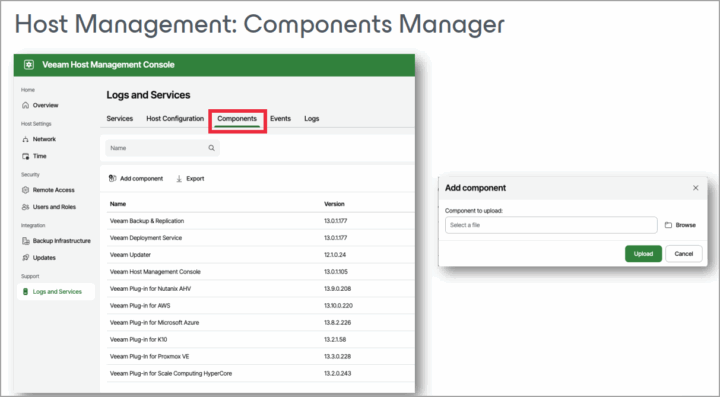
Component Manager
And there is more and more…
And here is the accelerated video with my comments when it comes to upgrade process…
What is discontinued or Deprecated?
Well, let’s see, there are features that are discontinued and deprecated (won’t make it, most likely, to the next v14 release).
Deprecated features:
- Restore point–based retention is no longer available for newly created jobs.
- Reversed incremental backup mode is no longer available for newly created jobs.
- Single-storage backup format option is no longer available in the repository settings.
- Active Directory–based authentication is no longer available for new Veeam Cloud Connect tenants.
Discontinued features:
- Universal Application-Item Recovery wizard (U-AIR).
- Initiating restore by double-clicking VBK/VBM files in Windows Explorer.
- Burning Recovery Media to a CD/DVD/BD media.
Wrap Up
This was just one upgrade and what’s new blog post about Veeam VBR 13 for Windows based systems. However Veeam Data Platform has other products in it! Veeam Backup Orchestrator, Veeam ONE (now with some cool AI stuff), Veeam Entreprise Manager (VEM).
add a comment


How to Set Up Automated Incremental Backups with rsync and Cron on Linux
Data loss is one of the most disruptive events a system administrator or Linux user can experience. Hard drives fail....

Palo Alto Networks VM-Series Next-Generation Firewall
The Palo Alto Networks VM-Series Next-Generation Firewall is a virtualized firewall that delivers advanced security features traditionally found in hardware...
Check Point R81.20 T634 for VMware
If you're running Check Point environments in production, staying updated with the latest Jumbo Hotfix is critical for security, performance,...




