Physical Address
304 North Cardinal St.
Dorchester Center, MA 02124
Physical Address
304 North Cardinal St.
Dorchester Center, MA 02124



The vCenter Server backup is a crucial operation in a vSphere infrastructure since the vCenter Server provides core features such as HA, DRS, vDS, vSAN, and it must be protected accordingly. To guarantee the recovery of the vSphere infrastructure functionality in case…

Harvester HCI is a revolutionary open-source hyperconverged infrastructure (HCI) solution that simplifies enterprise virtualization by combining compute, storage, and networking into a single, unified platform. Built on Kubernetes and designed for modern cloud-native workloads, Harvester delivers enterprise-grade performance with the…
TrueNAS SCALE is a powerful, enterprise-grade Network Attached Storage (NAS) operating system that brings professional-level data management capabilities to businesses and advanced home users. Built on Debian Linux, TrueNAS SCALE offers a robust platform for storing, sharing, and protecting your…
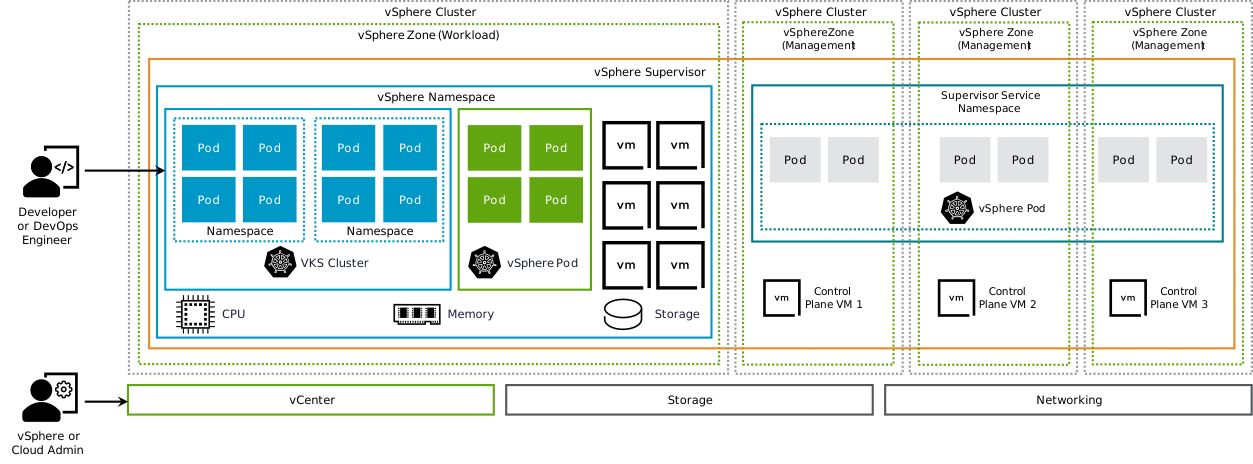
vSphere Supervisor allows you to implement a consistent declarative API within vSphere, supporting the development of modern cloud experiences through VCF Automation. Once enabled on vSphere clusters, it enables workloads to be operated declaratively, this includes provisioning and managing upstream…
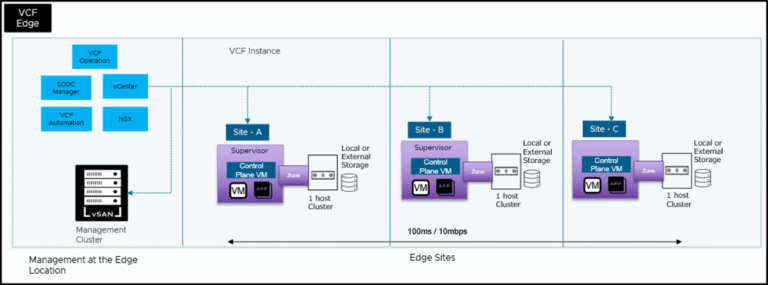
Introduction The digital transformation landscape continues to evolve rapidly, with edge computing becoming a critical component for organizations seeking to process data closer to its source. Today, digital transformation is at the front and center of every business and “data”…
This is a quick VMware ESXi upgrade to ESXi 7.0 U3 via a command-line interface (CLI) that allows you to quickly download and upgrade your ESXi host in case you are NOT using a vCenter server AND your hosts are…

StarWind VSAN is a perfect solution to replace your aging hardware SAN device and save money. In addition, it’s a perfect solution for ROBO environments where you still need High Availability (HA) and resilience. A simple, two-node setup use StarWind…
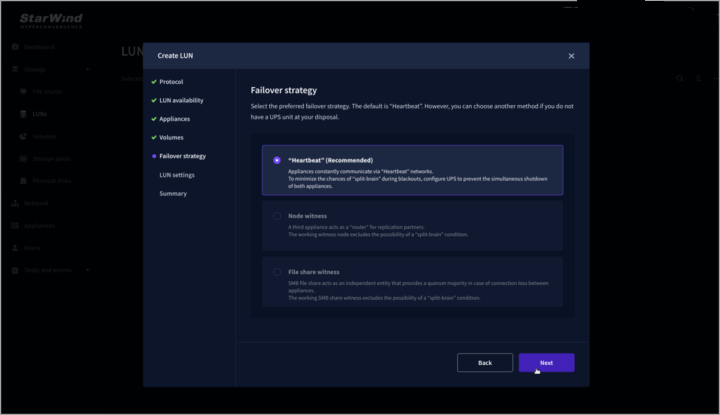
High availability (HA) protected workloads is something we want in production. Knowing that our workload will continue to be available (restarted) on remaining node is something we want to have. HA is not Fault tolerance so our workload will experience…
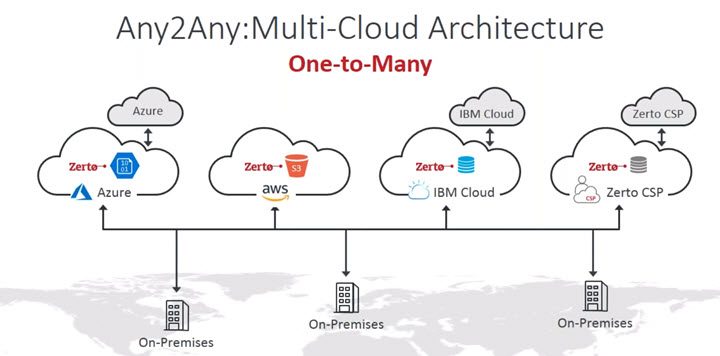
One of the leaders within the enterprise data protection market, Zerto has consistently been at the forefront, offering innovative solutions to meet the demands of modern enterprises. The latest milestone in Zerto’s journey is the transition of its platform to…
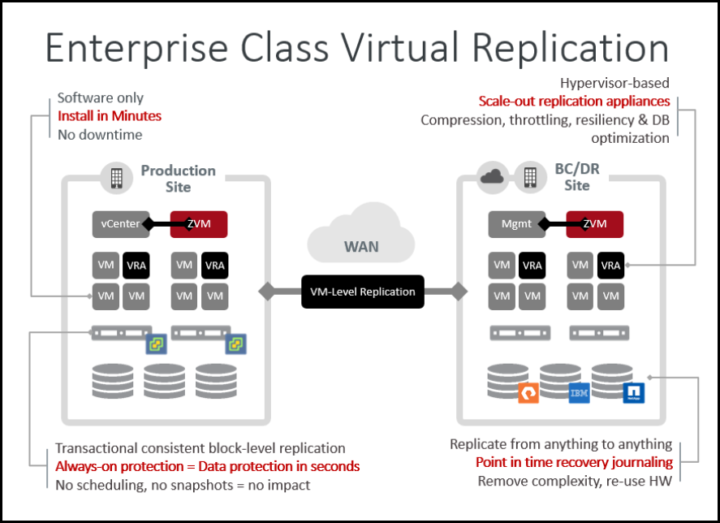
If you are regular reader of our blog, you’ve probably heard about Zerto, the go-to solution for disaster recovery and ransomware protection. The latest release, Zerto 10 U7, dropped recently, and it’s packed with features that make it a must-have for IT…

We have detected that you are using extensions to block ads. Please support us by disabling these ads blocker.




