
Driver Easy Professional 7.1.3.5200 Download for Windows
Download Driver Easy 7.1.3.5200 for Windows 10 and 11. Scan your PC for missing or outdated drivers, learn what changed in version 7.1.3, compare the free and Pro versions and follow a safe driver update routine.

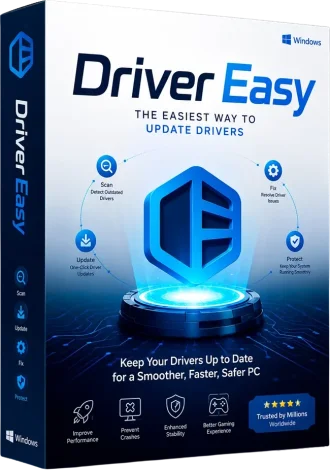
Driver Easy Professional
Driver Easy is a Windows utility from Easeware that scans your computer, identifies missing or outdated drivers and downloads the matching versions, so you do not have to search hardware websites by hand.
About Driver Easy
Outdated, missing or corrupted drivers can cause crashes, device errors and slow performance. Driver Easy automates the search: it checks your hardware, compares installed drivers against its database and offers newer versions for download. It comes in a free edition and a paid Pro edition, and it has been developed by Easeware for many years.
This page covers build 7.1.3.5200. Easeware has since released newer 7.1.x builds, so check the official Driver Easy website if you want the very latest version.
What’s New in Driver Easy 7.1.3
| Change | Details |
|---|---|
| Subscription tab | A new tab in Settings for managing your subscription |
| New language | Added support for Traditional Chinese |
| Language labels | “Chinese (China)” was renamed to “Simplified Chinese” for clarity |
| Translations | The Italian translation was revised |
| About tab | License key details were removed from the About tab |
Based on Driver Easy’s release announcement and independent release listings. See the official Driver Easy software updates page for full notes.
Key Features
Automatic Driver Scan
Detects missing and outdated drivers on your PC.
Driver Downloads
Downloads matching drivers from its database.
One-Click Updates (Pro)
The Pro version can update all listed drivers in one step.
Backup and Restore
Back up drivers before you change them, so you can restore them if something goes wrong.
Offline Scan
Prepare drivers for a PC without a working network connection.
Pro Technical Support
Pro includes full technical support from the vendor.
Feature availability depends on the edition. Confirm the current free and Pro features on the official website.
Available Downloads
Size: 7.2MB
Format: EXE
System Requirements
| Component | Requirement |
|---|---|
| Operating system | Windows 10 or Windows 11 (check the official site for older versions) |
| Permissions | Administrator rights to install drivers |
| Internet | Required to scan and download drivers |
| Disk space | Space for the program plus the downloaded driver packages |
Always confirm the supported Windows versions on the official website before you install.
Installation Guide
- Download the installer and check that the file size matches the table above.
- Run the installer as administrator and follow the setup wizard.
- Open Driver Easy and click Scan Now.
- Create a system restore point in Windows before you update any drivers.
- Review the list of drivers. Update the ones you need, and restart Windows when asked.
- For Pro, sign in with the license that you bought from the official website.
Safe driver update tips
On a laptop or a branded PC, check the manufacturer’s support page first, since it offers drivers tested for your exact model. Update one critical driver at a time, such as graphics or network, so you can roll back easily in Device Manager if something fails.
Related downloads
Looking for more Windows tools? Browse our software downloads, or see the NetLimiter 5.3.28 download to monitor and limit app bandwidth.
Need More Windows Tools and Guides?
Explore software downloads and step-by-step tutorials on VMoreCloud.
Browse Software
