Physical Address
304 North Cardinal St.
Dorchester Center, MA 02124
Physical Address
304 North Cardinal St.
Dorchester Center, MA 02124

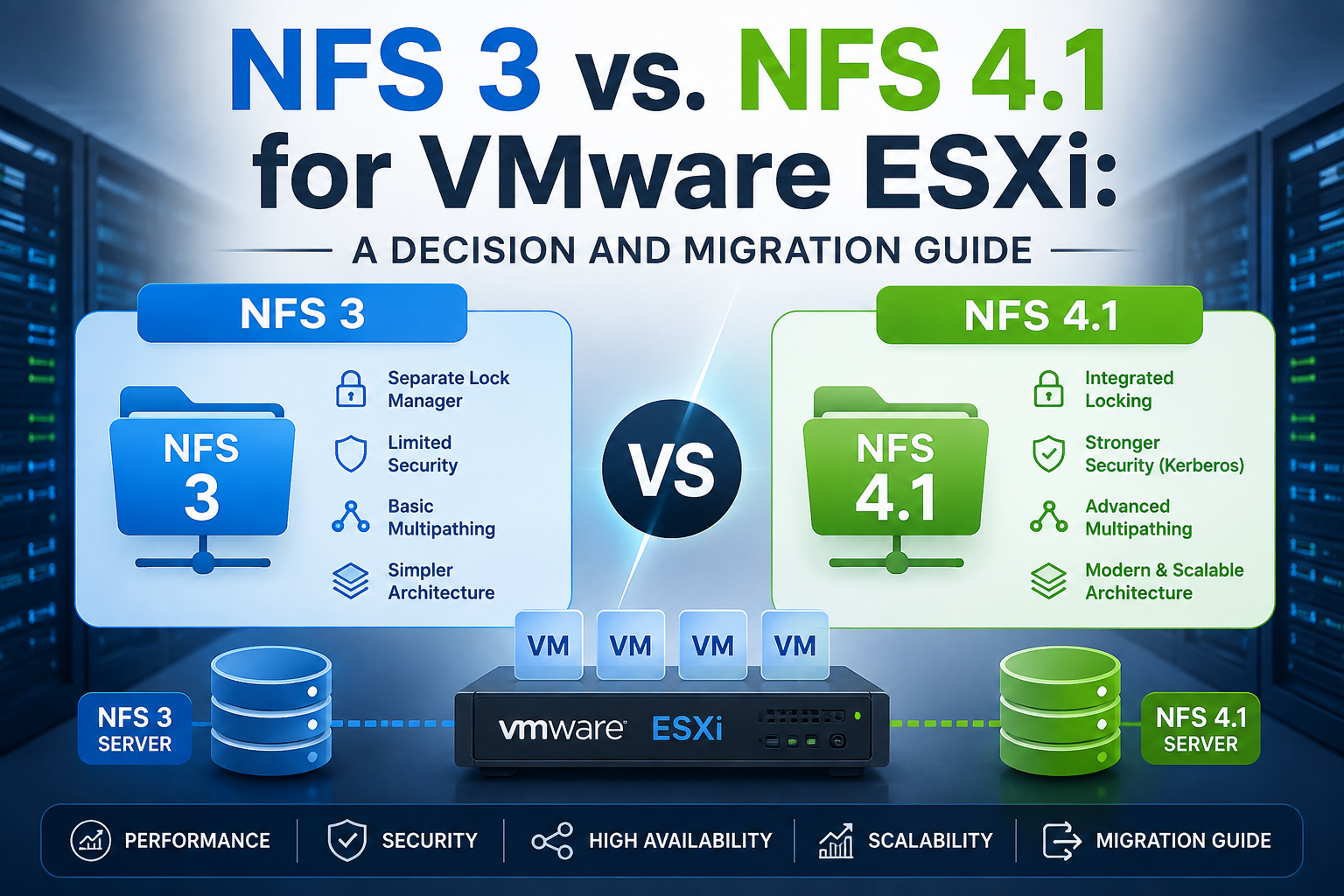
NFS 3 and NFS 4.1 are both supported storage protocols for VMware ESXi, but they differ significantly in architecture, security, multipathing, and operational capabilities. This guide compares NFS 3 and NFS 4.1 to help VMware administrators choose the right protocol based on performance, availability, scalability, and infrastructure requirements.
The guide also explains the key considerations for migrating existing VMware datastores from NFS 3 to NFS 4.1. Learn about protocol differences, compatibility requirements, migration strategies, potential risks, and best practices for planning a smooth transition with minimal disruption to virtual machines and workloads.
For new deployments on ESXi 7.x or 8.x with an array that fully supports it, NFS 4.1 is the better default it closes almost every meaningful gap that made NFS 3 the safer choice a decade ago (multipathing, strong authentication, better firewall handling), and the storage-feature limitations that used to be a “deal breaker” for 4.1 have narrowed significantly since its vSphere 6.0 debut.
For existing NFS 3 environments that are stable and not blocked on a specific 4.1 feature, there is no urgent technical reason to migrate. NFS 3 remains fully supported, is simpler to reason about operationally, and migration itself carries real risk and effort.
The rest of this guide explains exactly why, with the specific caveats that should drive your decision either way.
| NFS 3 | NFS 4.1 | |
|---|---|---|
| State model | Stateless | Stateful (sessions) |
| ESXi client | Dedicated NFS v3 client | Separate, dedicated NFS v4.1 client |
| Introduced in vSphere | Long-standing (pre-dates modern vSphere) | vSphere 6.0 |
| TCP connections per mount | Single connection per mount (pre-nconnect) | Session-based, supports multipathing natively |
ESXi genuinely runs two different client implementations side by side — <cite index=”57-1″>to support both versions, ESXi uses two different NFS clients</cite> so this isn’t a thin compatibility shim over one codebase; the two protocols are handled as distinct storage stacks internally.
This is one of the most operationally important differences, because it directly dictates a hard migration constraint discussed in Section 7.
The critical consequence: <cite index=”60-1″>because NFS 3 and NFS 4.1 clients do not use the same locking protocol, you cannot use different NFS versions to mount the same datastore on multiple hosts</cite>. This isn’t a soft recommendation mixing versions on one datastore risks real data corruption, and it’s why version selection has to be a cluster-wide, deliberate decision rather than a per-host convenience choice.
esxcli storage nfs param set -v <Datastore-Name> -c <Number-of-Connections>. NFS 4.1 also supports nconnect for multiple connections per session, per <cite index=”65-1″>for NFS 4.1, you can create multiple connections per session</cite> using the same option.Practical note: nconnect improves throughput by parallelizing TCP connections, but it is not a substitute for true multipathing’s failover behavior don’t conflate the two when planning redundancy.
This is the single clearest reason to prefer NFS 4.1 in any environment with real security requirements.
AUTH_SYS: <cite index=”66-1″>with this mechanism, storage traffic is transmitted in an unencrypted format across the LAN, and because of this limited security, NFS 3 storage should be used only on trusted networks and isolated on separate physical switches or a private VLAN</cite>.krb5 for authentication, krb5i for authentication with integrity checking).Neither version encrypts data in transit by default beyond what Kerberos krb5i provides for integrity — genuine confidentiality typically still depends on network-layer controls (isolated VLANs, IPsec) regardless of which NFS version you choose.
This is the area with the most outdated information circulating online, and where I found a genuine, worth-flagging discrepancy across sources.
At NFS 4.1’s original 2015 launch in vSphere 6.0, the limitations were severe: <cite index=”49-1″>datastores mounted using NFS version 4.1 could not be combined with SDRS, SIOC, SRM, or Virtual Volumes, and NFS 4.1 datastores were not compatible with VAAI-NAS hardware acceleration at all — meaning virtual disks on NFS 4.1 were always thin-provisioned</cite>. This is the version of the story a lot of still-circulating blog content repeats verbatim.
Feature parity improved meaningfully within a couple of years: <cite index=”57-1″>when you upgrade ESXi to version 6.5, existing NFS 4.1 datastores automatically begin supporting functionalities that were not available in the previous release, including Virtual Volumes and hardware acceleration</cite>. So the “VAAI-NAS deal breaker” and the lack of vVols support were both resolved well before current ESXi releases if you’re evaluating 4.1 based on a blog post referencing the 6.0 launch limitations, that information is stale.
Storage DRS support for NFS 4.1 remains partial, and this is the discrepancy worth flagging explicitly: current Broadcom documentation confirms <cite index=”67-1″>Storage DRS supports only initial placement and space-based load balancing for NFS 4.1 datastores in vSphere 8.0 — I/O-based balancing is not supported for NFS 4.1 in this version whereas in vSphere 7.0, Storage DRS did not support NFS 4.1 datastores at all</cite>. So the trajectory is genuinely improving release over release, but as of 8.0, if your Storage DRS strategy depends on I/O-metric-based load balancing (not just space-based), NFS 4.1 still can’t fully deliver that you’d need to explicitly disable I/O-based SDRS metrics for NFS 4.1 datastores (EnforceIOReservations = 0, EnableIoLoadBalancing = 0) per the current KB guidance, or accept space-based balancing only.
Why the discrepancy exists: the older sources (Wahl, virten.net) are dated 2015 and documented NFS 4.1’s launch-state limitations accurately for their time. They are not wrong for vSphere 6.0 they’re simply describing a snapshot that VMware has since substantially improved on. Treat any source discussing NFS 4.1 limitations without a specific vSphere version attached as suspect, and always cross-check against the current TechDocs page for your target ESXi build.
| Feature | NFS 3 | NFS 4.1 (vSphere 8.0) |
|---|---|---|
| VAAI-NAS / hardware acceleration | Supported (array-dependent) | Supported since 6.5 (array-dependent) |
| Virtual Volumes (vVols) | Supported | Supported since 6.5, if the storage vendor’s vVols implementation supports NFS 4.1<cite index=”48-1″></cite> |
| Storage DRS | Full support (space- and I/O-based) | Space-based/initial placement only as of 8.0; no I/O-based balancing |
| Storage I/O Control (SIOC) | Supported | Not currently supported (unverified for most recent builds — confirm against current docs) |
| Site Recovery Manager (SRM) | Supported | Historically unsupported at 4.1 launch; verify current SRM compatibility directly against your SRM and ESXi version, since this is one of the areas most likely to have shifted and wasn’t independently confirmed as still-limited in current sources reviewed here |
| Fault Tolerance (FT) | Supported (legacy and modern mechanisms) | Supports the modern FT mechanism (SMP-FT, up to 4 vCPUs) only — <cite index=”57-1″>NFS 4.1 VMs do not support the legacy Fault Tolerance mechanism</cite> |
Independent, controlled testing consistently shows the two versions performing close enough that protocol choice alone rarely decides your throughput ceiling array quality, network configuration, and workload profile dominate. That said, the meaningful mechanical differences are:
Practical takeaway: don’t choose a version based on assumed throughput superiority. Benchmark your actual array and workload the protocol-level differences described above matter far less than array cache architecture, disk media, and network path quality in virtually every real-world deployment.
This is the single most important operational fact for planning: <cite index=”58-1″>ESXi does not support automatic datastore conversions from NFS version 3 to NFS 4.1</cite>. If you want to move from 3 to 4.1, the supported path is: <cite index=”58-1″>create the new NFS 4.1 datastore, and then use Storage vMotion to migrate virtual machines from the old datastore to the new one</cite>.
If your current NFS 3 environment is stable, meets your performance needs, and isn’t blocked by a specific feature gap (Kerberos requirement, multipathing requirement), migrating purely for “newer is better” reasons isn’t well justified given the real migration effort and risk described in Section 7. Protocol modernization for its own sake is not a strong enough reason on its own.
| Dimension | NFS 3 | NFS 4.1 |
|---|---|---|
| State model | Stateless | Stateful (session-based) |
| Locking | Proprietary, client-side (lock files) | Native protocol locking, server-side (share reservations) |
| Multipathing | None natively; NIC teaming only | Native session trunking |
| Multiple TCP connections (nconnect) | Yes, since vSphere 8.0 U1 | Yes, extended after v3 support |
| Authentication | AUTH_SYS only (unencrypted, host-trust-based) | AUTH_SYS or Kerberos (krb5/krb5i) |
| Nonroot user access | Not supported | Supported, with Kerberos |
| VAAI-NAS / hardware acceleration | Supported | Supported since vSphere 6.5 |
| Virtual Volumes (vVols) | Supported | Supported since vSphere 6.5 (array-dependent) |
| Storage DRS | Full (space + I/O based) | Space-based/initial placement only as of vSphere 8.0 |
| Storage I/O Control (SIOC) | Supported | Not currently supported (verify against current docs) |
| Fault Tolerance | Legacy + modern (SMP-FT) | Modern (SMP-FT) only |
| In-place version conversion | — | Not supported; requires Storage vMotion to a new datastore |
| Mixed-version mounting of same datastore | Not supported (locking incompatibility, corruption risk) | Same |
| Operational complexity | Lower | Higher (Kerberos/AD dependency if used) |
| Best fit | Stability, simplicity, trusted networks, full SDRS dependency | Security-conscious, multipathing-dependent, greenfield on 7.x/8.x |
This guide is built primarily from current Broadcom TechDocs pages for vSphere 7.0 and 8.0 (NFS Storage Guidelines and Requirements, NFS File Locking, NFS Security, NFS Networking, NFS Datastore Concepts and Operations), supplemented by a Broadcom KB article specifically addressing current Storage DRS behavior with NFS 4.1 datastores. Historical context on NFS 4.1’s 2015 launch-state limitations comes from contemporaneous, well-regarded community sources (Chris Wahl, virten.net) that were accurate for vSphere 6.0 but are now outdated on the VAAI-NAS/vVols points this discrepancy is flagged explicitly in Section 5 rather than silently reconciled, since a meaningful amount of still-circulating content repeats the outdated 6.0-era limitations as if current.
Explicitly unverified in this pass and worth confirming before finalizing a production design: current SIOC support status for NFS 4.1 on the latest 8.x update, and current Site Recovery Manager compatibility with NFS 4.1 datastores neither was independently confirmed against current documentation in this research pass, and both are flagged in the comparison table above rather than stated as fact.

We have detected that you are using extensions to block ads. Please support us by disabling these ads blocker.





