Physical Address
304 North Cardinal St.
Dorchester Center, MA 02124
Physical Address
304 North Cardinal St.
Dorchester Center, MA 02124

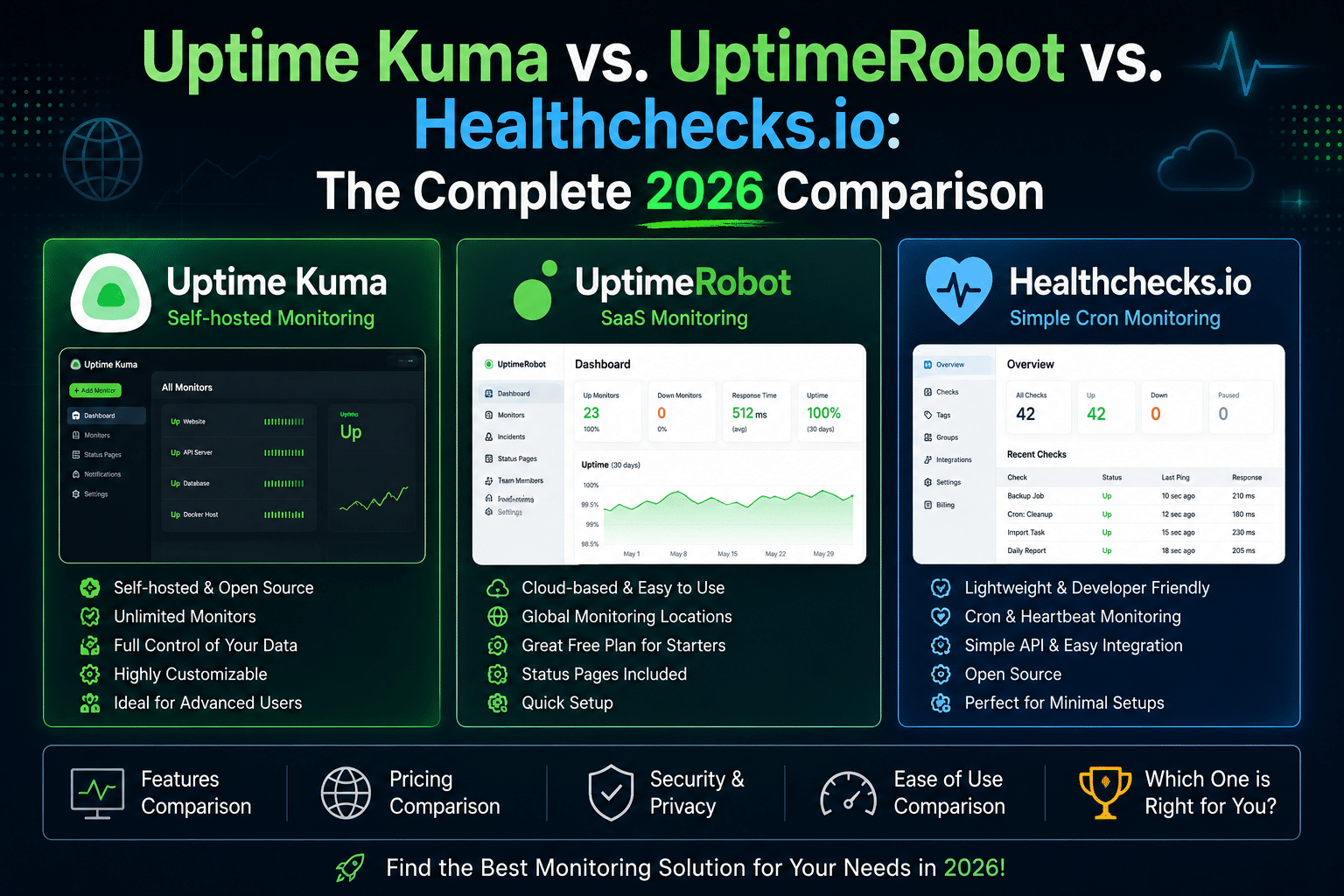
Choosing a monitoring tool usually comes down to one question first: do you want to run it yourself, or pay someone else to? Everything downstream cost, setup time, reliability, who’s on the hook when it breaks flows from that one decision. Uptime Kuma, UptimeRobot, and Healthchecks.io each answer it differently, and they’re not actually direct competitors in every dimension: two are general-purpose uptime monitors, one is a cron-job specialist, and one can be either self-hosted or SaaS depending on how you want to run it.
This comparison pulls current pricing and specs directly from each vendor’s official site, cross-checked against recent reviews and the projects’ own GitHub repositories. Sources and their dates are noted throughout treat anything without a 2026 source as worth double-checking before you rely on it.
| If you are… | Go with |
|---|---|
| A homelabber or small team wanting zero recurring cost and full data control | Uptime Kuma |
| A small business that wants monitoring live in 5 minutes with zero infrastructure to maintain | UptimeRobot (Free or Solo) |
| Specifically worried about cron jobs, backups, or scheduled tasks silently failing | Healthchecks.io |
| A DevOps/SRE team running production infra at scale, needing SLAs and compliance | UptimeRobot (Scale/Enterprise) — or Uptime Kuma paired with a dedicated alerting stack |
| Someone who wants both website uptime and cron job monitoring without stitching two tools together | UptimeRobot (has heartbeat/cron monitoring built in) or Uptime Kuma (via Push monitors) — Healthchecks.io alone won’t cover general HTTP/TCP uptime checks |
| Capability | Uptime Kuma | UptimeRobot | Healthchecks.io |
|---|---|---|---|
| HTTP(S) monitoring | Yes | Yes | Not the focus — it’s a “did the job run” tool, not an HTTP checker |
| TCP / Port monitoring | Yes | Yes | No |
| Ping monitoring | Yes | Yes | No |
| DNS monitoring | Yes | Yes | No |
| Keyword / content matching | Yes | Yes | No |
| SSL certificate expiry | Yes | Yes (paid plans) | No |
| Domain expiry | No | Yes (paid plans) | No |
| Docker container monitoring | Yes (native) | No | No |
| Cron job / scheduled task monitoring | Yes, via Push monitor type | Yes, via Heartbeat monitor | Yes — this is the entire product. Purpose-built with Period/Grace Time logic and native cron-expression parsing |
| Status pages | Yes, self-hosted | Yes, all tiers (limits vary) | Public status badges per check/tag, not full status pages |
| API monitoring (auth, headers, JSON assertions) | Basic (headers/body match) | Yes, dedicated API monitor type | N/A (not applicable to its model) |
The honest framing: Uptime Kuma and UptimeRobot compete head-to-head as general-purpose uptime monitors. Healthchecks.io isn’t really in that race it solves a narrower, different problem (silent cron/job failures) extremely well, and both of the other two tools have added a partial answer to that problem via heartbeat/push monitors, but neither matches Healthchecks.io’s cron-expression support, per-job grace windows, or ping-based event logging depth.
Sources: uptimerobot.com/pricing (fetched Aug 2026), healthchecks.io (fetched Aug 2026), github.com/louislam/uptime-kuma wiki (Aug 2026).
| Uptime Kuma | UptimeRobot | Healthchecks.io | |
|---|---|---|---|
| Self-hosted | Yes — this is the only option. No official SaaS. | No official self-hosted option | Yes, official Docker image and source available |
| SaaS | No | Yes — this is the only option. | Yes — the hosted healthchecks.io service |
| Infrastructure required | A host running Docker (or Node.js ≥ 20.4 bare-metal) plus a data volume. Single-container, SQLite-backed — genuinely lightweight | None — fully managed | Self-hosted: Python 3.12+, Django 6.0, PostgreSQL or MySQL (SQLite works for dev/small use), plus a reverse proxy for production. SaaS: none |
This is the real fork in the road. Uptime Kuma is self-hosted only you own the uptime of your uptime monitor, which is either a feature or a liability depending on your risk tolerance. UptimeRobot is SaaS only no infrastructure, no maintenance window planning, but also no control over where your monitoring data lives. Healthchecks.io is the interesting middle case: it’s a genuinely open-source (BSD 3-clause licensed) project you can self-host, or you can just pay for the hosted version and skip the ops work same codebase either way.
Worth flagging directly from Healthchecks.io’s own FAQ: <cite index=”49-1″>self-hosting is a good option if you need custom features or must run everything in-house for compliance, but maintaining a production-grade monitoring service is not a fire-and-forget task, and the hosted option will often be more reliable and cost-effective.</cite> That’s a rare, refreshingly honest admission from a vendor selling the hosted alternative.
$0 forever it’s MIT-licensed and free software. Your actual cost is the infrastructure it runs on: a $5–6/mo VPS is plenty for most homelab/small-business use, or it runs happily on hardware you already own (a Raspberry Pi, a spare mini PC, a corner of an existing Proxmox host). There’s no tier structure, no monitor limits, no feature gating everything is available to everyone. The real “cost” is your own time for setup, updates, backups, and uptime of the monitor itself (see our backup and migration guide if you’re running this in production).
| Plan | Price (annual) | Monitors | Check interval | Notes |
|---|---|---|---|---|
| Free | $0/mo | 50 | 5 min | HTTP, port, ping, keyword, API, UDP, DNS, SSL/domain monitoring included; only 5 integrations; no login seats |
| Solo | $12–13/mo | 10–50 (tiered) | 60 sec | Adds 3 status pages, 12-month data retention |
| Team | $33–38/mo | 100 | 30 sec | 3 seats included, 100 status pages, white-label, webhook/Zapier/PagerDuty |
| Scale | $69–82/mo | 200–500 (tiered) | 15 sec | 5 seats, unlimited status pages |
| Enterprise | Custom | 500–15,000+ | Custom (faster) | SOC 2, DPA, SLA, dedicated CSM, custom invoicing |
Hidden costs to budget for: additional login seats run $15–19/mo each beyond what’s included, and SMS/voice credits are a separate one-time purchase ($3 for 10 credits up to $100 for 1,000) that don’t renew automatically. A 5-person team on the Team plan needing full dashboard access for everyone is effectively $33–38/mo base + 2 extra seats (~$30–38/mo) = roughly $65–75/mo, not the headline $33.
| Plan | Price (monthly) | Price (annual) | Jobs monitored | Log entries/job | SMS/WhatsApp | Phone calls |
|---|---|---|---|---|---|---|
| Hobbyist | $0 | — | 20 | 100 | — | — |
| Supporter | $5 | — | 20 (same as Hobbyist — this tier is a donation, not an upgrade) | 100 | — | — |
| Business | $20 | $16/mo ($192/yr) | 100 | 1,000 | 50 credits | 20 |
| Business Plus | $80 | $64/mo ($768/yr) | 1,000 | 1,000 | 500 credits | 100 |
Notably generous: <cite index=”49-1″>Healthchecks.io offers the Business plan free of charge for open-source projects and nonprofits</cite> on request — a detail worth knowing if you maintain an OSS project with scheduled release/CI jobs to monitor.
| Scale | Uptime Kuma | UptimeRobot | Healthchecks.io |
|---|---|---|---|
| Solo homelab, ~15 monitors | $0 + ~$5/mo VPS (or $0 if self-hosted on existing hardware) | $0 (Free plan covers it) | $0 (Hobbyist covers it, but only if your need is cron jobs specifically) |
| Small business, ~60 endpoints, 3-person team | $0 + VPS cost (~$5–10/mo) + your ops time | ~$33–75/mo (Team + seats) | ~$20/mo if cron-job-focused (Business) |
| 500+ endpoints, SRE team, compliance needs | $0 licensing, but self-hosting at this scale means you’re now running HA infrastructure for your monitor itself — real engineering cost | ~$69–82/mo base (Scale) or custom Enterprise pricing | Business Plus ($80/mo) covers up to 1,000 jobs — but again, this is cron-specific, not general uptime |
| Uptime Kuma | UptimeRobot | Healthchecks.io | |
|---|---|---|---|
| Time to first monitor | ~10–15 min (includes standing up Docker + the container) | ~2 min (sign up, add URL) | ~2 min (sign up, get ping URL) |
| Learning curve | Low-to-medium — the UI is intuitive, but you’re also responsible for Docker basics, reverse proxy setup for HTTPS access, and updates | Very low — pure SaaS UX, no infrastructure decisions | Low, but conceptually different (Period/Grace Time model takes a few minutes to click with newcomers) |
| Dashboard UX | Clean, dark-themed, real-time WebSocket updates; well regarded in community feedback | Polished, “very user friendly,” per multiple Trustpilot/G2 reviews — <cite index=”37-1″>reviewers describe it as straightforward to use and set up, with no need to click through different screens to view status</cite> | Minimal by design — Healthchecks.io’s own philosophy is explicitly <cite index=”56-1″>to do one thing and do it well, focusing on clean and quick UIs and reliable APIs</cite> rather than a feature-dense dashboard |
| For intermediate-to-expert DevOps/SRE users | Fastest to get exactly the setup you want since you control the whole stack, but the “cost” is you’re also the one debugging it | Fastest to production-ready monitoring with zero babysitting | Excellent if cron/scheduled-job visibility is a real gap in your current stack — deliberately narrow scope means nothing to learn beyond Period/Grace |
| Uptime Kuma | UptimeRobot | Healthchecks.io | |
|---|---|---|---|
| Chat platforms | Discord, Telegram, Slack, Matrix, Mattermost, MS Teams, Google Chat, Rocket.Chat, Signal, Zulip, and more (90+ providers total via Apprise) | Slack, Discord, MS Teams, Mattermost, Telegram, Google Chat (tiered by plan) | Slack, Discord, MS Teams, Mattermost, Rocket.Chat, Signal, Zulip, WhatsApp |
| Push notification services | Gotify, ntfy, Pushover, Pushbullet, Pushy | Pushover, Pushbullet | Gotify, ntfy, Pushover, Pushbullet |
| Incident management | PagerDuty (via Apprise/webhook), Opsgenie (community) | Native PagerDuty (Team+ plans) | PagerDuty, Opsgenie, PagerTree, Spike.sh, Splunk On-Call |
| Webhooks / automation | Generic webhook, fully custom payloads | Webhook, Zapier (Team+ plans) | Webhooks, GitHub Issues, Trello |
| SMS / voice | Via third-party providers (Twilio etc., self-configured) | Native, credit-based, all paid plans | Native, credit-based, Business+ plans |
| Total breadth | Very wide — Apprise alone bridges 90+ services, but native quality varies by provider and self-configuration is sometimes required | Narrower but polished and all natively built/supported by UptimeRobot itself | Focused set, but notably includes Prometheus event export — useful if you’re feeding alerts into an existing metrics stack |
Depth vs. breadth trade-off, plainly: Uptime Kuma wins on raw integration count because of Apprise, but several of those integrations are community-maintained and vary in polish. UptimeRobot’s shorter list is entirely first-party and tends to “just work” with less troubleshooting. Healthchecks.io sits in between — a curated, purpose-fit list rather than an exhaustive one.
Uptime Kuma
UptimeRobot
Healthchecks.io
sendalerts background process running continuously —<cite index=”55-1″>when sendalerts is not running, the self-hosted instance will not send out any alerts at all</cite>, which is an easy thing to overlook in a DIY deployment (survive server restarts, monitor the process itself).| Uptime Kuma | UptimeRobot | Healthchecks.io | |
|---|---|---|---|
| GitHub stars | ~90,000 (Aug 2026) | N/A (closed-source SaaS) | Public repo, smaller but active community |
| Forks | ~8,200 | N/A | N/A |
| Maintained by | Louis Lam + community contributors (MIT license) | UptimeRobot company (private) | Pēteris Caune / SIA Monkey See Monkey Do (BSD license) |
| Activity | Very active — <cite index=”41-1″>last commit within days as of mid-2026, with 763 open issues reflecting a large, active backlog</cite> | Continuous product updates, public roadmap at uptimerobot.com/roadmap | Actively maintained, smaller but consistent release cadence |
| Support channels | GitHub issues, community Discord/forums | Official support (tier-dependent), 284+ reviews averaging 4.7/5 on their own site, active Discord | Email support (Business+ plans get priority), public docs, active blog |
| Documentation quality | Good community wiki, occasionally lags behind fast-moving development | Polished official docs and help center | Excellent — docs are thorough, precise, and written with the same “keep it simple” philosophy as the product |
Uptime Kuma’s ~90,000 GitHub stars make it one of the most popular self-hosted monitoring tools in existence a strong signal for community-driven troubleshooting help (Reddit, Discord, forums) even without official paid support.
This is where the three tools diverge most sharply for infrastructure-focused teams.
For DevOps/SRE teams managing infrastructure at real scale: UptimeRobot’s Scale/Enterprise tiers are purpose-built for this. Uptime Kuma remains a strong choice for scale within a single team’s self-hosted footprint (homelab, internal tooling, a startup’s early infra) but isn’t the tool to reach for once you need multi-region checks, formal SLAs, or RBAC across a large team.
Small team on a budget: Uptime Kuma if you have any spare compute and don’t mind owning the ops; UptimeRobot Free/Solo if you’d rather pay a small amount and have zero infrastructure to think about.
Enterprise needs (compliance, SLA, procurement): UptimeRobot Enterprise it’s the only one of the three with SOC 2, a DPA, and a sales-assisted onboarding process built for that conversation.
DevOps/SRE teams at scale: UptimeRobot’s Scale tier for general infrastructure monitoring, paired with Healthchecks.io (self-hosted or Business tier) specifically for cron/scheduled-job coverage — these two are genuinely complementary rather than competing, since they solve different problems well.
Developers who prefer self-hosted, full control: Uptime Kuma for general uptime monitoring; self-hosted Healthchecks.io if cron job visibility specifically is the gap both are legitimately free, open-source, and under your control end to end.
Anyone monitoring backups, cron jobs, or scheduled tasks specifically, regardless of what else they use: Healthchecks.io, even as a second tool alongside Uptime Kuma or UptimeRobot its Period/Grace Time model and cron-expression support are simply more purpose-built for this than either general uptime monitor’s bolt-on heartbeat feature.
Pricing and feature data current as of August 2026, sourced directly from uptimerobot.com/pricing, healthchecks.io/pricing, and the Uptime Kuma GitHub wiki. Vendor pricing changes periodically — verify current numbers directly with each provider before making a purchasing decision, particularly for UptimeRobot’s Solo/Team/Scale tiers, which have been restructured more than once in the past two years.

We have detected that you are using extensions to block ads. Please support us by disabling these ads blocker.





