
VMware Aria Automation Lifecycle Installer 22630473 ISO Download
The VMware Aria Automation Lifecycle Installer ISO with build number 22630473 is associated with the VMware Aria Suite Lifecycle 8.14 release. The installer image is listed as 19.52 GB and is intended for the Easy Installer workflow for Aria Automation and VMware Identity Manager (vIDM). This page summarizes the file details, purpose, preparation steps, and official-source guidance for administrators building or maintaining a VMware cloud-management environment.
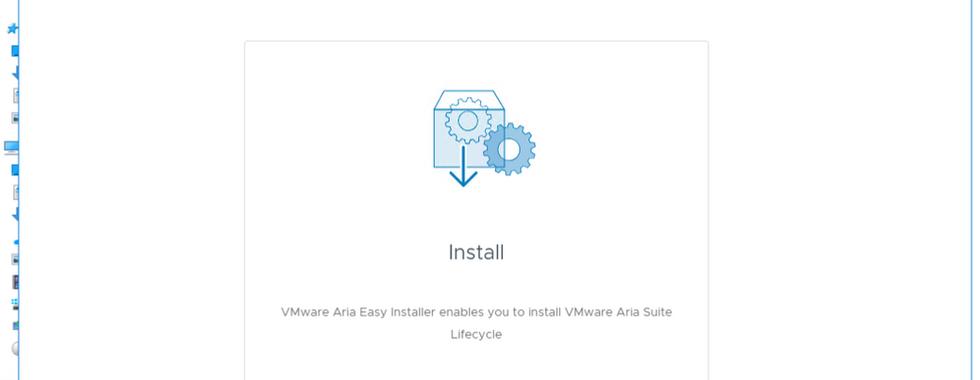
Featured image for the VMware Aria Automation Lifecycle Installer 22630473 ISO. Upload the image asset to WordPress and replace this placeholder URL before publishing.
The button opens Broadcom’s support portal; it is not a direct ISO download link. Access may require a Broadcom account and product entitlement. We do not host or mirror the ISO.
Download information
| Product / installer | VMware Aria Automation Lifecycle Installer / Easy Installer |
|---|---|
| Associated platform release | VMware Aria Suite Lifecycle 8.14 |
| Build number | 22630473 |
| Filename | VMware-Aria-Automation-Lifecycle-Installer-22630473.iso |
| File format | ISO disk image |
| File size | 19.52 GB (reported size; actual displayed size can vary by portal or unit convention) |
| Release date | October 19, 2023 |
| Typical use | Easy Installer workflow for VMware Aria Automation and VMware Identity Manager (vIDM) |
| Download source | Broadcom Support Portal |
What is the Aria Automation Lifecycle Installer?
The Easy Installer is designed to help administrators deploy the relevant lifecycle-management and identity components used in an Aria Automation installation workflow. VMware Aria Suite Lifecycle provides lifecycle-management capabilities for supported VMware Aria products, including environment and product deployment operations.
Use the exact ISO that matches your intended deployment path. The filename containing Automation-Lifecycle-Installer should not be confused with the separate Aria Suite Lifecycle appliance installer or an update-repository ISO; those are different artifacts with different purposes.
What is included in this ISO?
The available build and filename references identify this as the Easy Installer media for Aria Automation and vIDM. The exact component versions and deployment options should be confirmed in the installer documentation and release notes associated with the download in Broadcom’s portal.
Aria Automation deployment workflow
Supports the installer-led deployment process for the matching Aria Automation release family, subject to the product’s documented prerequisites and compatibility matrix.
Identity component workflow
The installer is described for Automation and vIDM. Confirm identity architecture, sizing, certificates, DNS, and supported integration choices before deployment.
Lifecycle management
Aria Suite Lifecycle helps administrators manage supported product environments and lifecycle operations. Its own appliance and update media are distinct from this Easy Installer ISO.
Large ISO image
At a reported 19.52 GB, allow enough local storage for the ISO and extracted files, and verify the download completed successfully before mounting it.
Prerequisites to check before installation
- Supported infrastructure: Check the release-specific compatibility matrix for supported vCenter Server and vSphere versions, compute, storage, and network requirements.
- DNS and time synchronization: Prepare forward and reverse name resolution where required, stable FQDNs, and reliable NTP for all relevant components.
- IP addresses and network access: Reserve the required addresses and validate firewall rules, routing, gateway access, and connectivity between the planned components.
- Capacity: Validate CPU, memory, storage capacity, datastore performance, and any extra capacity required for the selected deployment size.
- Certificates and credentials: Prepare approved credentials and certificate material according to the release documentation and organizational security policy.
- Licensing and entitlement: Confirm that you are authorized to download and deploy the software and have the required licenses for the components you plan to use.
- Recovery plan: For an existing environment, document backups, snapshots where supported, and a tested rollback plan before making changes.
How to use the ISO
The precise wizard and available options depend on the selected release and deployment scenario. Use the vendor’s release-specific installation documentation as the source of truth. At a high level:
- Download the ISO from the official Broadcom Support Portal using an account with the appropriate entitlement.
- Verify the filename, build number, file size, and any checksum published by Broadcom for that exact artifact. Do not reuse a checksum from a different ISO.
- Review the matching release notes, compatibility matrix, prerequisites, and deployment sizing before beginning.
- Mount the ISO or use the documented installer workflow from a supported administration workstation.
- Enter the required infrastructure, networking, DNS, identity, and deployment information as described in the vendor guide.
- Monitor the deployment process and resolve prerequisite or connectivity errors using the release-specific documentation.
- After deployment, verify component health, authentication, certificates, connectivity, and access to the relevant management interfaces.
Verify the file before using it
Because this is a large infrastructure installer, integrity checks are important. Prefer the checksum or signature information supplied by Broadcom for the exact filename and build. A third-party page lists a SHA-256 value for this ISO, but VMoreCloud recommends validating the value against an authoritative vendor source before relying on it.
On Windows, if you have a trusted checksum from Broadcom, calculate the local file hash in PowerShell:
Get-FileHash ".\VMware-Aria-Automation-Lifecycle-Installer-22630473.iso" -Algorithm SHA256Compare the resulting hash character-for-character with the value published by the vendor. A matching file size alone does not prove integrity or authenticity.
Important version and lifecycle considerations
Build 22630473 belongs to the Aria Suite Lifecycle 8.14 generation. It is useful when you specifically need this release for a compatible lab, recovery scenario, or existing environment. For a new deployment, review later releases, the current product support lifecycle, known issues, and upgrade paths before choosing an installer.
Broadcom’s build-number reference lists the Aria Automation 8.14 release and its related build identifiers; the installer build is not the same thing as the Aria Automation appliance build. Keep those identifiers separate when documenting an installation or troubleshooting a version mismatch.
Official references
- Broadcom Support Portal — downloads and product documentation
- Broadcom Knowledge Base — build numbers and versions of VMware Aria Automation
- HPE compatibility matrix referencing Aria Suite Lifecycle 8.14 build 22630473

