Introduction One of the most overlooked — yet critically important — aspects of managing a Windows domain environment is controlling what end users can actually access on their own machines. Left unconfigured, any domain user can wander into Control Panel or PC Settings and make changes that can break network configurations, modify security baselines, or simply waste IT support hours chasing self-inflicted problems. With Group Policy in Windows Server 2025, you can lock this down in minutes. By pushing a single GPO to your domain users, you can completely hide...
Introduction Managing Active Directory environments often means handling machines you cannot physically reach — a remote office workstation, a laptop across the country, or a decommissioned VM sitting in a data center rack. Knowing how to remotely disjoin a computer from a Windows Server 2025 domain is an essential sysadmin skill that saves time, reduces travel overhead, and keeps your AD environment clean and secure. In this guide, you will learn multiple methods to remotely remove a client computer from your domain — without ever touching the machine — using...
Introduction If you manage a Windows Server 2025 environment, you already know how quickly things can go sideways when users start tinkering with settings they shouldn't touch. Folder Options in File Explorer is one of those deceptively simple menu items that lets users reveal hidden files, change file associations, and toggle system-critical display settings — changes that can expose sensitive data or break standardized desktop configurations across your entire domain. The good news? You don't need third-party tools or complex scripts to handle this. Windows Server 2025 Group Policy gives...
As organizations continue shifting workloads to the cloud, mastering Windows Server deployments in modern infrastructure has become an essential skill...
Environment Overview Active Directory Domain Services (AD DS) is a directory service developed by Microsoft that runs on Windows Server. It provides centralized management of users, computers, and other network resources within an organization. AD DS stores information about these resources in a structured database and allows administrators to control access, enforce security policies, and manage permissions from a central location. When a user logs into a network, AD DS authenticates their credentials and determines what resources they are authorized to access. AD DS organizes network objects into domains, organizational...
Why Should You Care About Network Discovery?Understanding Network Discovery in Windows Server 2025Prerequisites: What You'll NeedStep-by-Step Tutorial: Disabling Network Discovery via Group PolicyStep 1: Open the Group Policy Management ConsoleStep 2: Create a New Group Policy ObjectStep 3: Edit the Group Policy ObjectStep 4: Navigate to the Network Discovery SettingsStep 5: Configure the Network Discovery SettingsStep 6: Configure Windows Defender Firewall Rules (Additional Security Layer)Step 7: Link the GPO to the Appropriate Organizational UnitStep 8: Force Group Policy UpdateStep 9: Verify the SettingsWrapping Up If you're managing a Windows Server...
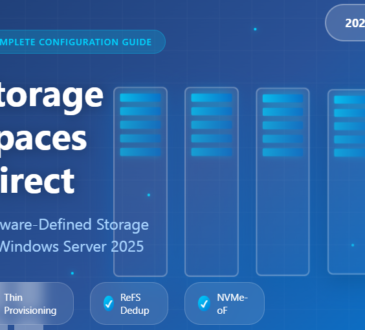
What Exactly is Storage Spaces Direct?Why Windows Server 2025 Changes the GameThin Provisioning: Finally!Smart Repair and Resync ControlsNative ReFS Deduplication...